








This topic describes how to add an OceanBase Database Proxy (ODP).
Procedure
You can add an ODP by using the following two methods:
- Method 1: In the left-side navigation pane, click OBProxy. In the Clusters section, find the ODP cluster to which you want to add an ODP, and click Add OBProxy in the Actions column.
- Method 2: In the Clusters section, find the ODP cluster to which you want to add an ODP and click the cluster name. On the Overview page of the cluster, click Add OBProxy in the upper-right corner.
The following procedure demonstrates how to use Method 2.
Log on to the OceanBase Cloud Platform (OCP) console.
In the left-side navigation pane, click OBProxy.
In the Clusters list, select the target ODP cluster to go to its Overview page.
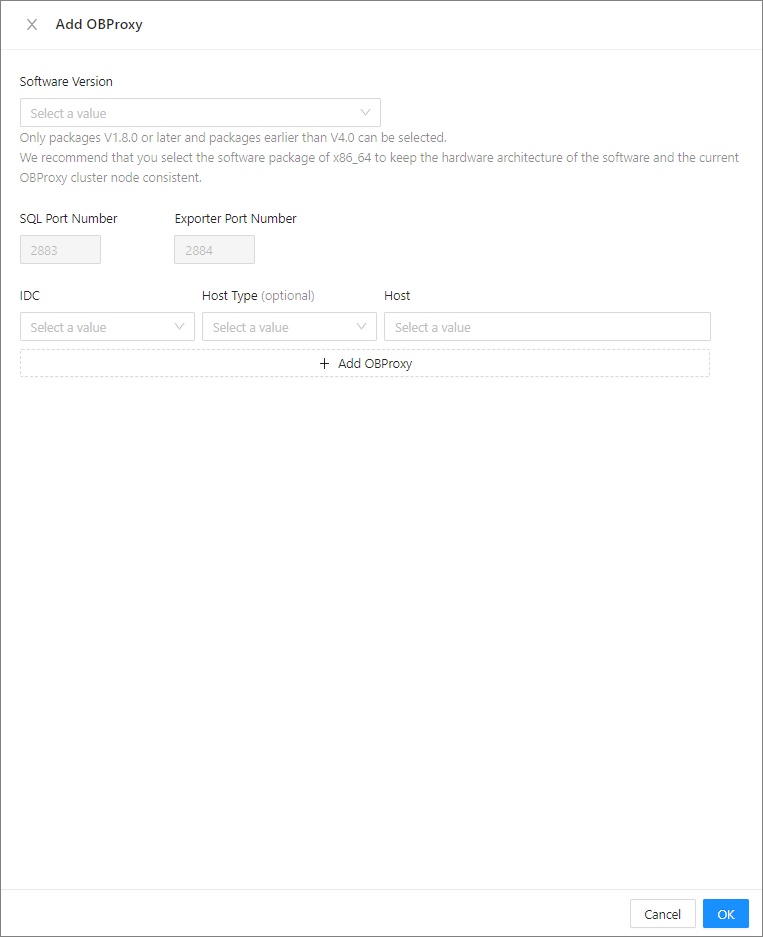
Click Add OBProxy.

In the dialog box that appears, set the following parameters: Software Version, IDC, SQL Port Number, Exporter, Host Type, and Host. For more information, see Create an ODP cluster.
Note
- For an ODP cluster of V4.0 or later, you can select a software package of V4.0.0 or later.
- For an ODP cluster of V3.x or earlier, you can select a software package whose version ranges from V1.8.0 to V4.0.0.
- If no ODP is added to or taken over in the ODP cluster, you can specify the SQL port and Exporter port when you add an ODP to the cluster. If an ODP already exists in the ODP cluster, by default, the SQL port and Exporter port are those configured during ODP deployment when you create the ODP cluster, and cannot be modified.
Click OK.