







This topic describes how to use the column filtering feature when you create a data synchronization task.
Procedure
Create a data synchronization task and configure it to the Select Synchronization Objects step.
For more information, see the topic about creating a data synchronization task between the corresponding data sources in the Data synchronization chapter.
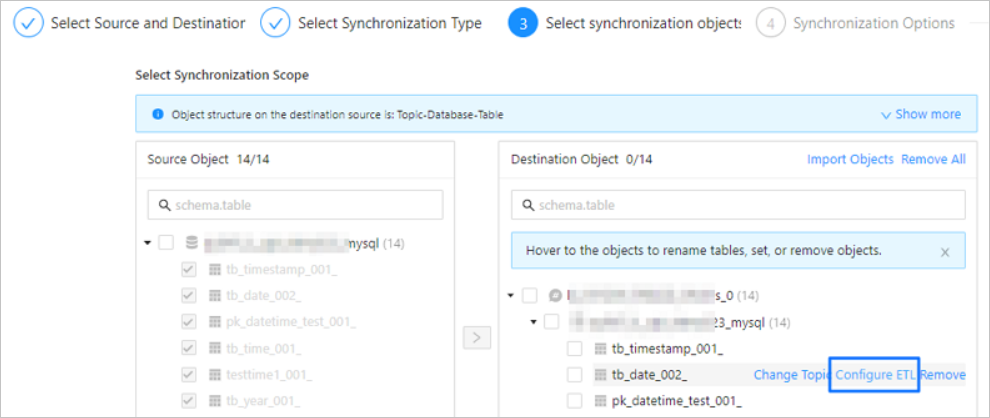
After you select the synchronization objects, hover the pointer over the target table object in the Target Objects list on the right side of the Select Synchronization Scope section.
Click Settings.
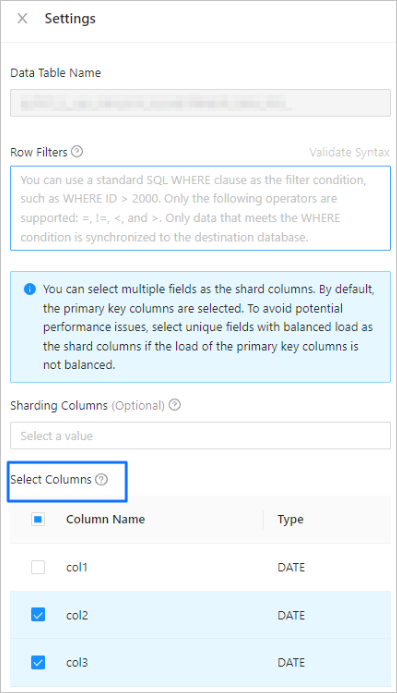
In the Settings dialog box, select the columns to be synchronized in the Select Columns section.
Notice
If you select all or no columns, the OMS feature will synchronize all columns.
Click OK.