







OceanBase Database is suitable for hybrid transactional/analytical processing (HTAP) scenarios. OceanBase Database adopts a distributed architecture based on peer nodes. This architecture allows it to handle high-concurrency and scalable online transactional processing (OLTP) tasks and perform parallel computing for online analytical processing (OLAP) tasks based on the massively parallel processing (MPP) architecture in the same data engine, without maintaining two sets of data. OceanBase Database not only allows you to analyze a large amount of online business data in parallel, but also allows you to perform parallel DML (PDML) operations to quickly and securely execute large transactions that concurrently write data in batches. All these are achieved without compromising transaction consistency.
You can use OceanBase Deployer (OBD) to deploy an OceanBase cluster and experience the operational OLAP feature of OceanBase Database. This article describes how to use OBD to run the TPC-H benchmark to demonstrate the features and usage of OceanBase Database in the operational OLAP scenario. TPC-H is a commonly used benchmark that measures the analysis and decision support capabilities of database systems by using a series of complex queries on massive amounts of data. For more information, visit the official website of the Transaction Processing Performance Council (TPC).
(On May 20, 2021, OceanBase Database set a new world record in running the TPC-H benchmark with a result of 15.26 million QphH. It is by far the only database that achieved top results in running both the TPC-C and TPC-H benchmarks, which testifies its HTAP capabilities in both online transactions and real-time analysis. For more information, see TPC-H Results.)
Use OBD to automatically run the TPC-H benchmark
To run the TPC-H benchmark, you can use the TPC-H dataset generation tools available at the TPC official website, or use OBD to conveniently generate datasets, create tables, import data, and automatically execute 22 SQL statements.
Before you use OBD to run the TPC-H benchmark, install the obtpch component on the server where OceanBase Database and OBD are deployed:
sudo yum install obtpch
Then, run the following command to start running the TPC-H benchmark with a dataset size of 1 GB. The entire process contains dataset generation, schema import, and automatic benchmark running. In this example, it is assumed that your test environment is deployed in the same way as that in Quick Start. You can modify the cluster name, password, or installation directory as needed in the case of any differences. Make sure that your disk space is sufficient to store the dataset files. If your disk space is full, system exceptions will occur. In this example, the /tmp directory is used to store dataset files.
cd /tmp
obd test tpch obtest --tenant=test -s 1 --password='' --remote-tbl-dir=/tmp/tpch1
After the preceding command is executed, OBD starts to run the benchmark. You can observe each step of the process: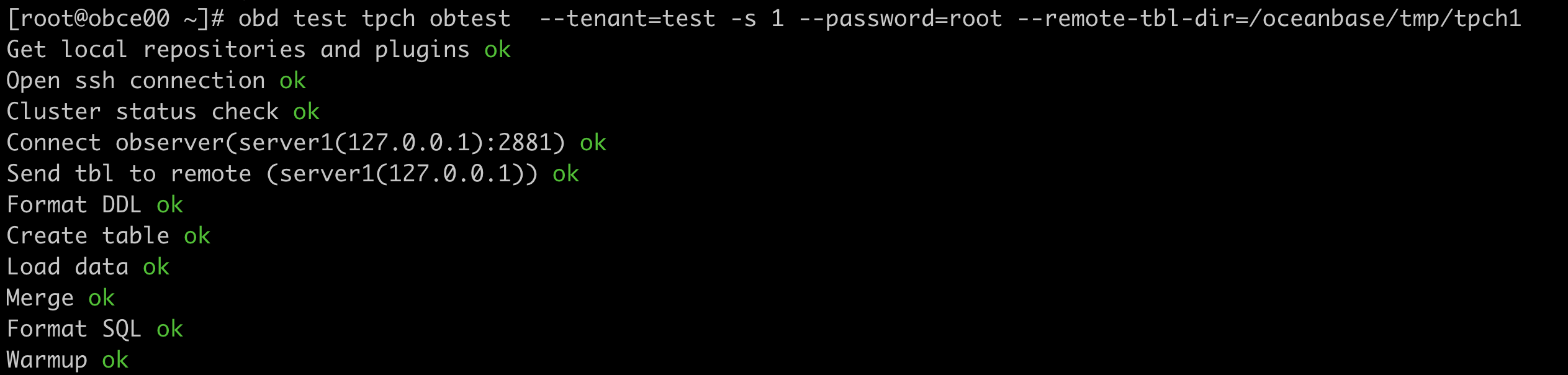

After the data is imported, OBD automatically executes 22 SQL statements and displays the time consumed for executing each SQL statement and the total time.
Manually experience operational OLAP
In the test environment prepared for automatically running the TPC-H benchmark, you can manually run the TPC-H benchmark to verify the capabilities and features of OceanBase Database in OLAP.
First, log on to your OceanBase database from OBClient. If you do not have OBClient, you can use a MySQL client instead.
obclient -h127.0.0.1 -P2881 -uroot@test -Dtest -A -p -c
Before you start running the benchmark, set the degree of parallelism (DOP) based on the configurations of the OceanBase cluster and the tenant. We recommend that you set the DOP to be no more than twice the number of CPU cores of your tenant. For example, if your tenant has a maximum of 8 CPU cores, you can set the DOP to 16:
MySQL [test]> set global parallel_servers_target=16;
Query OK, 0 rows affected (0.008 sec)

MySQL [test]> set global parallel_max_servers=16;
Query OK, 0 rows affected (0.001 sec)
OceanBase Database is compatible with most internal views of MySQL databases. You can execute the following SQL statement to query the sizes of tables in the current environment:
MySQL [test]> SELECT table_name, table_rows, CONCAT(ROUND(data_length/(1024*1024*1024),2),' GB')  table_size FROM information_schema.TABLES WHERE table_schema = 'test' order by table_rows desc;
+------------+------------+------------+
| table_name | table_rows | table_size |
+------------+------------+------------+
| lineitem   |    6001215 | 0.37 GB    |
| orders     |    1500000 | 0.08 GB    |
| partsupp   |     800000 | 0.04 GB    |
| part       |     200000 | 0.01 GB    |
| customer   |     150000 | 0.01 GB    |
| supplier   |      10000 | 0.00 GB    |
| nation     |         25 | 0.00 GB    |
| region     |          5 | 0.00 GB    |
+------------+------------+------------+
8 rows in set (0.009 sec)
Next, run the Q1 query to verify the query capability of OceanBase Database. Q1 queries the largest lineitem table to summarize and analyze the prices, discounts, shipments, and quantities of various products within the specified time. Q1 reads, partitions, sorts, and aggregates all data in the table.
Execute the query with concurrency disabled
Concurrency is disabled by default. Execute the query with concurrency disabled:
select
	l_returnflag,
	l_linestatus,
	sum(l_quantity) as sum_qty,
	sum(l_extendedprice) as sum_base_price,
	sum(l_extendedprice * (1 - l_discount)) as sum_disc_price,
	sum(l_extendedprice * (1 - l_discount) * (1 + l_tax)) as sum_charge,
	avg(l_quantity) as avg_qty,
	avg(l_extendedprice) as avg_price,
	avg(l_discount) as avg_disc,
	count(*) as count_order
from
	lineitem
where
	l_shipdate <= date '1998-12-01' - interval '90' day
group by
	l_returnflag,
	l_linestatus
order by
	l_returnflag,
	l_linestatus;
Execution results in the test environment of this example:
+--------------+--------------+----------+----------------+----------------+--------------+---------+------------+----------+-------------+
| l_returnflag | l_linestatus | sum_qty  | sum_base_price | sum_disc_price | sum_charge   | avg_qty | avg_price  | avg_disc | count_order |
+--------------+--------------+----------+----------------+----------------+--------------+---------+------------+----------+-------------+
| A            | F            | 37734107 |    56586577106 |    56586577106 |  56586577106 | 25.5220 | 38273.1451 |   0.0000 |     1478493 |
| N            | F            |   991417 |     1487505208 |     1487505208 |   1487505208 | 25.5165 | 38284.4806 |   0.0000 |       38854 |
| N            | O            | 74476040 |   111701776272 |   111701776272 | 111701776272 | 25.5022 | 38249.1339 |   0.0000 |     2920374 |
| R            | F            | 37719753 |    56568064200 |    56568064200 |  56568064200 | 25.5058 | 38250.8701 |   0.0000 |     1478870 |
+--------------+--------------+----------+----------------+----------------+--------------+---------+------------+----------+-------------+
4 rows in set (6.791 sec)
Execute the query with concurrency enabled
The operational OLAP feature of OceanBase Database functions based on one set of data and execution engine, without the need to synchronize or maintain heterogeneous data. Add a parallel hint to the query statement to set the DOP to 8 and execute the statement again:
select /*+parallel(8) */
	l_returnflag,
	l_linestatus,
	sum(l_quantity) as sum_qty,
	sum(l_extendedprice) as sum_base_price,
	sum(l_extendedprice * (1 - l_discount)) as sum_disc_price,
	sum(l_extendedprice * (1 - l_discount) * (1 + l_tax)) as sum_charge,
	avg(l_quantity) as avg_qty,
	avg(l_extendedprice) as avg_price,
	avg(l_discount) as avg_disc,
	count(*) as count_order
from
	lineitem
where
	l_shipdate <= date '1998-12-01' - interval '90' day
group by
	l_returnflag,
	l_linestatus
order by
	l_returnflag,
	l_linestatus;
Execution results in the same test environment with the same datasets:
+--------------+--------------+----------+----------------+----------------+--------------+---------+------------+----------+-------------+
| l_returnflag | l_linestatus | sum_qty  | sum_base_price | sum_disc_price | sum_charge   | avg_qty | avg_price  | avg_disc | count_order |
+--------------+--------------+----------+----------------+----------------+--------------+---------+------------+----------+-------------+
| A            | F            | 37734107 |    56586577106 |    56586577106 |  56586577106 | 25.5220 | 38273.1451 |   0.0000 |     1478493 |
| N            | F            |   991417 |     1487505208 |     1487505208 |   1487505208 | 25.5165 | 38284.4806 |   0.0000 |       38854 |
| N            | O            | 74476040 |   111701776272 |   111701776272 | 111701776272 | 25.5022 | 38249.1339 |   0.0000 |     2920374 |
| R            | F            | 37719753 |    56568064200 |    56568064200 |  56568064200 | 25.5058 | 38250.8701 |   0.0000 |     1478870 |
+--------------+--------------+----------+----------------+----------------+--------------+---------+------------+----------+-------------+
4 rows in set (1.197 sec)
After concurrency is enabled, the query speed is increased to about 6 times the speed when concurrency is disabled. You can run the explain command to view the execution plan, which contains the DOP (line 18 and operator 1: dop=8):
===============================================================
|ID|OPERATOR                      |NAME    |EST. ROWS|COST    |
---------------------------------------------------------------
|0 |PX COORDINATOR MERGE SORT     |        |6        |13507125|
|1 | EXCHANGE OUT DISTR           |:EX10001|6        |13507124|
|2 |  SORT                        |        |6        |13507124|
|3 |   HASH GROUP BY              |        |6        |13507107|
|4 |    EXCHANGE IN DISTR         |        |6        |8379337 |
|5 |     EXCHANGE OUT DISTR (HASH)|:EX10000|6        |8379335 |
|6 |      HASH GROUP BY           |        |6        |8379335 |
|7 |       PX BLOCK ITERATOR      |        |5939712  |3251565 |
|8 |        TABLE SCAN            |lineitem|5939712  |3251565 |
===============================================================

Outputs & filters:
-------------------------------------
  0 - output([lineitem.l_returnflag], [lineitem.l_linestatus], [T_FUN_SUM(T_FUN_SUM(lineitem.l_quantity))], [T_FUN_SUM(T_FUN_SUM(lineitem.l_extendedprice))], [T_FUN_SUM(T_FUN_SUM(lineitem.l_extendedprice * 1 - lineitem.l_discount))], [T_FUN_SUM(T_FUN_SUM(lineitem.l_extendedprice * 1 - lineitem.l_discount * 1 + lineitem.l_tax))], [T_FUN_SUM(T_FUN_SUM(lineitem.l_quantity)) / cast(T_FUN_COUNT_SUM(T_FUN_COUNT(lineitem.l_quantity)), DECIMAL(20, 0))], [T_FUN_SUM(T_FUN_SUM(lineitem.l_extendedprice)) / cast(T_FUN_COUNT_SUM(T_FUN_COUNT(lineitem.l_extendedprice)), DECIMAL(20, 0))], [T_FUN_SUM(T_FUN_SUM(lineitem.l_discount)) / cast(T_FUN_COUNT_SUM(T_FUN_COUNT(lineitem.l_discount)), DECIMAL(20, 0))], [T_FUN_COUNT_SUM(T_FUN_COUNT(*))]), filter(nil), sort_keys([lineitem.l_returnflag, ASC], [lineitem.l_linestatus, ASC])
  1 - output([lineitem.l_returnflag], [lineitem.l_linestatus], [T_FUN_SUM(T_FUN_SUM(lineitem.l_quantity))], [T_FUN_SUM(T_FUN_SUM(lineitem.l_extendedprice))], [T_FUN_SUM(T_FUN_SUM(lineitem.l_extendedprice * 1 - lineitem.l_discount))], [T_FUN_SUM(T_FUN_SUM(lineitem.l_extendedprice * 1 - lineitem.l_discount * 1 + lineitem.l_tax))], [T_FUN_COUNT_SUM(T_FUN_COUNT(*))], [T_FUN_SUM(T_FUN_SUM(lineitem.l_quantity)) / cast(T_FUN_COUNT_SUM(T_FUN_COUNT(lineitem.l_quantity)), DECIMAL(20, 0))], [T_FUN_SUM(T_FUN_SUM(lineitem.l_extendedprice)) / cast(T_FUN_COUNT_SUM(T_FUN_COUNT(lineitem.l_extendedprice)), DECIMAL(20, 0))], [T_FUN_SUM(T_FUN_SUM(lineitem.l_discount)) / cast(T_FUN_COUNT_SUM(T_FUN_COUNT(lineitem.l_discount)), DECIMAL(20, 0))]), filter(nil), dop=8
  2 - output([lineitem.l_returnflag], [lineitem.l_linestatus], [T_FUN_SUM(T_FUN_SUM(lineitem.l_quantity))], [T_FUN_SUM(T_FUN_SUM(lineitem.l_extendedprice))], [T_FUN_SUM(T_FUN_SUM(lineitem.l_extendedprice * 1 - lineitem.l_discount))], [T_FUN_SUM(T_FUN_SUM(lineitem.l_extendedprice * 1 - lineitem.l_discount * 1 + lineitem.l_tax))], [T_FUN_COUNT_SUM(T_FUN_COUNT(*))], [T_FUN_SUM(T_FUN_SUM(lineitem.l_quantity)) / cast(T_FUN_COUNT_SUM(T_FUN_COUNT(lineitem.l_quantity)), DECIMAL(20, 0))], [T_FUN_SUM(T_FUN_SUM(lineitem.l_extendedprice)) / cast(T_FUN_COUNT_SUM(T_FUN_COUNT(lineitem.l_extendedprice)), DECIMAL(20, 0))], [T_FUN_SUM(T_FUN_SUM(lineitem.l_discount)) / cast(T_FUN_COUNT_SUM(T_FUN_COUNT(lineitem.l_discount)), DECIMAL(20, 0))]), filter(nil), sort_keys([lineitem.l_returnflag, ASC], [lineitem.l_linestatus, ASC])
  3 - output([lineitem.l_returnflag], [lineitem.l_linestatus], [T_FUN_SUM(T_FUN_SUM(lineitem.l_quantity))], [T_FUN_SUM(T_FUN_SUM(lineitem.l_extendedprice))], [T_FUN_SUM(T_FUN_SUM(lineitem.l_extendedprice * 1 - lineitem.l_discount))], [T_FUN_SUM(T_FUN_SUM(lineitem.l_extendedprice * 1 - lineitem.l_discount * 1 + lineitem.l_tax))], [T_FUN_COUNT_SUM(T_FUN_COUNT(lineitem.l_quantity))], [T_FUN_COUNT_SUM(T_FUN_COUNT(lineitem.l_extendedprice))], [T_FUN_SUM(T_FUN_SUM(lineitem.l_discount))], [T_FUN_COUNT_SUM(T_FUN_COUNT(lineitem.l_discount))], [T_FUN_COUNT_SUM(T_FUN_COUNT(*))]), filter(nil),
      group([lineitem.l_returnflag], [lineitem.l_linestatus]), agg_func([T_FUN_SUM(T_FUN_SUM(lineitem.l_quantity))], [T_FUN_SUM(T_FUN_SUM(lineitem.l_extendedprice))], [T_FUN_SUM(T_FUN_SUM(lineitem.l_extendedprice * 1 - lineitem.l_discount))], [T_FUN_SUM(T_FUN_SUM(lineitem.l_extendedprice * 1 - lineitem.l_discount * 1 + lineitem.l_tax))], [T_FUN_COUNT_SUM(T_FUN_COUNT(*))], [T_FUN_COUNT_SUM(T_FUN_COUNT(lineitem.l_quantity))], [T_FUN_COUNT_SUM(T_FUN_COUNT(lineitem.l_extendedprice))], [T_FUN_SUM(T_FUN_SUM(lineitem.l_discount))], [T_FUN_COUNT_SUM(T_FUN_COUNT(lineitem.l_discount))])
  4 - output([lineitem.l_returnflag], [lineitem.l_linestatus], [T_FUN_SUM(lineitem.l_quantity)], [T_FUN_SUM(lineitem.l_extendedprice)], [T_FUN_SUM(lineitem.l_extendedprice * 1 - lineitem.l_discount)], [T_FUN_SUM(lineitem.l_extendedprice * 1 - lineitem.l_discount * 1 + lineitem.l_tax)], [T_FUN_COUNT(lineitem.l_quantity)], [T_FUN_COUNT(lineitem.l_extendedprice)], [T_FUN_SUM(lineitem.l_discount)], [T_FUN_COUNT(lineitem.l_discount)], [T_FUN_COUNT(*)]), filter(nil)
  5 - (#keys=2, [lineitem.l_returnflag], [lineitem.l_linestatus]), output([lineitem.l_returnflag], [lineitem.l_linestatus], [T_FUN_SUM(lineitem.l_quantity)], [T_FUN_SUM(lineitem.l_extendedprice)], [T_FUN_SUM(lineitem.l_extendedprice * 1 - lineitem.l_discount)], [T_FUN_SUM(lineitem.l_extendedprice * 1 - lineitem.l_discount * 1 + lineitem.l_tax)], [T_FUN_COUNT(lineitem.l_quantity)], [T_FUN_COUNT(lineitem.l_extendedprice)], [T_FUN_SUM(lineitem.l_discount)], [T_FUN_COUNT(lineitem.l_discount)], [T_FUN_COUNT(*)]), filter(nil), dop=8
  6 - output([lineitem.l_returnflag], [lineitem.l_linestatus], [T_FUN_SUM(lineitem.l_quantity)], [T_FUN_SUM(lineitem.l_extendedprice)], [T_FUN_SUM(lineitem.l_extendedprice * 1 - lineitem.l_discount)], [T_FUN_SUM(lineitem.l_extendedprice * 1 - lineitem.l_discount * 1 + lineitem.l_tax)], [T_FUN_COUNT(lineitem.l_quantity)], [T_FUN_COUNT(lineitem.l_extendedprice)], [T_FUN_SUM(lineitem.l_discount)], [T_FUN_COUNT(lineitem.l_discount)], [T_FUN_COUNT(*)]), filter(nil),
      group([lineitem.l_returnflag], [lineitem.l_linestatus]), agg_func([T_FUN_SUM(lineitem.l_quantity)], [T_FUN_SUM(lineitem.l_extendedprice)], [T_FUN_SUM(lineitem.l_extendedprice * 1 - lineitem.l_discount)], [T_FUN_SUM(lineitem.l_extendedprice * 1 - lineitem.l_discount * 1 + lineitem.l_tax)], [T_FUN_COUNT(*)], [T_FUN_COUNT(lineitem.l_quantity)], [T_FUN_COUNT(lineitem.l_extendedprice)], [T_FUN_SUM(lineitem.l_discount)], [T_FUN_COUNT(lineitem.l_discount)])
  7 - output([lineitem.l_returnflag], [lineitem.l_linestatus], [lineitem.l_quantity], [lineitem.l_extendedprice], [lineitem.l_discount], [lineitem.l_extendedprice * 1 - lineitem.l_discount], [lineitem.l_extendedprice * 1 - lineitem.l_discount * 1 + lineitem.l_tax]), filter(nil)
  8 - output([lineitem.l_returnflag], [lineitem.l_linestatus], [lineitem.l_quantity], [lineitem.l_extendedprice], [lineitem.l_discount], [lineitem.l_extendedprice * 1 - lineitem.l_discount], [lineitem.l_extendedprice * 1 - lineitem.l_discount * 1 + lineitem.l_tax]), filter([lineitem.l_shipdate <= ?]),
      access([lineitem.l_shipdate], [lineitem.l_returnflag], [lineitem.l_linestatus], [lineitem.l_quantity], [lineitem.l_extendedprice], [lineitem.l_discount], [lineitem.l_tax]), partitions(p[0-15])
In this example, OceanBase Database is deployed on a single server. However, the most prominent feature of the parallel execution framework of OceanBase Database lies in that it can concurrently execute analytical queries on large amounts of data on multiple servers. For example, assume that a table contains hundreds of millions of data rows that are distributed on multiple OBServers. During the execution of an analytical query, the distributed execution framework of OceanBase Database can generate a distributed parallel execution plan and use the resources of multiple servers for analysis. Therefore, OceanBase Database has high scalability. In addition, you can set concurrency in multiple dimensions, such as SQL statements, sessions, and tables.