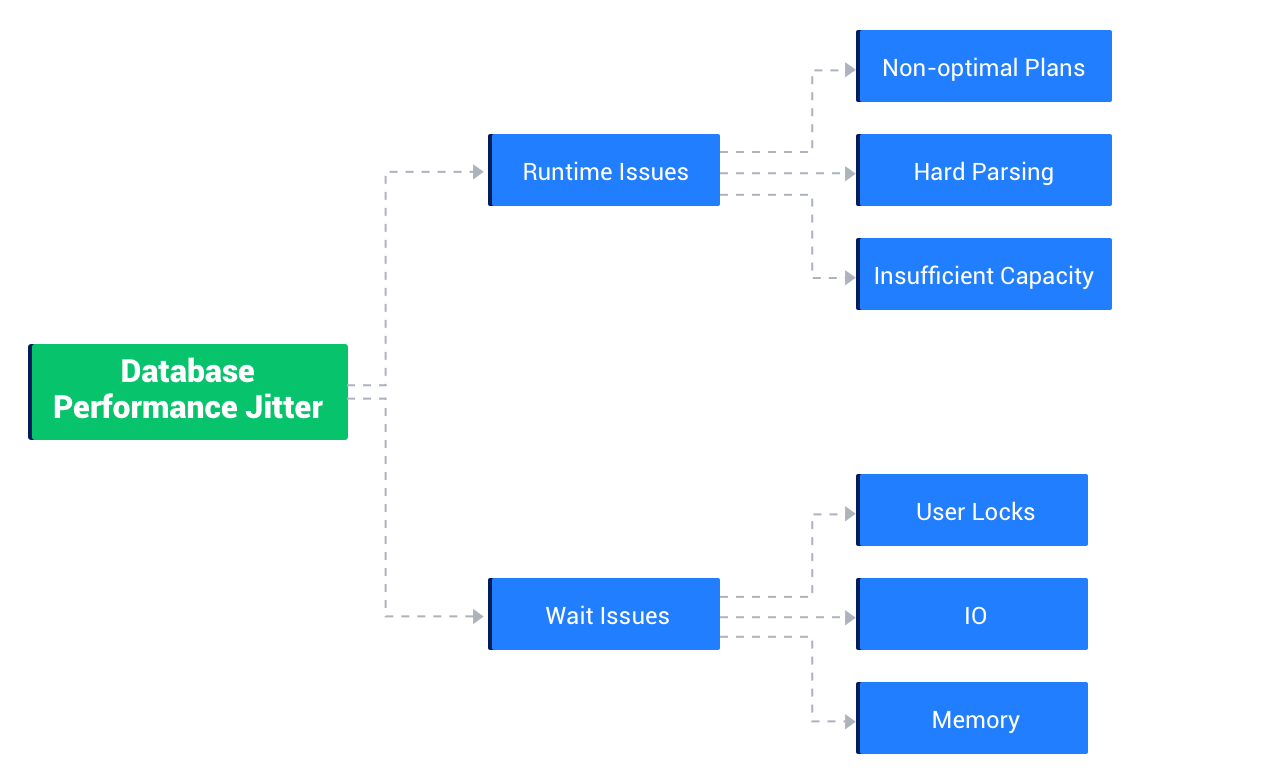
When an OBServer node hits a performance bottleneck, you need to first identify whether the worker thread is blocked or has been running for a long time. The former case indicates that the worker thread is waiting for a system object, and the latter case indicates that the worker thread is scanning a large amount of data or that resources are insufficient. You must use different solutions for performance bottlenecks due to different root causes.
OceanBase Database provides a variety of internal tables and system logs for you to locate performance bottlenecks of OBServer nodes. For example, you can analyze OBServer node behaviors by using the SQL Audit feature.
Running state exceptions
Running state exceptions are likely related to execution plans. For example, if the execution plan generated by the optimizer for the SQL query is not the optimal one, a large amount of data may be scanned. If the hit rate of the cache plan is low, the SQL execution may take extra time for compilation. Insufficient resource during the execution can also result in a running state exception. Generally, running state exceptions can be solved by adjusting the execution plan or increasing resources.
Blocked state exceptions
A worker thread of OceanBase Database is either running in the CPU or waiting for resources, such as I/O resources, network bandwidth, and critical sections. A worker thread is in the blocked state when it is waiting for resources. The blocking of worker threads indicates a concurrency bottleneck of the system and the throughput cannot be increased by adding more resources. To solve blocked state exceptions, you must first find the bottleneck and handle it with a specific optimization solution.
The following figure shows the major types of OBServer node exceptions based on the preceding analysis: