OceanBase logo

OceanBase

A unified distributed database ready for your transactional, analytical, and AI workloads.

DEPLOY YOUR WAY

OceanBase Cloud

The best way to deploy and scale OceanBase

OceanBase Enterprise

Run and manage OceanBase on your infra

TRY OPEN SOURCE

OceanBase Community Edition

The free, open-source distributed database

OceanBase seekdb

Open source AI native search database

Customer Stories

Real-world success stories from enterprises across diverse industries.

View All
BY USE CASES

Mission-Critical Transactions

Global & Multicloud Application

Elastic Scaling for Peak Traffic

Real-time Analytics

Active Geo-redundancy

Database Consolidation

Resources

Comprehensive knowledge hub for OceanBase.

Blog

Live Demos

Training & Certification

Documentation

Official technical guides, tutorials, API references, and manuals for all OceanBase products.

View All
PRODUCTS

OceanBase Cloud

OceanBase Database

Tools

Connectors and Middleware

QUICK START

OceanBase Cloud

OceanBase Database

BEST PRACTICES

Practical guides for utilizing OceanBase more effectively and conveniently

Company

Learn more about OceanBase – our company, partnerships, and trust and security initiatives.

About OceanBase

Partner

Trust Center

Contact Us

International - English
中国站 - 简体中文
日本 - 日本語
Sign In
Start on Cloud

A unified distributed database ready for your transactional, analytical, and AI workloads.

DEPLOY YOUR WAY

OceanBase Cloud

The best way to deploy and scale OceanBase

OceanBase Enterprise

Run and manage OceanBase on your infra

TRY OPEN SOURCE

OceanBase Community Edition

The free, open-source distributed database

OceanBase seekdb

Open source AI native search database

Customer Stories

Real-world success stories from enterprises across diverse industries.

View All
BY USE CASES

Mission-Critical Transactions

Global & Multicloud Application

Elastic Scaling for Peak Traffic

Real-time Analytics

Active Geo-redundancy

Database Consolidation

Comprehensive knowledge hub for OceanBase.

Blog

Live Demos

Training & Certification

Documentation

Official technical guides, tutorials, API references, and manuals for all OceanBase products.

View All
PRODUCTS
OceanBase CloudOceanBase Database
ToolsConnectors and Middleware
QUICK START
OceanBase CloudOceanBase Database
BEST PRACTICES

Practical guides for utilizing OceanBase more effectively and conveniently

Learn more about OceanBase – our company, partnerships, and trust and security initiatives.

About OceanBase

Partner

Trust Center

Contact Us

Start on Cloud
编组
All Products
    • Databases
    • iconOceanBase Database
    • iconOceanBase Cloud
    • iconOceanBase Tugraph
    • iconInteractive Tutorials
    • iconOceanBase Best Practices
    • Tools
    • iconOceanBase Cloud Platform
    • iconOceanBase Migration Service
    • iconOceanBase Developer Center
    • iconOceanBase Migration Assessment
    • iconOceanBase Admin Tool
    • iconOceanBase Loader and Dumper
    • iconOceanBase Deployer
    • iconKubernetes operator for OceanBase
    • iconOceanBase Diagnostic Tool
    • iconOceanBase Binlog Service
    • Connectors and Middleware
    • iconOceanBase Database Proxy
    • iconEmbedded SQL in C for OceanBase
    • iconOceanBase Call Interface
    • iconOceanBase Connector/C
    • iconOceanBase Connector/J
    • iconOceanBase Connector/ODBC
    • iconOceanBase Connector/NET
icon

OceanBase Tugraph

V3.3.3Enterprise Edition

  • Guide
    • What is a graph
    • What is a graph database
    • TuGraph Quick Start
  • Operating
    • Introduction
    • Installation
    • Data Importing
    • Service configuration
    • Service operations
    • Tools
      • tugraph_cypher Instructions
      • TuGraph Browser
      • TuGraph DataX Instructions
      • TuGraph Explore Instructions
    • High Availability mode
    • Database Management
    • User rights Management
  • Developer Document
    • TuGraph RESTful API
    • TuGraph-Cypher
    • TuGraph Stored Procedure Guide
    • Graph Analytics Engine
      • Bootstrap program
      • OlapBase API
      • OlapOnDB API
      • OlapOnDisk API
      • TuGraph Built-in Algorithm Description
  • Client
    • TuGraph Java SDK
    • TuGraph Python SDK
    • TuGraph C++ SDK
  • Supplement
    • Update the content description
  • Community
    • TuGraph Contribution Guide
    • TuGraph community roles
    • TuGraph Open source planning
    • Ant_Group_Open_Source_Individual_CLA_English_Chinese_2021
    • Ant_Group_Open_Source_Corporate_CLA_English_Chinese_2021

Download PDF

What is a graph What is a graph database TuGraph Quick Start Introduction Installation Data Importing Service configuration Service operations tugraph_cypher Instructions TuGraph Browser TuGraph DataX Instructions TuGraph Explore Instructions High Availability mode Database Management User rights Management TuGraph RESTful API TuGraph-Cypher TuGraph Stored Procedure Guide Bootstrap program OlapBase API OlapOnDB API OlapOnDisk API TuGraph Built-in Algorithm Description TuGraph Java SDK TuGraph Python SDK TuGraph C++ SDK Update the content description TuGraph Contribution Guide TuGraph community roles TuGraph Open source planningAnt_Group_Open_Source_Individual_CLA_English_Chinese_2021Ant_Group_Open_Source_Corporate_CLA_English_Chinese_2021
OceanBase logo

The Unified Distributed Database for the AI Era.

Follow Us
Products
OceanBase CloudOceanBase EnterpriseOceanBase Community EditionOceanBase seekdb
Resources
DocsBlogLive DemosTraining & Certification
Company
About OceanBaseTrust CenterLegalPartnerContact Us
Follow Us

© OceanBase 2026. All rights reserved

Cloud Service AgreementPrivacy PolicySecurity
Contact Us
Document Feedback
  1. Documentation Center
  2. OceanBase Tugraph
  3. V3.3.3
iconOceanBase Tugraph
V 3.3.3Enterprise Edition

TuGraph Browser

Last Updated:2023-06-25 03:23:24  Updated
share
What is on this page
Definition
Functionality
How to use it
1. Connect to the database
2. Login
3. Workbench

folded

share

This document focuses on the use of TuGraph Browser

Definition

TuGraph Browser is a visual development tool provided by TuGraph.

Functionality

TuGraph Browser provides graph database developers with functions such as visual graph data development, graph data management and maintenance.

How to use it

1. Connect to the database

When the user completes the installation of the graph database, you can access it through the Browser, TuGraph Browser tool. The user only needs to type in the browser address bar: IP of the server where TuGraph is located :Port. The default port is 7090.

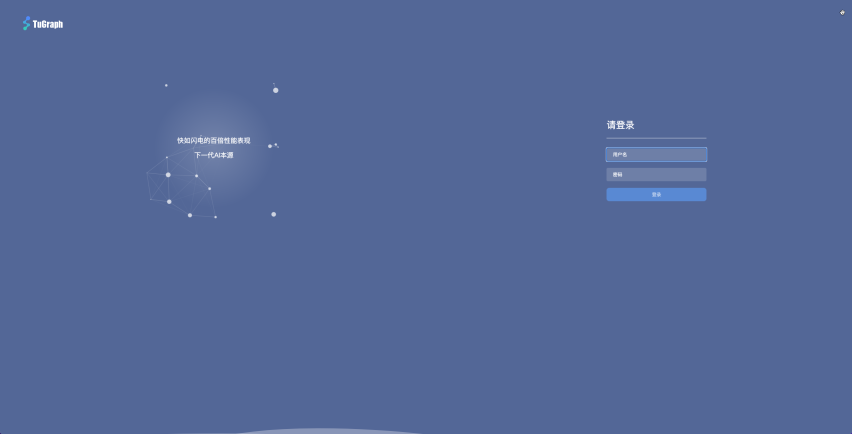
2. Login
alt 登录

  • When the page is opened successfully, the first thing you see is the login page, and the user needs to fill in the account number and password to log in.
  • Default account: admin
  • Default password: 73@TuGraph
  • It is recommended that users change the initialized password in time after logging in

3. Workbench

3.1 Quick Start

  • When you log in for the first time, the system will create an empty graph by default
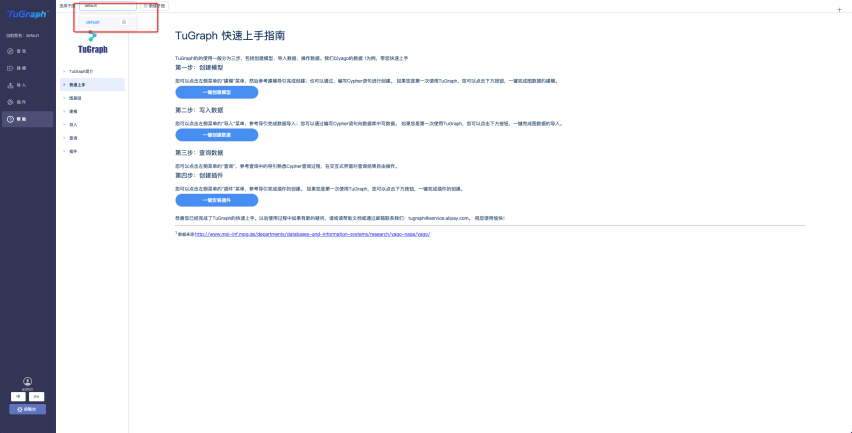
    alt 快速上手

  • The user clicks on the help option and selects Get Started quickly
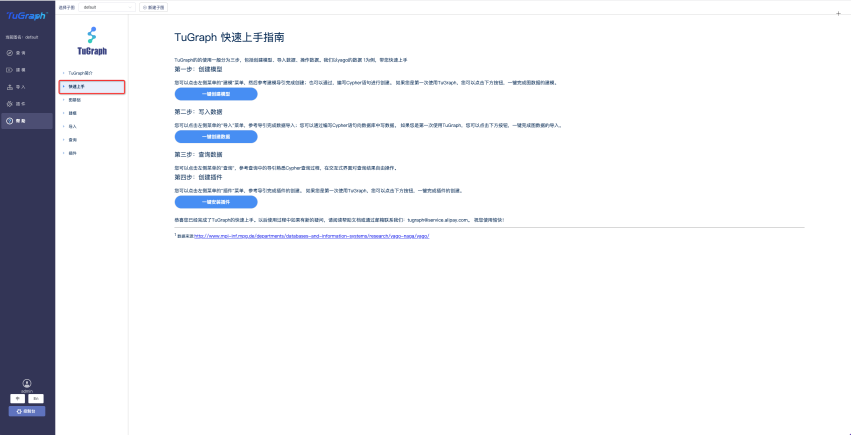
    alt 帮助

  • Then click "One-click Create Model" -- >" One-click Create Data "to complete the construction of the built-in Movie data graph

3.2 Create subgraphs and examples

3.2.1 Create a subgraph
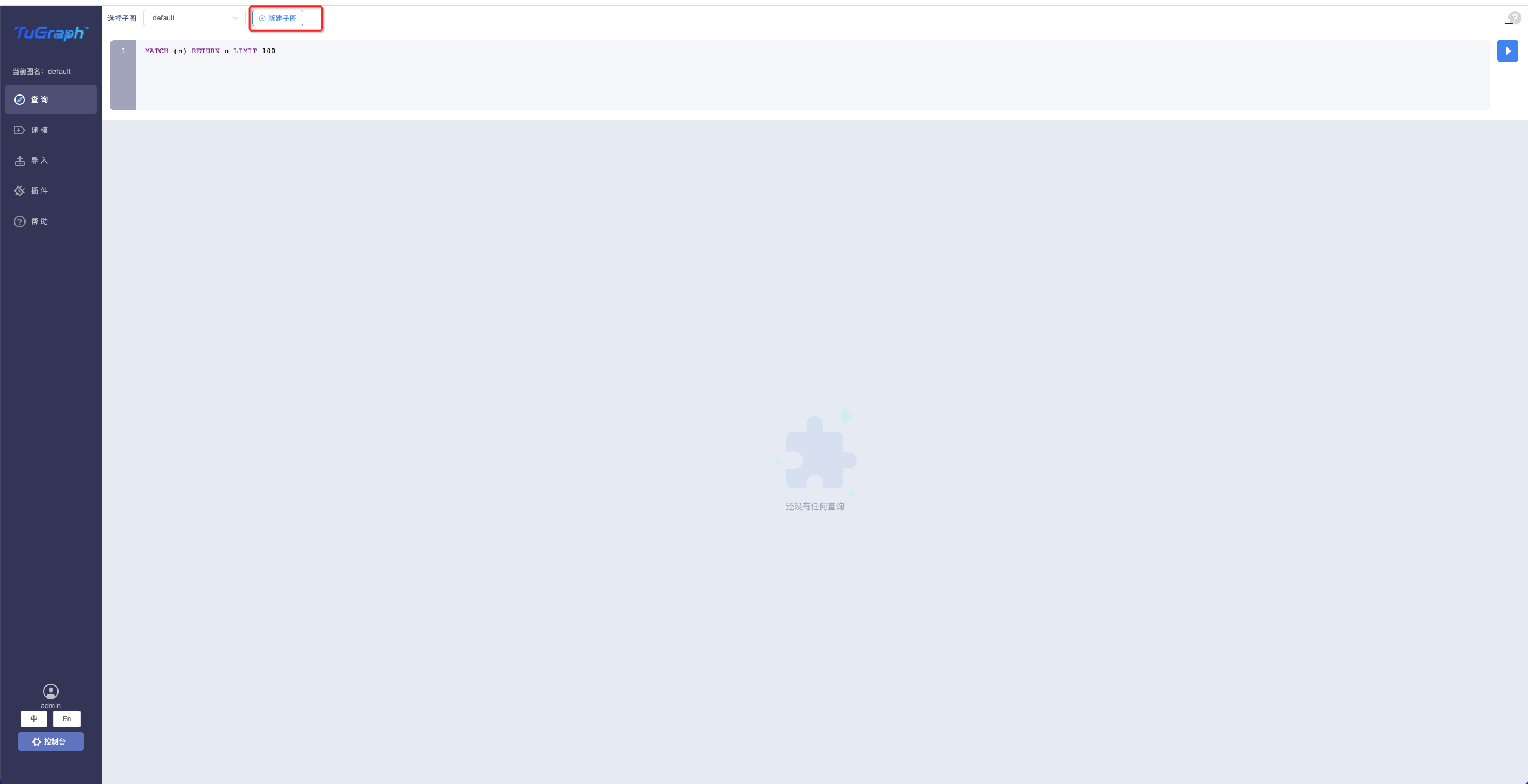
  • Click on New subgraph alt Create subgraph

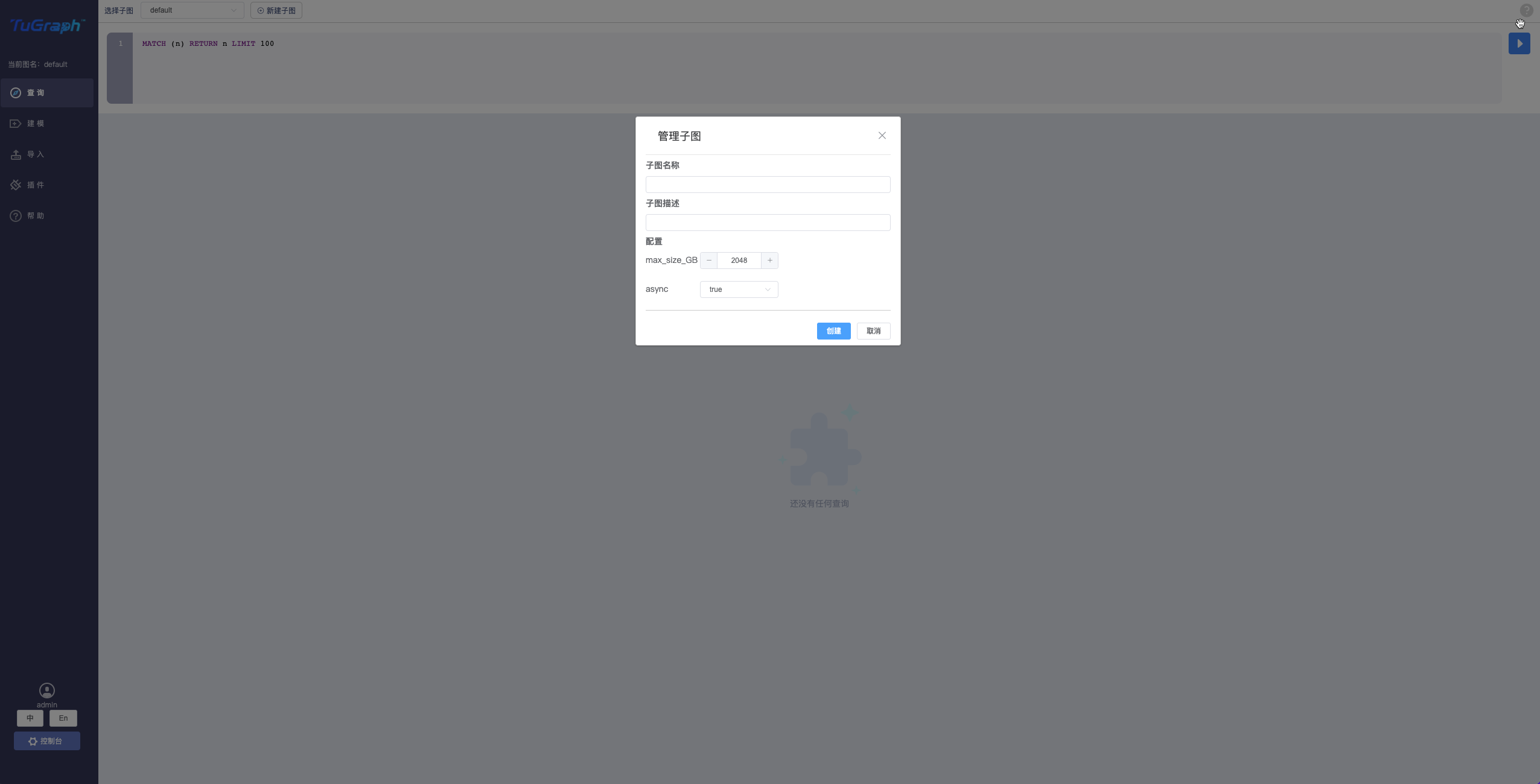
  • Fill in the form information alt Fill out the form

  • Subgraph name

  • Subgraph description

  • Configuration information

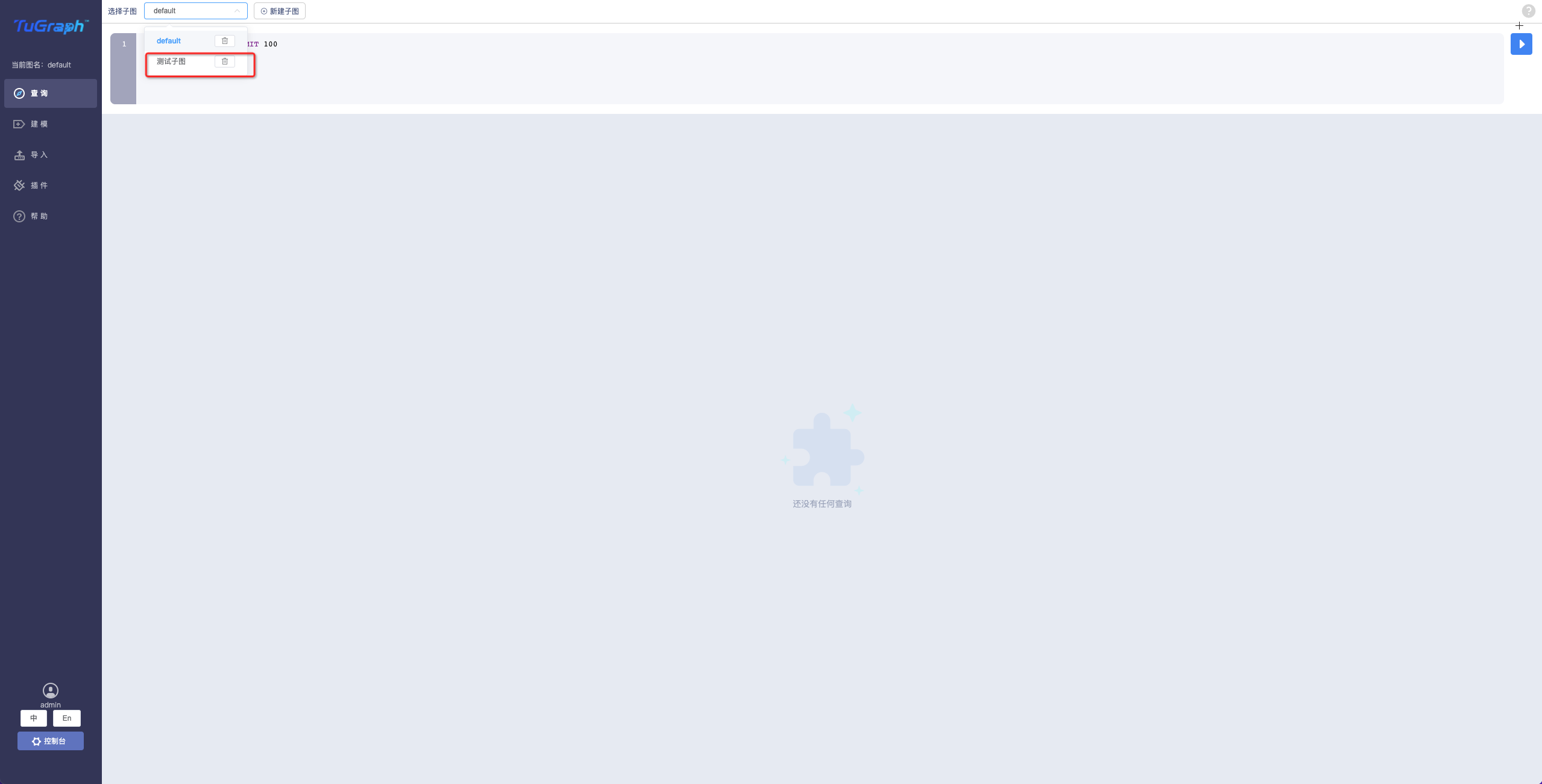
  • Click OK to prompt that creation succeeded

  • Toggle the subgraph alt Toggle subgraph

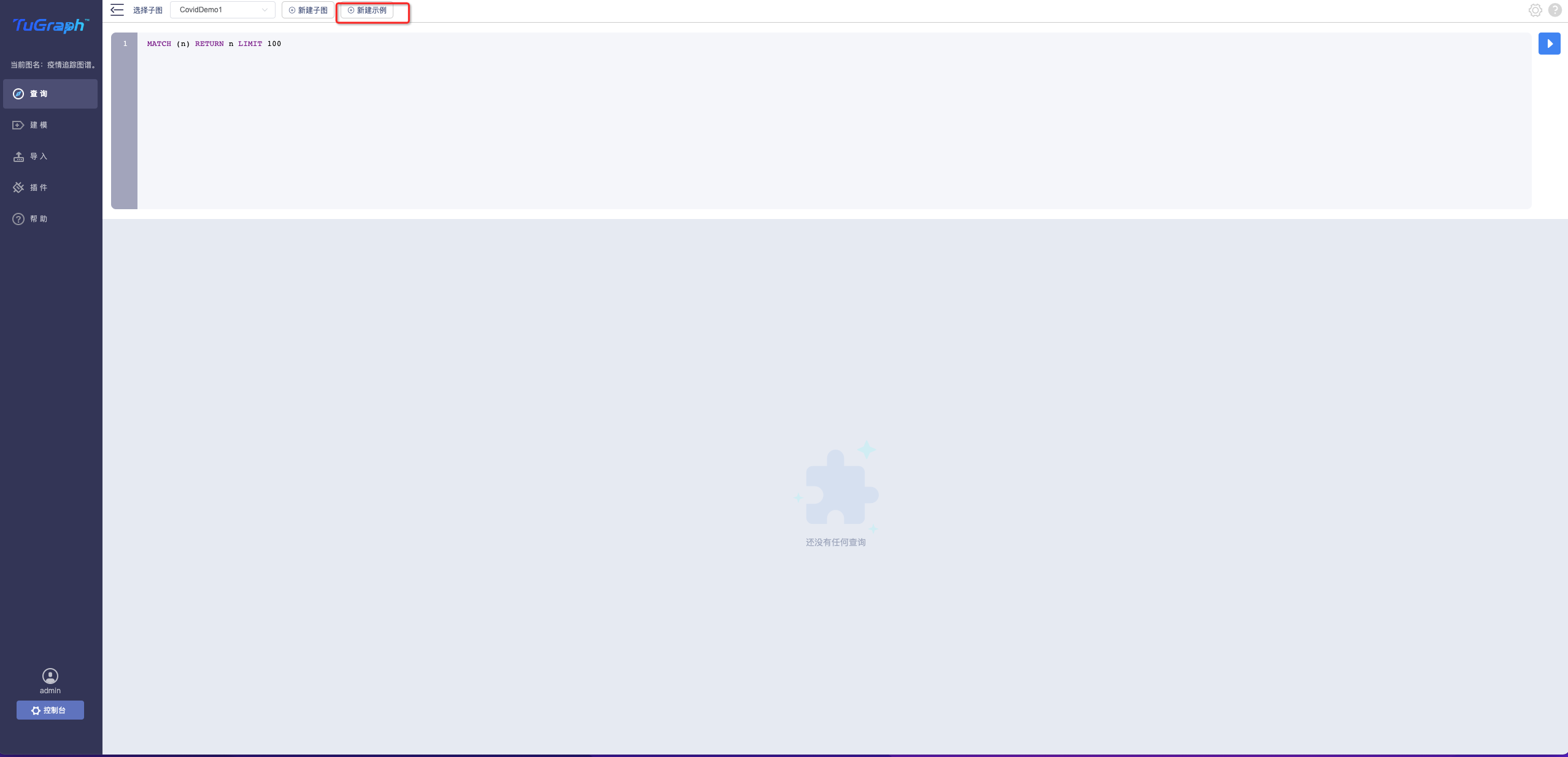
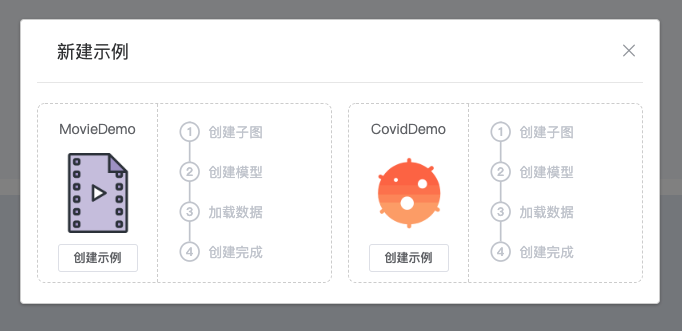
  • Click New Example alt Create subgraph

  • Select the example and click Create alt Create subgraph

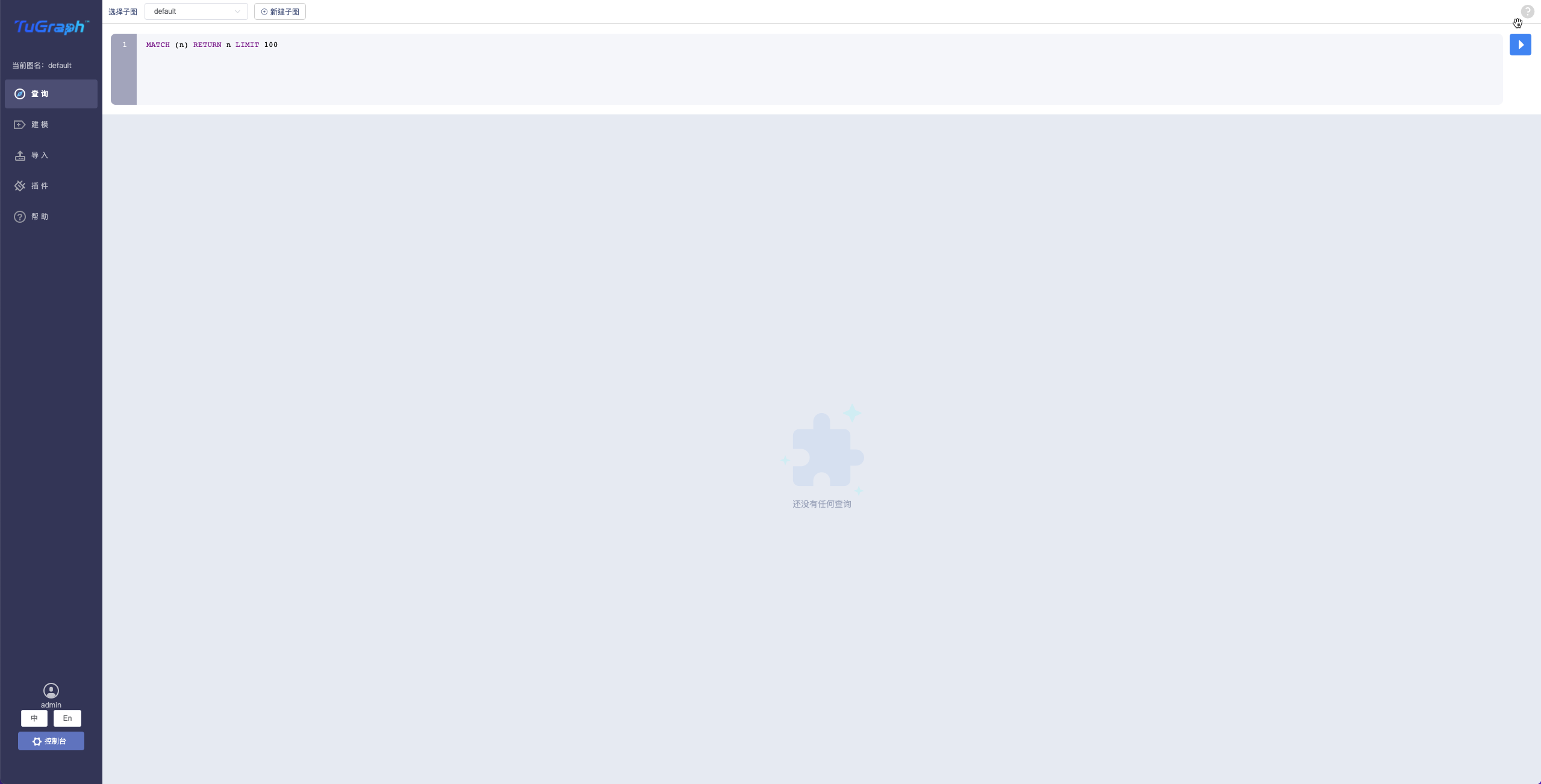
3.3 query

alt Query

3.3.1 User Interface Layout
  • Cypher input box
  • Result set display area
3.3.2 Result set display area function details
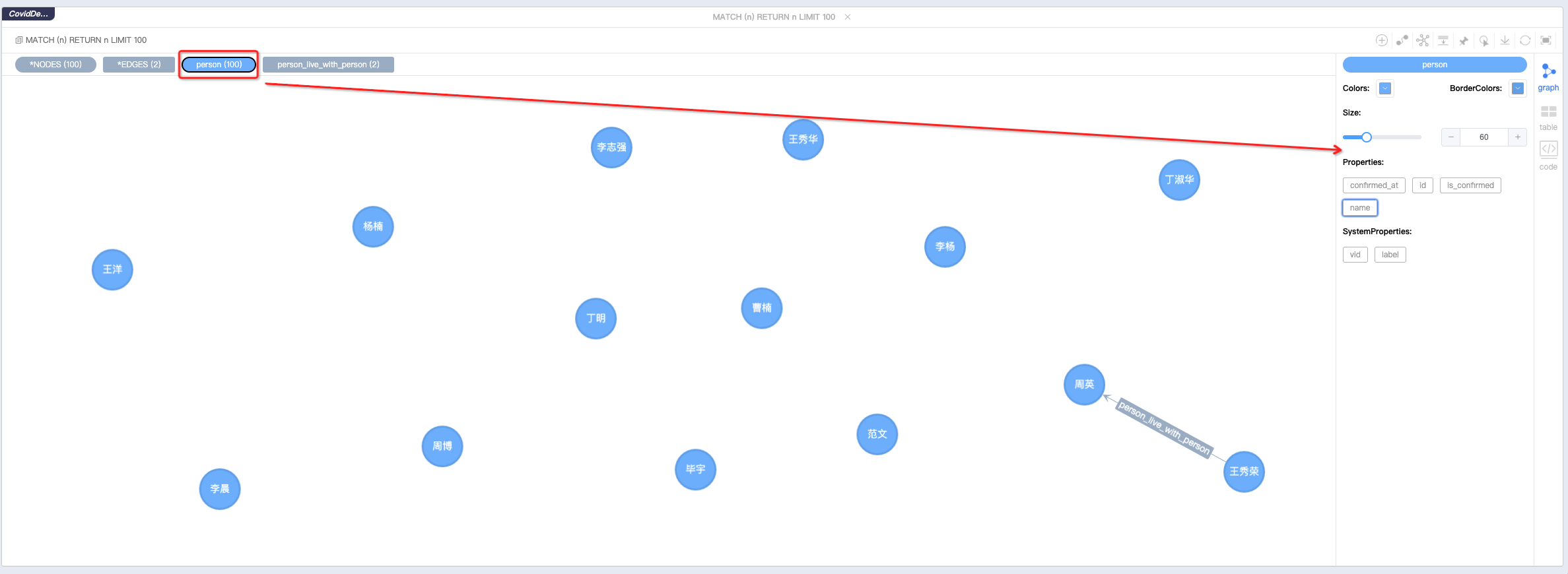
  • Result set tag display and functions alt Result set tag
  • All types of statistics for the result set are shown here
  • Click on the different "label" to make the following changes -Change the display color
  • Modify the node size or edge thickness
  • Modify default display properties or system properties
  • Layout modification
  • Force guide layout
  • Grid layout
  • Tree layout
  • Environment layout
  • edge polymerization
  • Edges of the same type and direction can be merged
  • Create nodes
  • Click the Create Node button
  • Select the node type
  • Add node content
  • Create relationships
  • Select start and end points in the canvas
  • Select the type that can be matched
  • Enter node information
  • Stop layout
  • When too much data is causing the browser page to stall, you can click this stop layout button to improve the smoothness of the experience
  • Mouse hover
  • Enable this feature to highlight the one-degree neighbors of the mouse-over node
  • Result set export
  • Result sets can be exported as png, json, csv three different file forms
  • the refresh
  • Clicking the refresh button will re-execute the initial cypher statement for the current page and refresh the result set Maximize - -Click Maximize button, the result set display area will be displayed in full screen
  • Result set display mode switching
    • Support graph, table and text modes
3.3.3 Schema
  • model Modeling Alt

  • schema supports real-time addition, deletion, modification and query

  • schema supports import and export

3.3.4 Data import
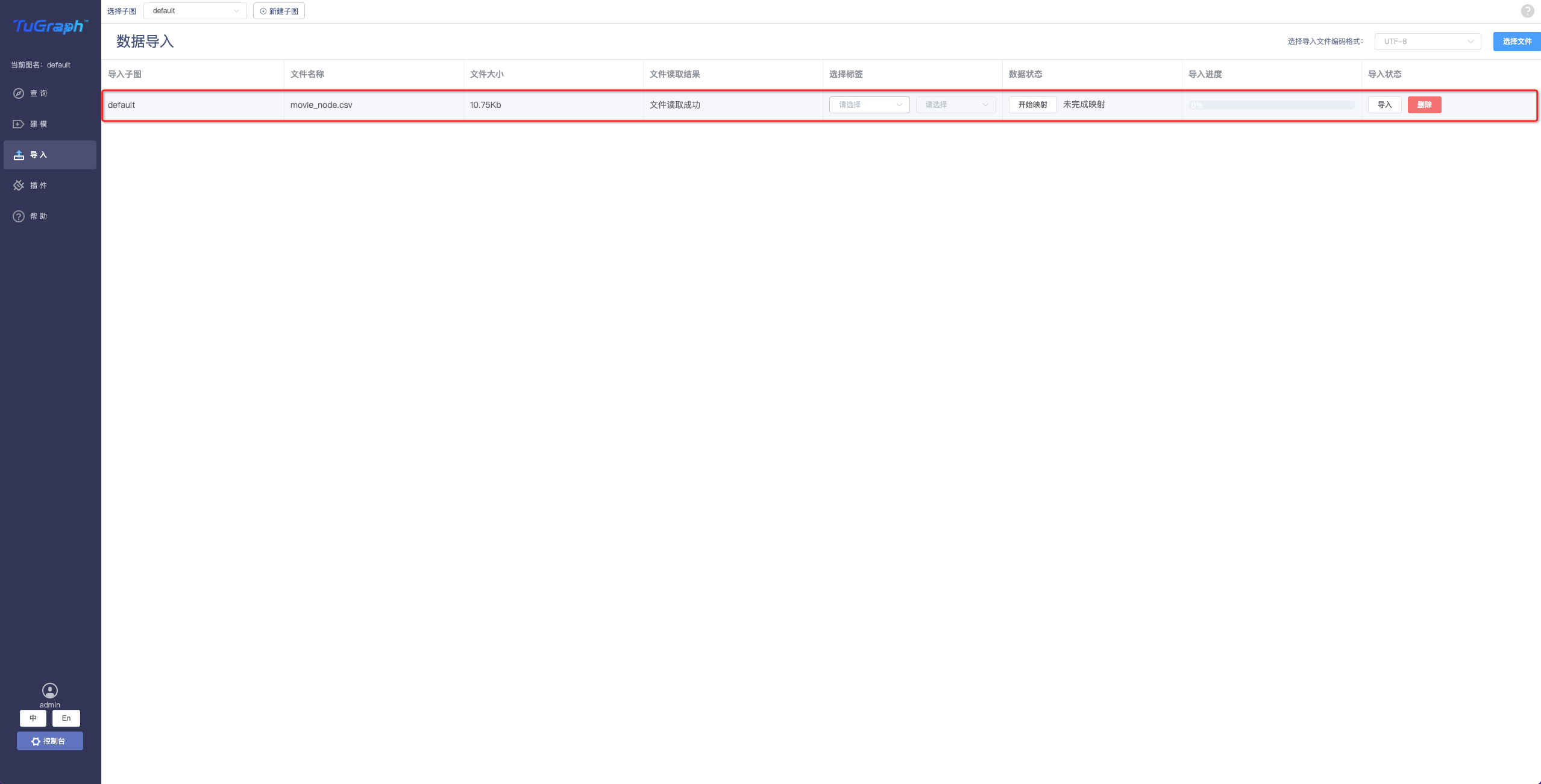
  • Local data import

alt Query

  • Select the file encoding format
  • Select a local CSV file
  • Select the model for the corresponding node or edge
  • Do the data mapping -Complete the data import
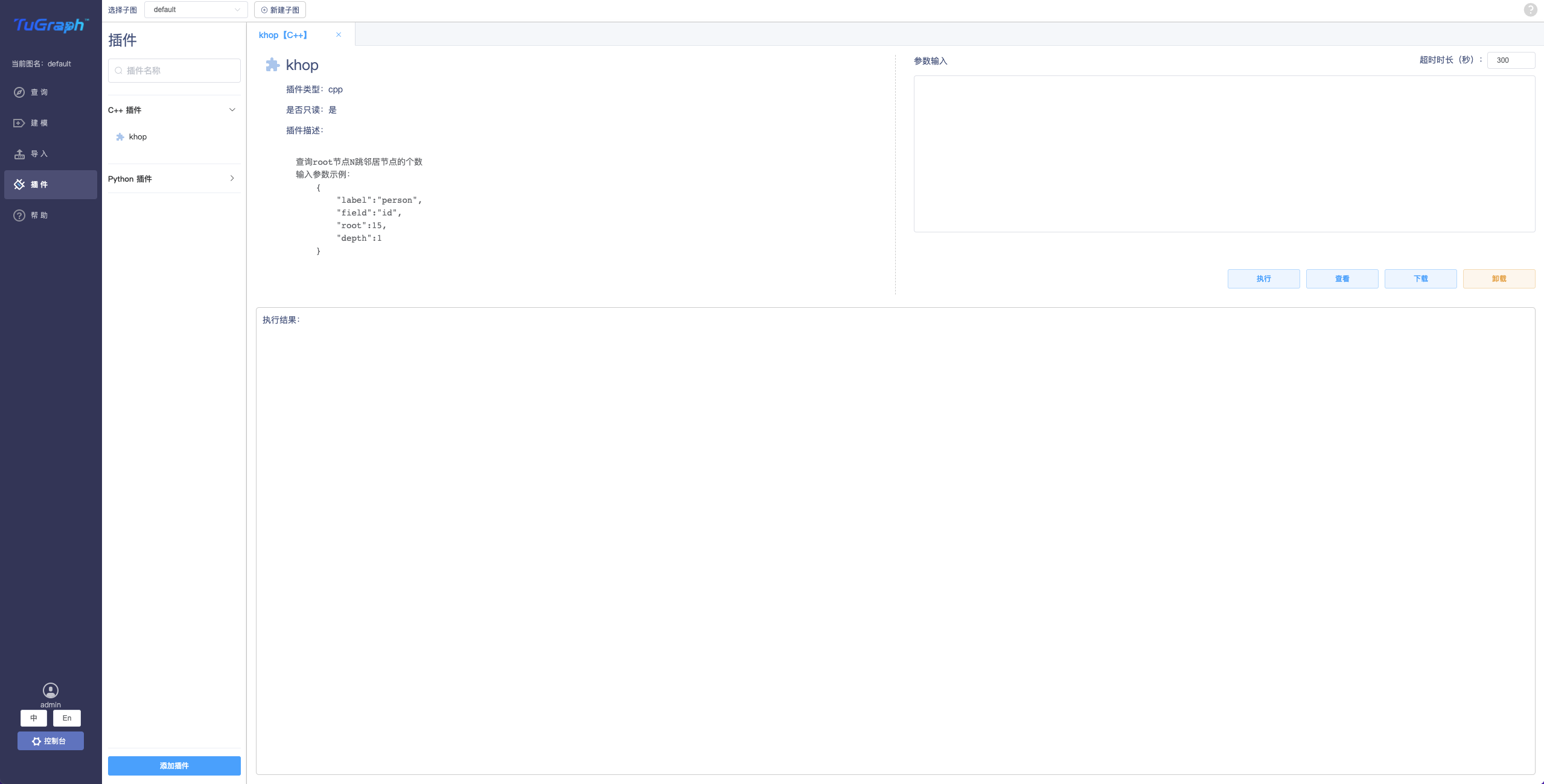
3.3.5 plug-in (Stored Procedure)
  • Use of plug-ins

alt Query

  • Users can upload the plug-in program written locally, execute it in the visual page, and view the execution result
  • Users can perform, uninstall, execute, and download plug-ins in the visualization page
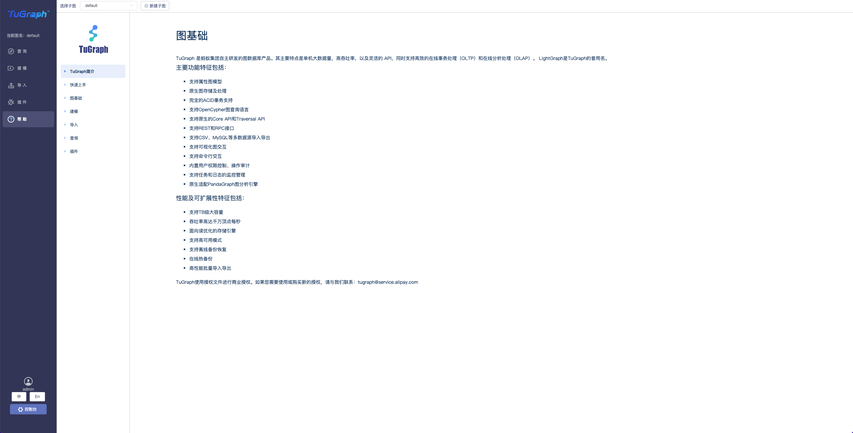
3.3.6 Help
  • where it records how TuGraph-browser is used alt Query
3.4 Console

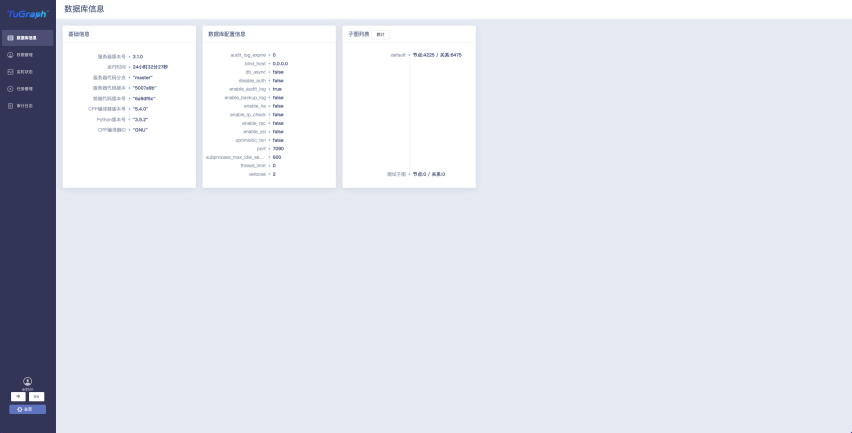
3.4.1 Basic database information
  • Displays basic database configuration information alt Query
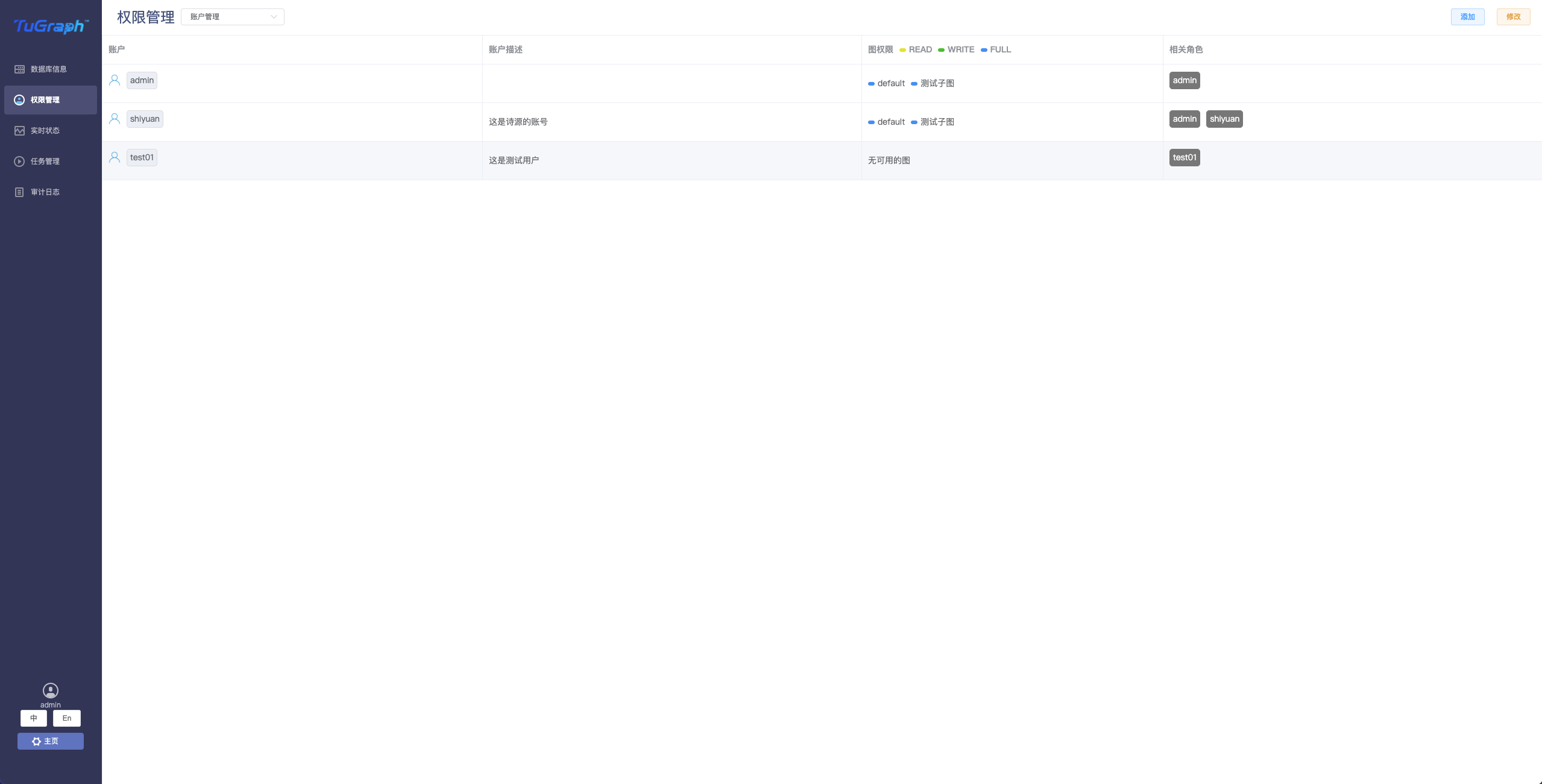
3.4.2 Permission management
  • A function module used to create users and roles. Users can manage permissions here alt Query
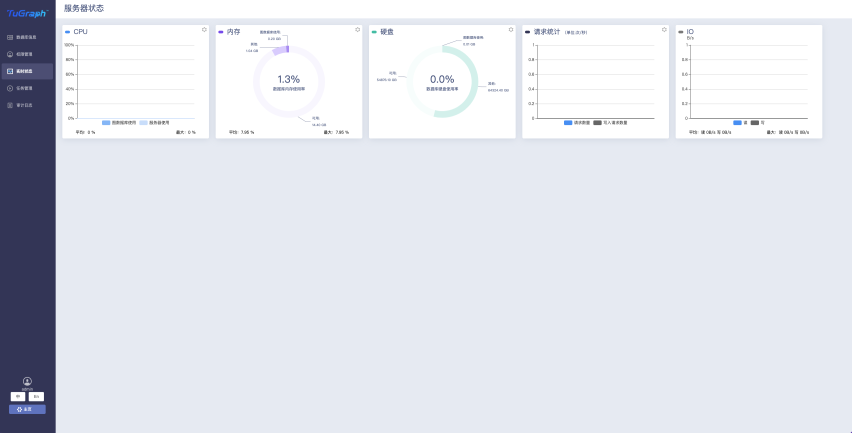
3.4.3 Live status
  • This shows the database real-time status, including: CPU usage, memory usage, disk usage, number of data requests, disk IO alt Query
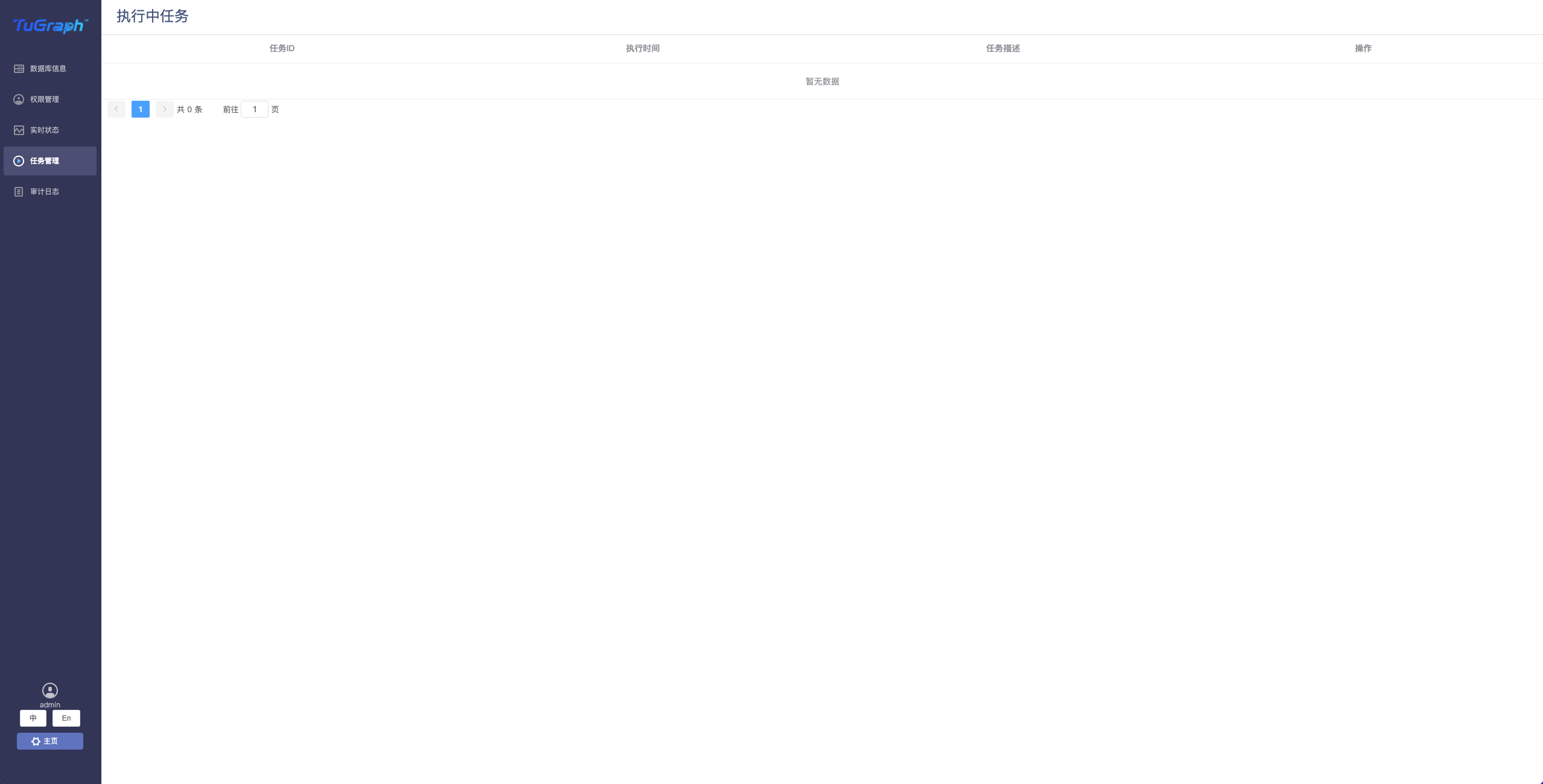
3.4.4 Task Management
  • Here the user can see the task in execution and stop the task alt Query
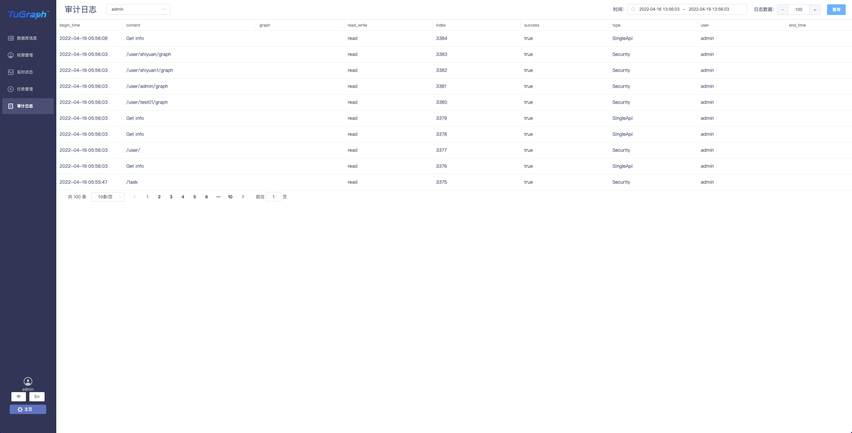
3.4.5 Audit logs
  • Database related audit logs recorded here, used to troubleshoot problems encountered in use alt Query
Previous topic

tugraph_cypher Instructions
Last

Next topic

TuGraph DataX Instructions
Next
What is on this page
Definition
Functionality
How to use it
1. Connect to the database
2. Login
3. Workbench