






OceanBase Migration Service (OMS) Community Edition allows you to write data by using direct load during data migration. This topic describes the limitations and parameters of direct load, as well as how to query the status of a direct load task.
Background information
OceanBase Database allows you to insert data into a database by using direct load. The direct load feature can get around conventional SQL-layer APIs and directly write data into files in a database, thereby improving the data import efficiency. For more information, see Overview.
Notice
Direct load does not support resumable transmission. After a migration task is interrupted and resumed, OMS Community Edition re-reads the source, but does not read the tables that are already migrated before the interruption.
OMS Community Edition allows you to specify the direct load method when you create the following types of data migration tasks.
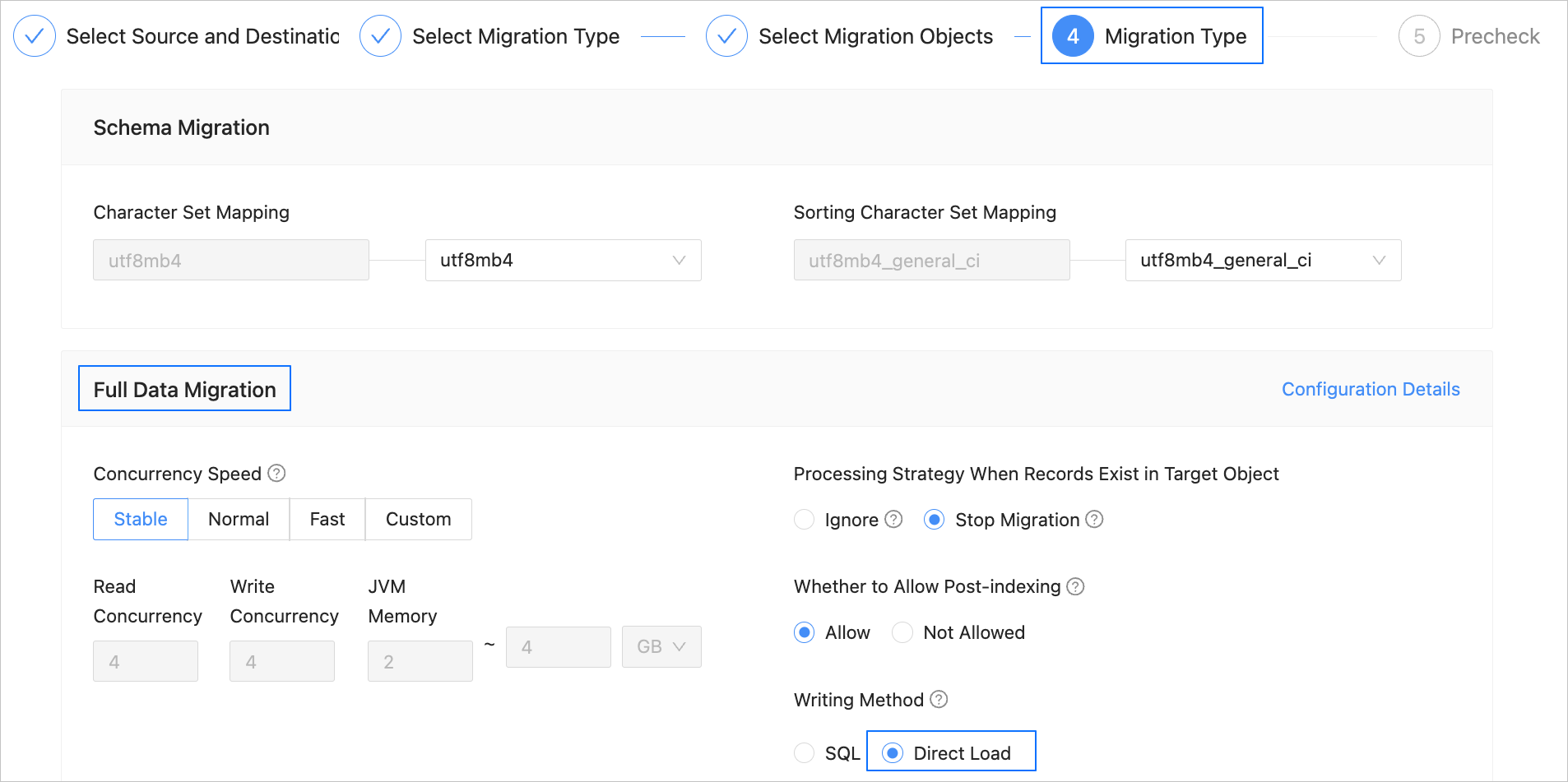
Migrate data from a MySQL database to OceanBase Database Community Edition
Migrate data between instances of OceanBase Database Community Edition
Migrate data from a TiDB database to OceanBase Database Community Edition
Migrate data from a PostgreSQL database to OceanBase Database Community Edition
Limitations
This write mode is supported for full migration only when the version of OMS Community Edition is V4.2.2 or later and the target is of OceanBase Database Community Edition V4.2.1 or later.
When you write data by using direct load, the
hostfield of the user created at the target for data migration must be set to%.Direct load does not support writing data in the Latin1 character set. Otherwise, an exception will be thrown.
The size of data in a single row cannot exceed 2 MB.
When the source is of OceanBase Database Community Edition V4.3.3, incremental synchronization of vector data is not supported.
At present, you cannot write vector data by using direct load.
Only data duplication caused by PRIMARY KEY constraints can be handled, and that caused by UNIQUE KEY constraints cannot be handled.
Generated columns, triggers, and user-defined types (UDTs) are not supported.
Direct load applies to empty tables and cannot be interrupted. In other words, resumable transmission is not supported. Therefore, if full migration by using direct load is interrupted, the data in the source is read again even after the task resumes normal.
If an imported table contains large object (LOB) columns, execute the following statement to disable the
enable_rebalanceparameter for OceanBase Database Community Edition:SHOW PARAMETERS LIKE 'enable_rebalance'; ALTER SYSTEM SET enable_rebalance = false;At present, direct load does not support concurrent operations. Make sure that direct load is used to write data only to one table in the target database at a time.
The number and order of columns in the source table must be the same as those in the target table.
You cannot write data to a table with a prefix index by using direct load.
Parameters
The following table describes the direct load parameters, which are in the Sink module of parameters of the Incr-Sync component.
Parameter |
Description |
|---|---|
| dbVersion | The version of the database. Direct load is supported only for OceanBase Database Community Edition of a version later than V4.2.1. If you do not specify this parameter, OMS Community Edition automatically queries the database version by using the following statement: SHOW VARIABLES LIKE 'version_comment'. |
| host | The IP address of the remote procedure call (RPC) server. By default, OMS Community Edition automatically queries the address by using the SHOW PARAMETERS LIKE 'rpc_port' statement, and uses the first svr_ip value returned. |
| port | The RPC port of the server. By default, OMS Community Edition automatically queries the port number by using SHOW PARAMETERS LIKE 'rpc_port' statement, and uses the first svr_port value returned. |
| username | The username to be reused for the target database in the format of Username@Tenant name#Cluster name. The username and tenant name are parsed based on this parameter and are used for TableAPI. |
| password | The password to be reused for the target database. |
| serverParallel | The number of concurrent worker threads of the target database used to process the data writes of direct load. The default value is 8. |
| maxErrors | The maximum number of errors allowed. The default value is 0. |
| replaceData | Specifies whether to replace duplicate primary key columns. The default value is true. If you set this parameter to false, duplicate primary keys are ignored. |
| serverTimeout | The timeout period of a direct load task on an OBServer node, in μs. The default value is 1209600L * 1000 * 1000, which equals 14 days. |
| rpcExecuteTimeout | The timeout period for executing an RPC request, in ms. The default value is 600000, indicating 10 minutes. |
Query the status of a direct load task
Execute the following statement in the
systenant to query the system table that records direct load statistics:SELECT * FROM oceanbase.__all_virtual_load_data_stat;Execute the following statement to query logs of the OBServer node and troubleshoot issues of the direct load task:
grep table_load observer.log*