







CDC Connectors for Apache Flink (Flink CDC for short) is a set of source connectors for Apache Flink. Flink CDC can read historical data and incremental changes from most databases in real time. Flink CDC can synchronize full and incremental data of different databases to message queues and data warehouses. You can also use Flink CDC for real-time data integration, to import database data to a data lake or data warehouse in real time. Flink CDC also supports data processing. You can use the SQL client of Flink CDC to associate, widen, and aggregate database data in real time, and write the results to various stores. Change Data Capture (CDC) helps you monitor and capture changes in databases. You can do many things with data provided by CDC. For example, you can use the data to make historical databases or perform near real-time caching. You can also provide the CDC data to message queues (MQs), so you can use MQs for analysis and auditing.
This topic describes how to use Flink CDC to migrate data from OceanBase Database to a MySQL database.
Prepare the installation environment
Configure the oblogproxy service for OceanBase Database
oblogproxy is a proxy service for managing incremental logs of OceanBase Database. oblogproxy allows applications to access and manage real-time incremental data logs of OceanBase Database. It also supports subscriptions to incremental logs in isolated networks.
In the sys tenant of the OceanBase cluster, create a username with a password for oblogproxy.
Here is an example:
obclient [(none)]> SHOW TENANT;
+---------------------+
| Current_tenant_name |
+---------------------+
| sys                 |
+---------------------+
1 row in set

obclient [(none)]> CREATE USER sys_user001 IDENTIFIED BY '******';
Query OK, 0 rows affected

obclient [(none)]> GRANT ALL PRIVILEGES ON *.* TO sys_user001 WITH GRANT OPTION;
Query OK, 0 rows affected
Install and deploy oblogproxy. For more information, see Install oblogproxy.
Configure the Flink environment
Download Flink and the required dependency packages.
Download Flink 1.15.3 and decompress it to the
flink-1.15.3directory.Download the following dependency packages and place them in the
flink-1.15.3/lib/directory.
Prepare data
Prepare data in the OceanBase database
Prepare test data in the OceanBase database as the source data to be imported to the MySQL database.
Log in to the OceanBase database. Log in to the
mysql001tenant as arootuser.[xxx@xxx /home/admin] $obclient -h10.10.10.2 -P2881 -uroot@mysql001 -p****** -A Welcome to the OceanBase. Commands end with ; or \g. Your OceanBase connection id is 3221536981 Server version: OceanBase 4.0.0.0 (r100000302022111120-7cef93737c5cd03331b5f29130c6e80ac950d33b) (Built Nov 11 2022 20:38:33) Copyright (c) 2000, 2018, OceanBase and/or its affiliates. All rights reserved. Type 'help;' or '\h' for help. Type '\c' to clear the current input statement. obclient [(none)]>Create a database named
test_ob_to_mysql. Then, create thetbl1andtbl2tables and insert data in the tables.obclient [(none)]> CREATE DATABASE test_ob_to_mysql; Query OK, 1 row affected obclient [(none)]> USE test_ob_to_mysql; Database changed obclient [test_ob_to_mysql]> CREATE TABLE tbl1(col1 INT PRIMARY KEY, col2 VARCHAR(20),col3 INT); Query OK, 0 rows affected obclient [test_ob_to_mysql]> INSERT INTO tbl1 VALUES(1,'China',86),(2,'Taiwan',886),(3,'Hong Kong',852),(4,'Macao',853),(5,'North Korea',850); Query OK, 5 rows affected Records: 5 Duplicates: 0 Warnings: 0 obclient [test_ob_to_mysql]> CREATE TABLE tbl2(col1 INT PRIMARY KEY,col2 VARCHAR(20)); Query OK, 0 rows affected obclient [test_ob_to_mysql]> INSERT INTO tbl2 VALUES(86,'+86'),(886,'+886'),(852,'+852'),(853,'+853'),(850,'+850'); Query OK, 5 rows affected Records: 5 Duplicates: 0 Warnings: 0
Prepare data in the MySQL database
Create a table for storing the source data in the MySQL database.
Go to the MySQL database.
[xxx@xxx /home/admin]
$mysql -hxxx.xxx.xxx.xxx -P3306 -uroot -p******
<Omit echo information>

MySQL [(none)]>
Create a database named
test_ob_to_mysqland a table namedob_tbl1_and_tbl2.MySQL [(none)]> CREATE DATABASE test_ob_to_mysql; Query OK, 1 row affected MySQL [(none)]> USE test_ob_to_mysql; Database changed MySQL [test_ob_to_mysql]> CREATE TABLE ob_tbl1_and_tbl2(col1 INT PRIMARY KEY,col2 INT,col3 VARCHAR(20),col4 VARCHAR(20)); Query OK, 0 rows affected
Start the Flink cluster and Flink SQL CLI
Run the following command to jump to the home directory of Flink.
[xxx@xxx /FLINK_HOME]
#cd flink-1.15.3
Run the following command to start the Flink cluster.
[xxx@xxx /FLINK_HOME/flink-1.15.3]
#./bin/start-cluster.sh
After the Flink cluster is started, you can access the web UI of Flink at
http://localhost:8081/, as shown in the following figure.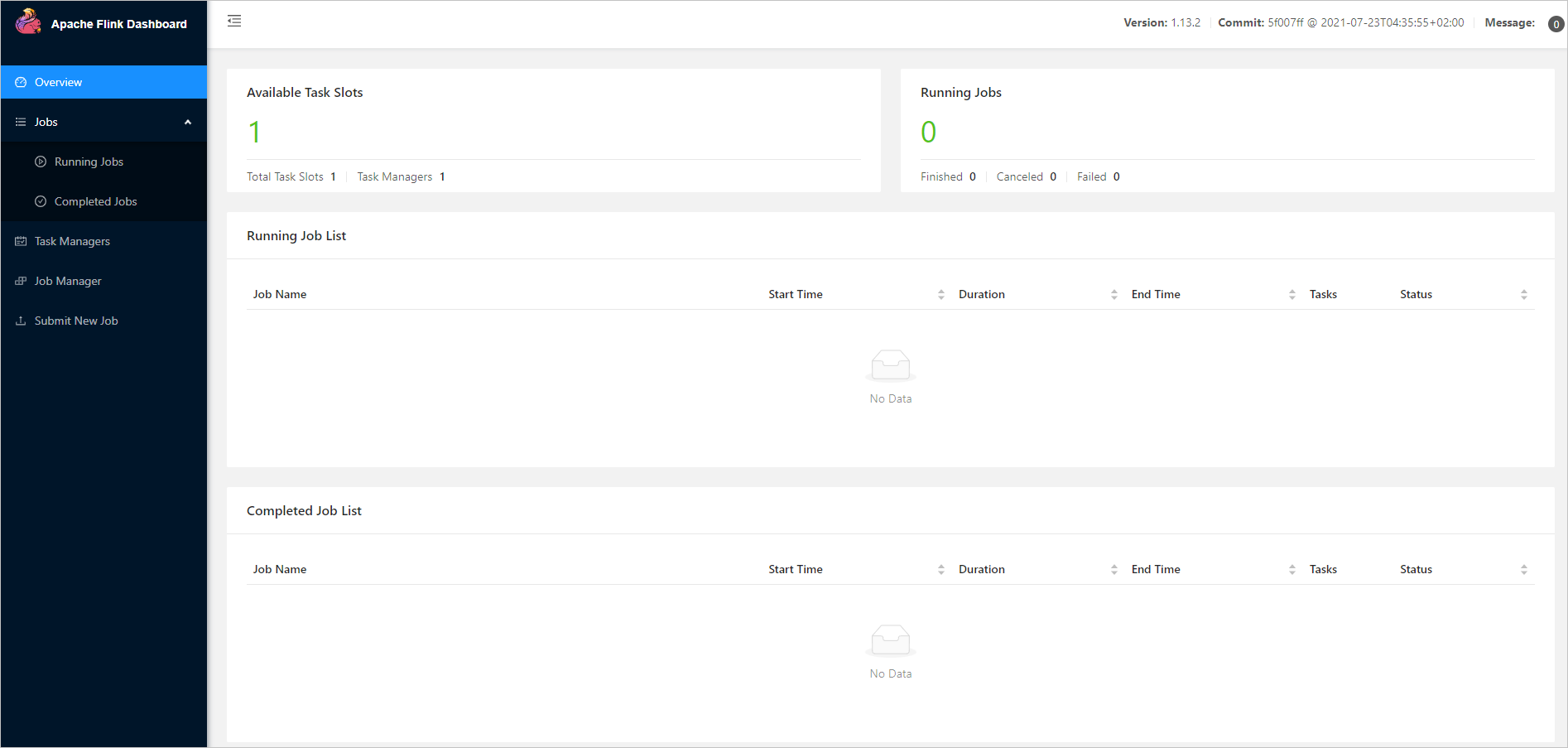
Note
After you run the
./bin/start-cluster.shcommand, ifbash: ./bin/start-cluster.sh: Permission deniedis displayed, you must change the privileges on all files in theflink-1.15.3directory from-rw-rw-r--to-rwxrwxrwx.Here is an example:
  [xxx@xxx /.../flink-1.15.3]
  # chmod -R 777 /FLINK_HOME/flink-1.15.3/*
Run the following command to start Flink SQL CLI.
[xxx@xxx /FLINK_HOME/flink-1.15.3]
#./bin/sql-client.sh
After the CLI is started, the page shown in the following figure appears.

Enable checkpointing
On the Flink SQL CLI, enable checkpointing and set the checkpointing interval to 3s.
Flink SQL> SET execution.checkpointing.interval = 3s;
[INFO] Session property has been set.
Create OceanBase CDC tables
On the Flink SQL CLI, create tables corresponding to OceanBase Database. On the Flink SQL CLI, create the tbl1 and tbl2 tables in the test_ob_to_mysql OceanBase database to synchronize the data in the tables.
Flink SQL> CREATE TABLE ob_tbl1 (
    col1 INT PRIMARY KEY,
    col2 VARCHAR(20),
    col3 INT)
    WITH ('connector' = 'oceanbase-cdc',
    'scan.startup.mode' = 'initial',
    'tenant-name' = 'mysql001',
    'username' = 'root@mysql001',
    'password' = '******',
    'database-name' = 'test_ob_to_mysql',
    'table-name' = 'tbl1',
    'hostname' = '10.10.10.2',
    'port' = '2881',
    'rootserver-list' = '10.10.10.2:2882:2881',
    'logproxy.host' = '10.10.10.2',
    'logproxy.port' = '2983');
[INFO] Execute statement succeed.

Flink SQL> CREATE TABLE ob_tbl2 (col1 INT PRIMARY KEY,
    col2 VARCHAR(20))
    WITH ('connector' = 'oceanbase-cdc',
    'scan.startup.mode' = 'initial',
    'tenant-name' = 'mysql001',
    'username' = 'root@mysql001',
    'password' = '******',
    'database-name' = 'test_ob_to_mysql',
    'table-name' = 'tbl2',
    'hostname' = '10.10.10.2',
    'port' = '2881',
    'rootserver-list' = '10.10.10.2:2882:2881',
    'logproxy.host' = '10.10.10.2',
    'logproxy.port' = '2983');
[INFO] Execute statement succeed.
For more information about OceanBase CDC WITH, see OceanBase CDC Connector.
Create MySQL CDC tables
On the Flink SQL CLI, create tables corresponding to the MySQL database. Create the ob_tbl1_and_tbl2 table to write the synchronized data to the MySQL database.
Flink SQL> CREATE TABLE ob_tbl1_and_tbl2(
    col1 INT PRIMARY KEY,
    col2 INT,col3 VARCHAR(20),
    col4 VARCHAR(20))
    WITH ('connector' = 'jdbc',
    'url' = 'jdbc:mysql://xxx.xxx.xxx.xxx:3306/test_ob_to_mysql',
    'username' = 'root',
    'password' = '******',
    'table-name' = 'ob_tbl1_and_tbl2');
[INFO] Execute statement succeed.
For more information about JDBC SQL Connector WITH, see JDBC SQL Connector.
Write the data to the MySQL database on the Flink SQL CLI
Use Flink SQL to associate tables tbl1 and tbl2 and write the associated data to the MySQL database.
Flink SQL> INSERT INTO ob_tbl1_and_tbl2
    SELECT t1.col1,t1.col3,t1.col2,t2.col2
    FROM ob_tbl1 t1,ob_tbl2 t2
    WHERE t1.col3=t2.col1;
Flink SQL> INSERT INTO ob_tbl1_and_tbl2
>     SELECT t1.col1,t1.col3,t1.col2,t2.col2
>     FROM ob_tbl1 t1,ob_tbl2 t2
>     WHERE t1.col3=t2.col1;
[INFO] Submitting SQL update statement to the cluster...
Loading class `com.mysql.jdbc.Driver`. This is deprecated. The new driver class is `com.mysql.cj.jdbc.Driver`. The driver is automatically registered via the SPI and manual loading of the driver class is generally unnecessary.
[INFO] SQL update statement has been successfully submitted to the cluster:
Job ID: 9cd180a65cb4e2c4d1a5a91465aa38a3
Note
In this example, the version for the MySQL driver (com.mysql.jdbc.Driver) used is MySQL Connector/J 5.1.47. For a new MySQL driver (com.mysql.cj.jdbc.Driver), use MySQL Connector/J 8.x.
Check the associated data written to the MySQL database
Log in to the MySQL database and check the data of the ob_tbl1_and_tbl2 table in the test_ob_to_mysql database.
MySQL [test_ob_to_mysql]> SELECT * FROM ob_tbl1_and_tbl2;
+------+------+-------------+------+
| col1 | col2 | col3        | col4 |
+------+------+-------------+------+
|    1 |   86 | China       | +86  |
|    2 |  886 | Taiwan      | +886 |
|    3 |  852 | Hong Kong   | +852 |
|    4 |  853 | Macao       | +853 |
|    5 |  850 | North Korea | +850 |
+------+------+-------------+------+
5 rows in set