







This topic describes how to view the currently connected database in OceanBase Developer Center (ODC) or by using an SQL statement.
View the currently connected database in ODC
Prerequisites
ODC has connected to the database.
Procedure
Log on to the ODC console.
On the Connections page, select the connected database and click Open.
Hover over the connection name on the menu bar at the top of the page.
Expected result
You can view the database and username corresponding to the current connection.
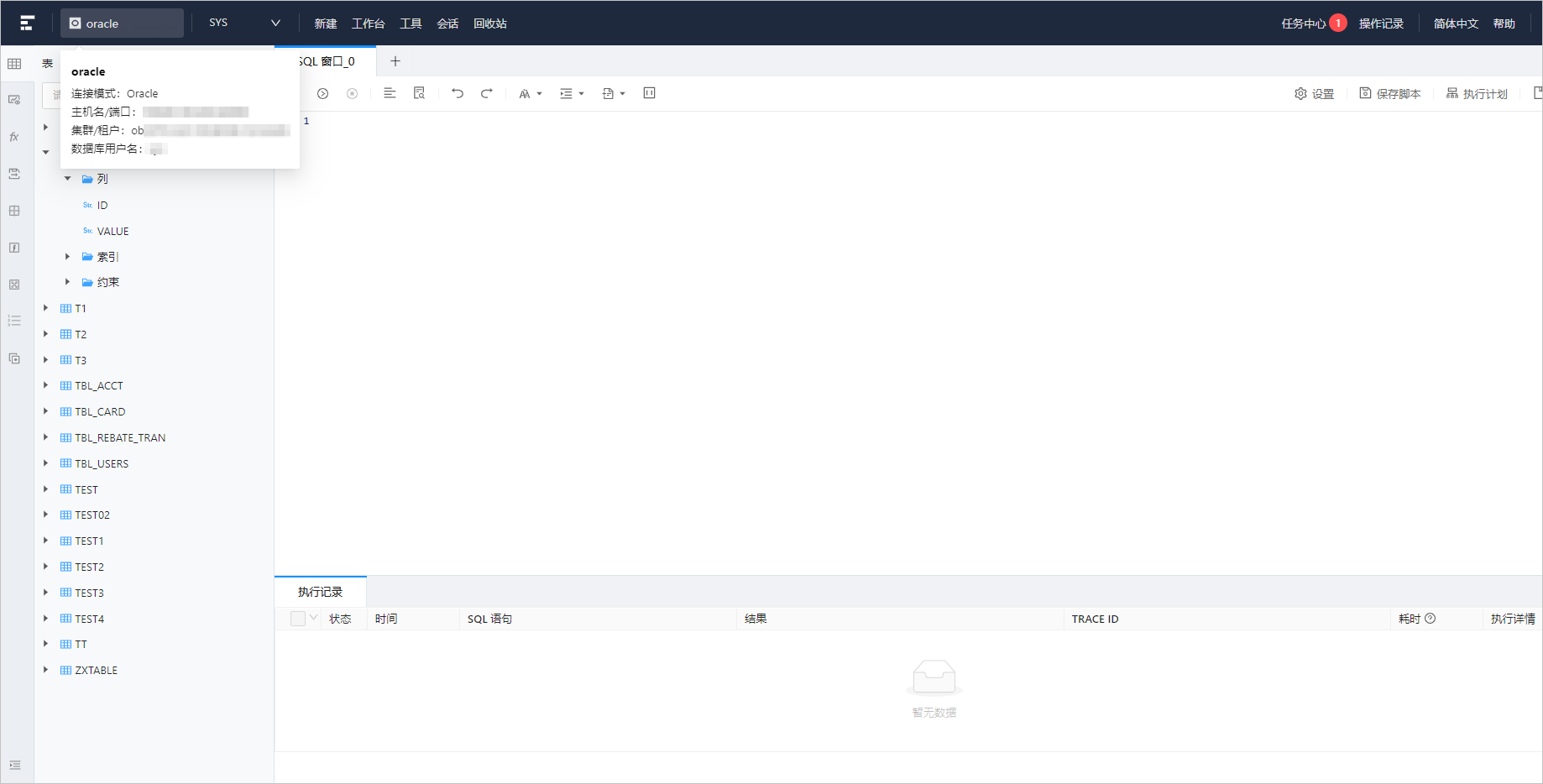
Note
In the preceding figure,
oracle-2275is the currently connected database.
View the currently connected database by using an SQL statement
SQL statement
SELECT * FROM all_users;
Examples
View all database users.
obclient>SELECT * FROM all_users;
+------------+------------------+-----------+
| USERNAME   | USERID           | CREATED   |
+------------+------------------+-----------+
| LBACSYS    | 1100611139403783 | 16-MAY-22 |
| ORAAUDITOR | 1100611139403784 | 16-MAY-22 |
| PUBLIC     | 1100611139403781 | 16-MAY-22 |
| SYS        | 1100611139403782 | 16-MAY-22 |
+------------+------------------+-----------+
4 rows in set
View the database and user of the current connection.
obclient> SHOW PROCESSLIST;
+------------+------+----------------------+------+---------+------+--------+------------------+
| ID         | USER | HOST                 | DB   | COMMAND | TIME | STATE  | INFO             |
+------------+------+----------------------+------+---------+------+--------+------------------+
| 3221487786 | SYS  | xx.xx.xx.xx:52340    | SYS  | Query   |    0 | ACTIVE | SHOW PROCESSLIST |
+------------+------+----------------------+------+---------+------+--------+------------------+
1 row in set
Note
In the preceding example,
SYSin theUSERcolumn andSYSin theDBcolumn are respectively the user and corresponding database of the current connection.