Background information
Database development and changes are unavoidable topics for all enterprises. Good database storage design can maximize database performance and reduce maintenance costs. Standardized, controllable database changes are the cornerstone of stable business operations, all of which require support from SQL development standards.
Currently, SQL development standards mostly remain on paper. This "word-of-mouth" approach lacks enforcement, and different people may have different interpretations of the same standard. The vast number of development standards also makes it difficult for novice DBAs to master them quickly.
In production environments, a single SQL statement can sometimes cause significant impacts, such as:
Database deletion incident
In 2020, an employee of a company, due to personal dissatisfaction and inability to repay loans, connected to the company's VPN from home, logged into servers, and deleted all company database data. This caused service paralysis, preventing millions of users from normal access. Although services were restored after several days of emergency repairs, it still resulted in tens of millions of yuan in economic losses and hundreds of millions in market value evaporation.
Inefficient queries
A company had a business table defined as:
create table bz_tbl (
    id bigint(11) primary key,
    name varchar(64),
    ...
    gmt_create timestamp,
    index bz_tbl_idx(name)
    );
The table contained massive records. Developers executed
select * from bz_tbl where name like '%xxx'and found extremely slow performance. Execution plan analysis showed that it did not use an index. After investigation, the cause was identified as follows:The left fuzzy match on the indexed name column caused index invalidation.
The
select *approach caused excessive back-table queries, degrading performance.
Unexpected query results
A developer wanted to find records where col values were not 1, 2 or NULL using the following SQL statement:
select col from bz_tbl where col not in (1,2,NULL);No results were returned, despite data existing:
$ > select col from bz_tbl;
+------+
| COL  |
+------+
|    1 |
|    2 |
| NULL |
|    3 |
+------+
4 rows in set (0.00 sec)
The issue was the NULL value in the NOT IN expression.
As seen from the above cases, these failures were caused by either developers' lack of SQL development experience or malicious attacks. For the issue of insufficient developer experience, the traditional approach has been to guide developers through documentation or word-of-mouth standards, which cannot enforce strong constraints and rely solely on developers' self-discipline. For malicious attacks, the only solution was to restrict developer database account privileges, but this often led to reduced development efficiency.
To address these pain points, ODC introduced the SQL check feature in V4.2.0. This feature incorporates dozens of built-in SQL development rules that together form the best SQL practices for OceanBase, adapted for both OceanBase MySQL compatible and Oracle compatible modes. Through the SQL check feature, ODC solves the following problems:
Problem of SQL standards remaining only on paper: ODC embeds SQL check standards directly into the product, codifying the rules in programming language to avoid deviations during verbal transmission and differences in understanding between developers and DBAs regarding rule applicability.
Problem of weak enforcement of SQL standards: ODC integrates SQL check standards into daily development/change processes. Any development or changes made through ODC must pass SQL check, strengthening database protection and enforcing compliance among developers.
Problem of unclear SQL standard meanings: Developers might not previously understand why certain SQL check rules existed - if the database provides certain functionality, why restrict its use? When users violate a rule, ODC now provides detailed and complete explanations.
The SQL check feature offers different rule enforcement levels across various development environments, providing services for both database development and database change scenarios.
SQL check specifications
The SQL check feature allows for customized configurations to provide different levels of rule enforcement in different R&D environments, to meet the requirements of database development and change management.
Fine-grained configuration
Customize rule parameters
The SQL check specification consists of dozens of rules. For more information about the rules, see SQL check specification in the ODC console. Some rules allow you to specify parameters to modify the behavior of the rules. For example, you can modify the Limit primary key data types rule, as introduced below. For more information about how to configure SQL check rules, see SQL check specifications.
Log in to the Web ODC.
In the left-side navigation pane, choose Security Specifications > Environment > Development > SQL check specification.
On the SQL check specification tab, you can view all rules.
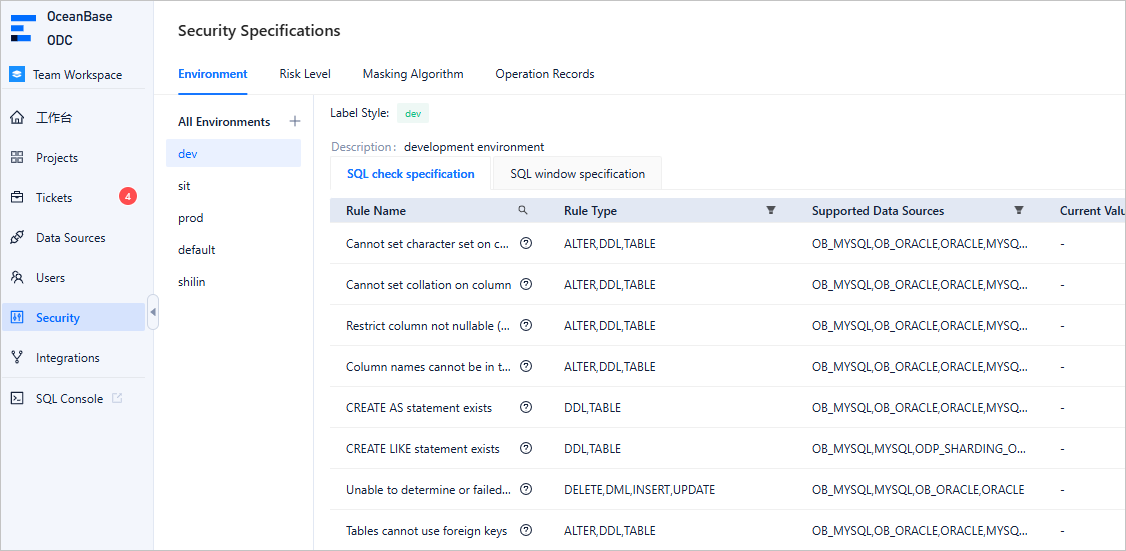
Scroll to find the Limit primary key data types rule. Click Edit in the Actions column of the rule.
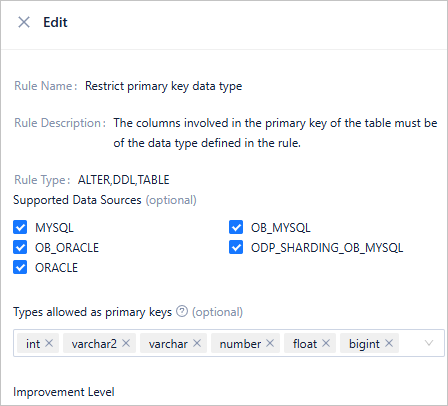
On the rule details page, view the current rule configurations. If the data type of the primary key reference column is not within the allowed data types specified in the rule, the rule is triggered. By default, the allowed data types for the primary key reference column include int, varchar2, number, float, and bigint. You can modify the Allowed data types for the primary key parameter to change the allowed data types:
Adapt to heterogeneous development environments
Generally, database resources of an enterprise are divided into different environments, such as the development environment, testing environment, and production environment. These environments are assigned different responsibilities. Correspondingly, different levels of control are exercised over these environments. In ODC V4.2.0, the system divides user databases into Default, Development, Production, and Testing environments:
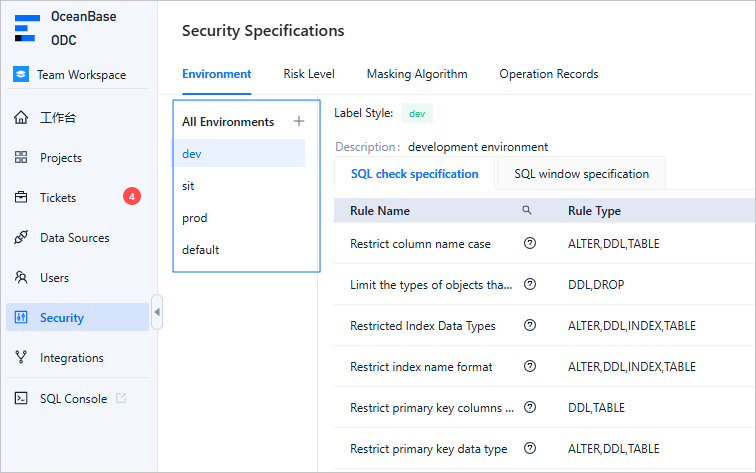
You can apply different SQL check specifications to different environments to implement different levels of control. For example, you can set different improvement levels for the same SQL rule in the production and testing environments so that the "SELECT statements should not use *" rule applies in the production environment but is disabled in the testing environment.
Guard the R&D process
The following example shows how SQL check rules can guard the entire database development process.
Assume that the database development process is as follows:
Create a table in the "test environment" with the following schema:
CREATE TABLE IF NOT EXISTS `user`(
    `id` bigint NOT NULL,
    `name` varchar(128) NOT NULL,
    `account_name` varchar(128) NOT NULL,
    `organization_id` bigint NOT NULL,
    `email_address` varchar(320) DEFAULT NULL,
    `password` varchar(256) NOT NULL,
    `create_time` datetime NOT NULL DEFAULT CURRENT_TIMESTAMP COMMENT 'Record insertion time',
    `update_time` datetime DEFAULT CURRENT_TIMESTAMP ON UPDATE CURRENT_TIMESTAMP COMMENT 'Record modification time',
    `description` varchar(512) DEFAULT NULL,
    CONSTRAINT pk_user_id PRIMARY KEY(`id`),
    CONSTRAINT uk_user_organization_id_account_name UNIQUE KEY(`organization_id`, `account_name`)
    );
Insert several test data records into the table in the "test environment".
insert into `user` values (1, 'test', 'test_account', 1, 'xxx@test.com', '****', CURRENT_TIMESTAMP, null, 'desp info');
insert into `user` values (2, 'test2', 'test_account2', 1, 'xxx@test2.com', '****', CURRENT_TIMESTAMP, null, 'desp info2');
insert into `user` values (3, 'test3', 'test_account3', 1, 'xxx@test3.com', '****', CURRENT_TIMESTAMP, null, 'desp info3');
Query the data in the table in the "test environment" to make sure that the data has been inserted.
select * from `user`;Create a table with the same schema in the "production environment".
CREATE TABLE IF NOT EXISTS `user`(
    `id` bigint NOT NULL,
    `name` varchar(128) NOT NULL,
    `account_name` varchar(128) NOT NULL,
    `organization_id` bigint NOT NULL,
    `email_address` varchar(320) DEFAULT NULL,
    `password` varchar(256) NOT NULL,
    `create_time` datetime NOT NULL DEFAULT CURRENT_TIMESTAMP COMMENT 'Record insertion time',
    `update_time` datetime DEFAULT CURRENT_TIMESTAMP ON UPDATE CURRENT_TIMESTAMP COMMENT 'Record modification time',
    `description` varchar(512) DEFAULT NULL,
    CONSTRAINT pk_user_id PRIMARY KEY(`id`),
    CONSTRAINT uk_user_organization_id_account_name UNIQUE KEY(`organization_id`, `account_name`)
    );
#### Regulate database development
This topic describes how to use SQL checks to regulate database development from the perspective of a database developer.
The administrator has set the following SQL check specifications in the "Development Environment" mode:
Table-level comments must be added to all table creation statements to help developers better understand the business meanings of the tables and reduce communication costs.
Primary keys must be added to all table creation statements. The primary key column must be of the bigint type and must have the auto-increment attribute. The initial value of the auto-increment attribute can be left unspecified.
Comments are recommended for all columns in a table creation statement. Approval is required to create a table without column comments.
Columns declared NOT NULL in a table creation statement must have default values to avoid database write errors when the upper-layer business systems do not pass values.
SELECT *queries are allowed.INSERTstatements without explicit column specifications are allowed.
Note
- All specifications marked as mandatory must be followed unless the administrator adjusts the priority of the specification.
- Approval is required for specifications with the approval priority. These specifications cannot be directly implemented.
- Specifications with the allow priority are merely prompted but not enforced.
A developer enters a table creation statement in an edit window of a development database. Before the execution, the developer can click the SQL Check button in the toolbar to verify whether the SQL statement violates any rules:
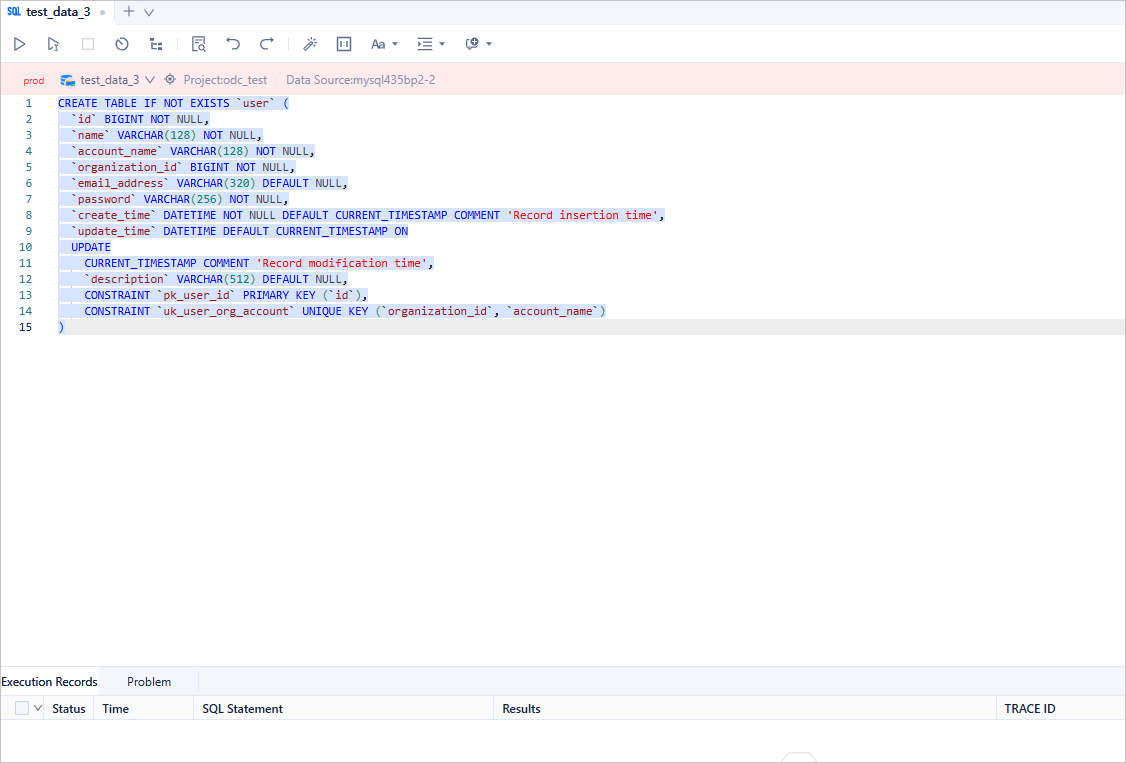
Violations of different rules are distinguished by colors. You can click the Locate button to locate the specific rule violated in the SQL statement. After modifying the SQL statement based on the check results, you can submit the SQL statement for execution. If you choose to submit the SQL statement for execution, ODC will process it according to the following procedure:
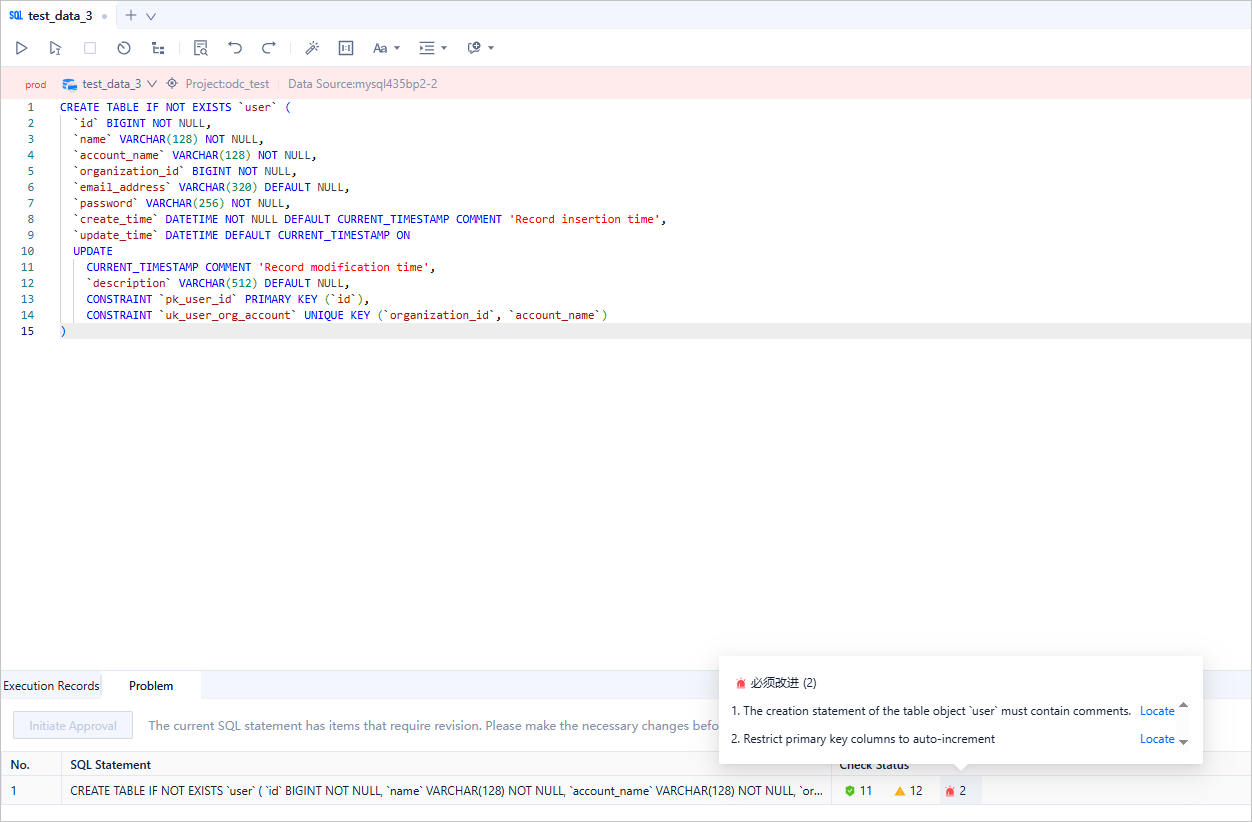
First, ODC determines whether the type of the SQL statement allows it to be executed. If yes, ODC checks whether the SQL statement violates any "Must Improve" rules. If it does, the execution is blocked. If not, ODC checks whether the SQL statement violates any "Approval Required" rules. If it does, the SQL statement is converted into a database change ticket. If it does not violate any of the above rules, the SQL statement is executed.
Note
You can go to Security Specifications > Environment > SQL Window Specifications > SQL Types Allowed for Direct Execution to modify the SQL types that are allowed to be executed directly.
After modifying the SQL statement, the user clicks the Execute button. The execution result is as follows:
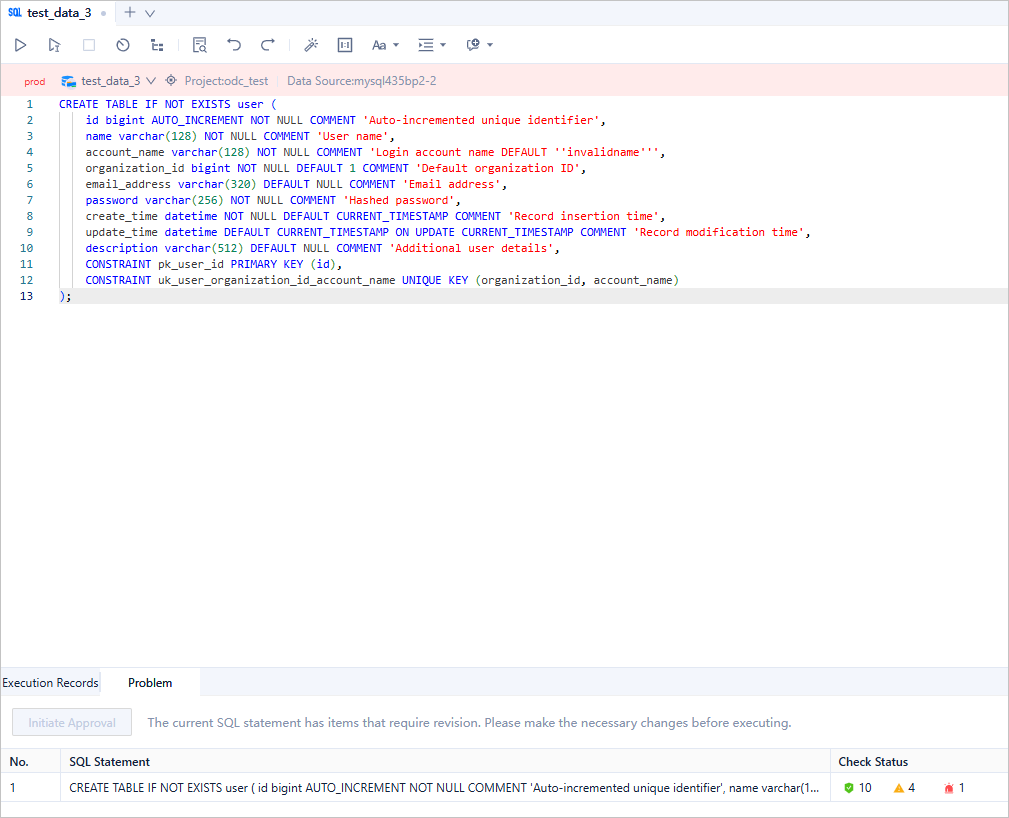
The SQL statement violates a "Must Improve" rule. Therefore, ODC intercepts the execution of the SQL statement. The user continues to modify the SQL statement until it does not violate any "Must Improve" rules. Some "Approval Required" rules are still violated:
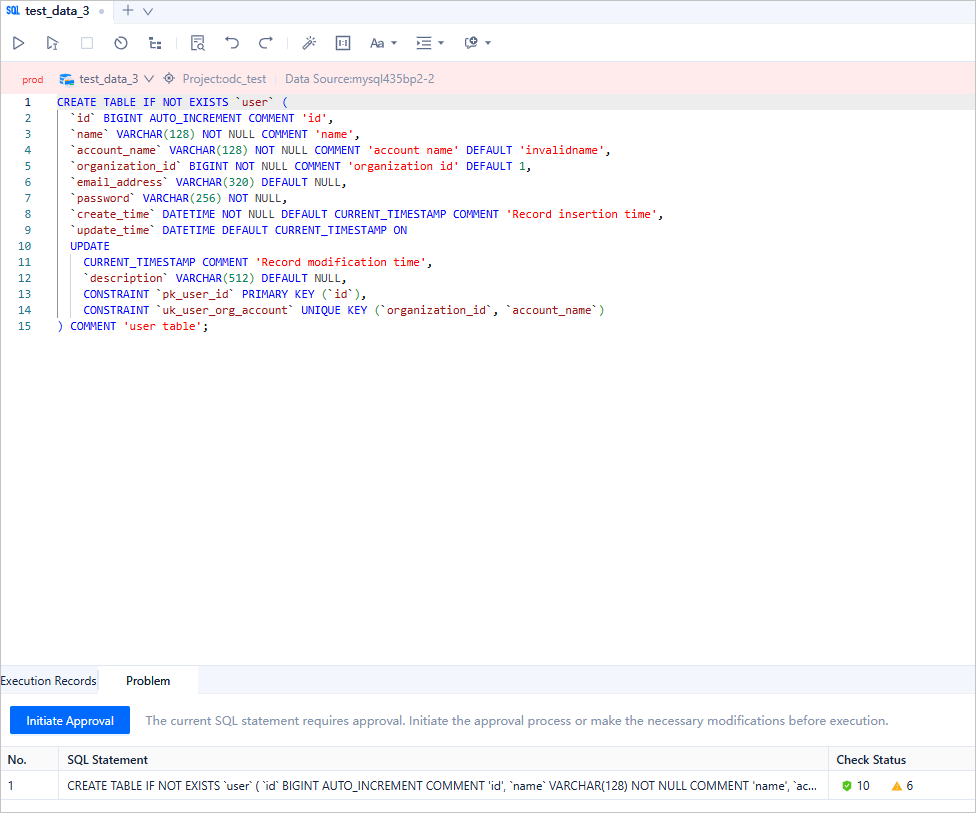
The SQL statement violates an "Approval Required" rule. Therefore, ODC still blocks the execution of the SQL statement. The user can click "Start Approval" to create a database change ticket, and ask the approver to decide whether the SQL statement can be executed.
If the user has fixed all the violations, and the SQL statement does not violate any rules or violates only "No Improvement" rules, the SQL statement can then be executed in the SQL window:
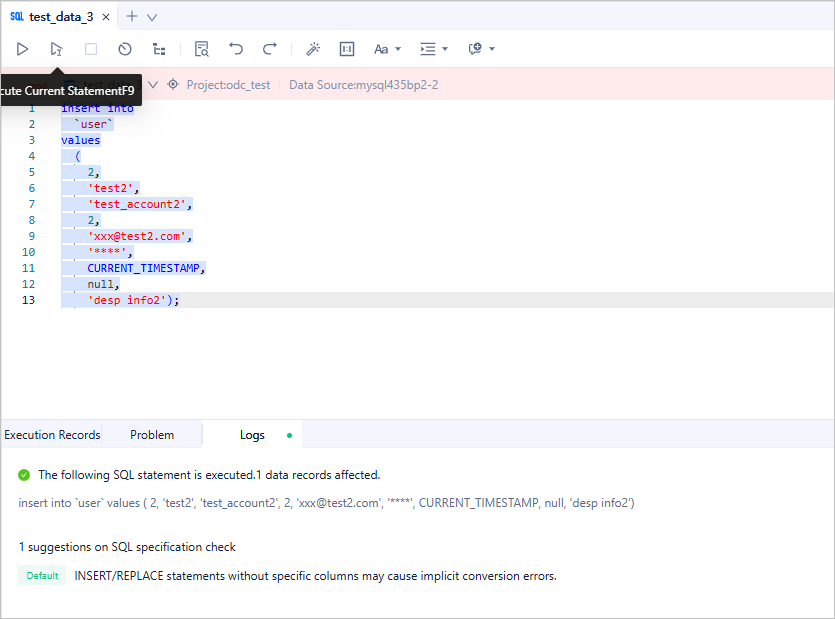
The user can also insert several test records into a table and query these records directly in the SQL window:
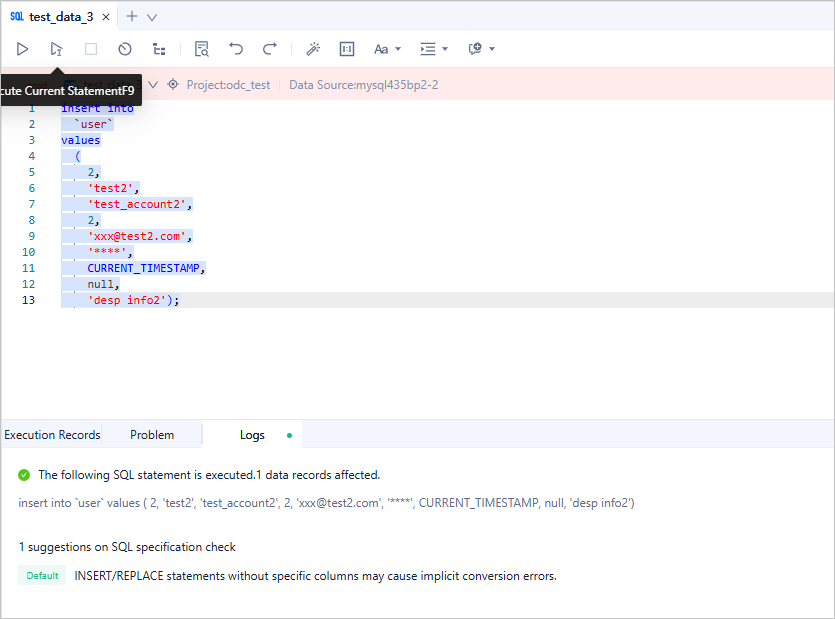
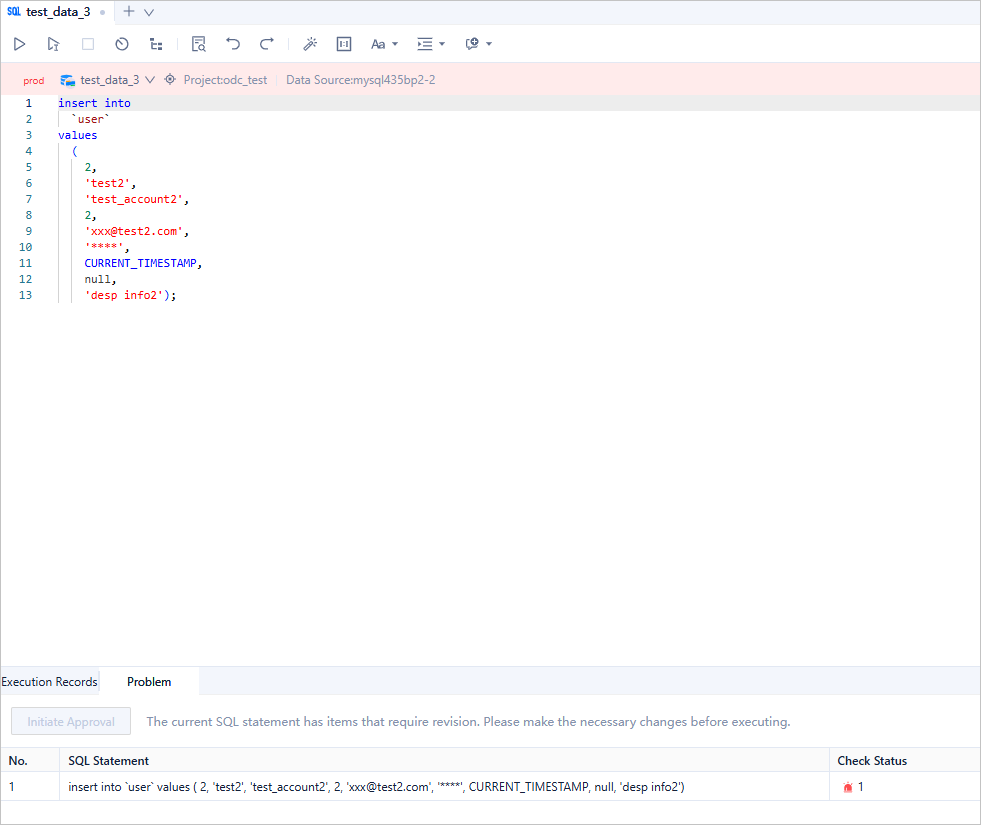
Although the INSERT statement and the SELECT statement violate the "No Improvement" rules, these rules do not affect the execution. In the "Production Environment", the administrator can change the risk levels of these two rules to "Must Improve". Then, if a user executes an SQL statement that violates these two rules, ODC will block the execution:
Protect database changes
In a development environment, most users perform database operations through the SQL window. However, in a production environment, interactions with the database are strictly controlled and are typically performed through database changes. SQL checks play a crucial role in the following two scenarios:
Scenario 1: Whether to initiate a database change. If an SQL statement violates a "Must Improve" rule, a database change ticket cannot be initiated.
Scenario 2: Which approval process to match. ODC calculates the risk of the SQL statement based on the check results and matches an approval process based on the risk level.
The following example shows how the SQL check rules protect database changes.
The administrator configures the same rules as those specified in the "Regulate database development" section to constrain all SQL statements to be changed:
- Table-level comments are required in create table statements to help developers better understand the business meanings of the tables and reduce communication costs.
- Primary keys must be included in create table statements. The primary key must be of the bigint type and have the auto-increment attribute. The initial value of the auto-increment attribute can be specified.
- Comments are recommended for all columns in create table statements. If a table without column comments is created, approval is required.
- Columns declared NOT NULL in create table statements must have default values to avoid database write errors when the upper-layer business systems do not send values.
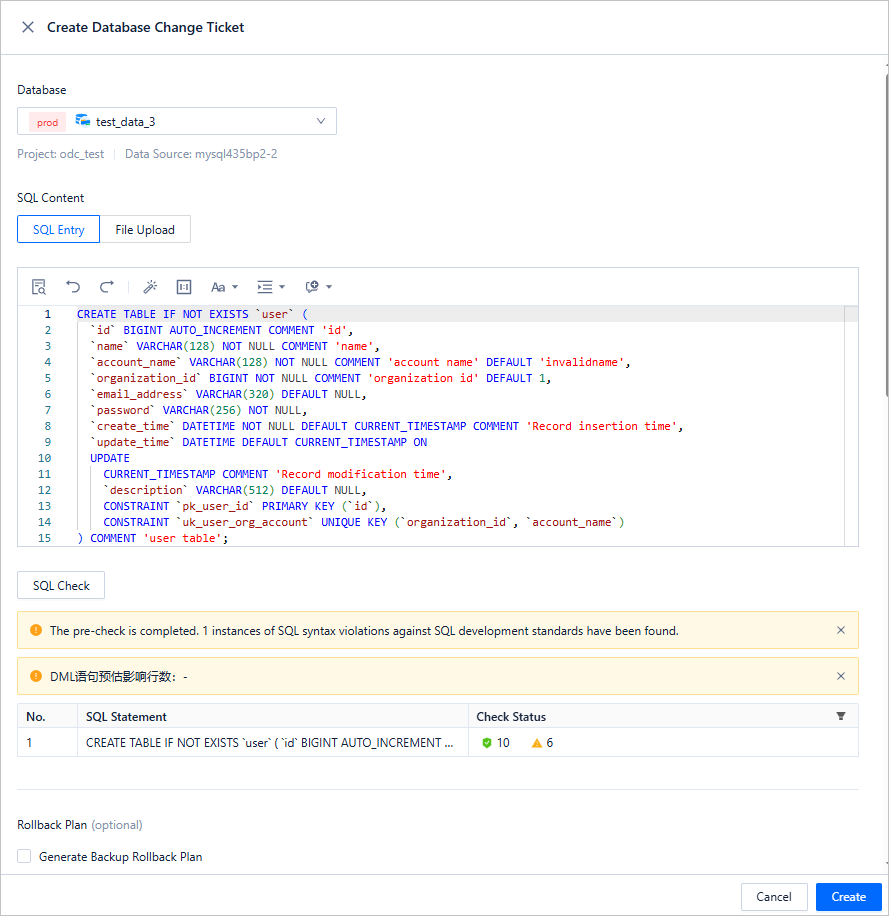
A user initiates a database change ticket by using the following SQL statement:
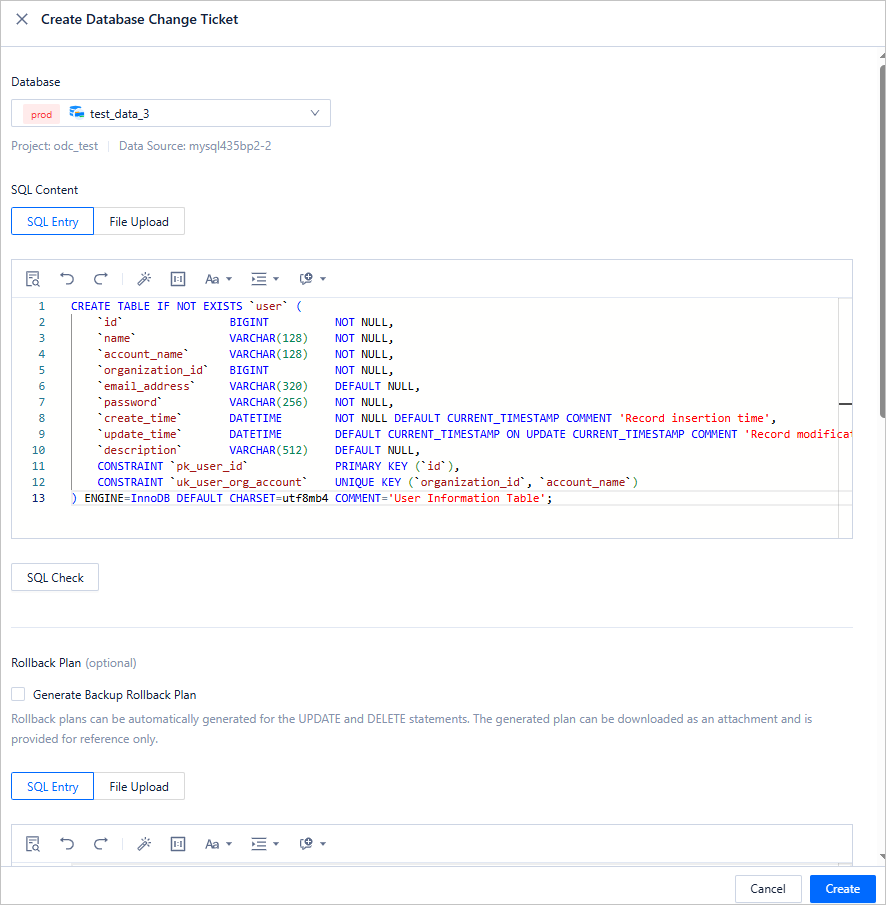
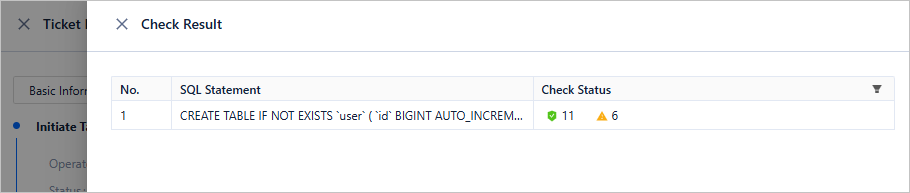
The SQL statement violates several "Must Improve" rules. Therefore, the ticket cannot be initiated. When the user clicks the details of the ticket, the specific violation rules are displayed:
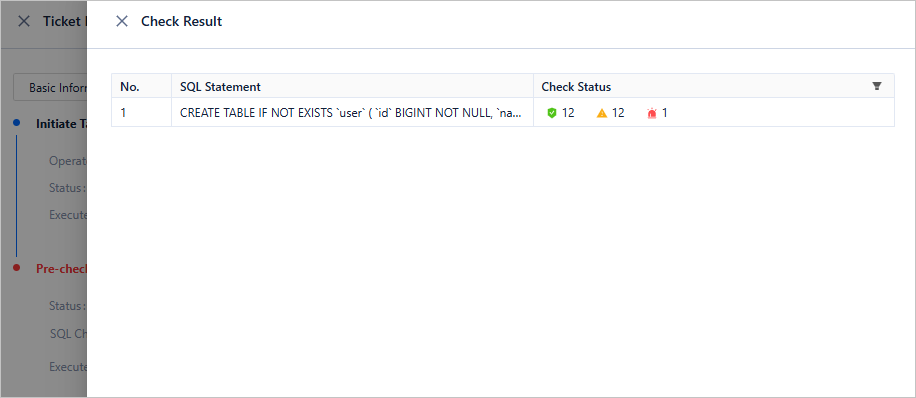
Note
You can define risk levels based on multiple factors in the Security Specifications > Environment > Risk Level section, and use the risk levels to match approval processes.
After the user fixes all "Must Improve" violations, the ticket can be initiated.

The SQL statement to be changed matches a "Approval Required" rule. Therefore, the risk level of the SQL statement is assessed to be "High", and requires joint approval from the project administrator and the project DBA: