







This topic describes how to modify the tenant whitelist.
Procedure
Log on to the OceanBase Cloud Platform (OCP) console.
In the left-side navigation pane, click Tenants . The Tenant Overview page appears.
In the Tenants list, find the target tenant and click its name. The Tenant Details page appears.
In the Whitelist section, click Modify in the Actions column.
Configure the whitelist in the dialog box that appears.
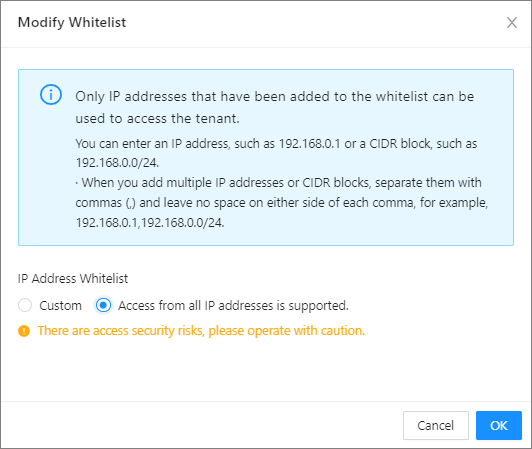
- Access from all IP addresses is supported: All IP addresses are allowed.
Note
This method has access security risks, please operate with caution.
Custom: You can add allowed clients into the whitelist in the formats described in the following table.
FormatExampleIP address xxx.xxx.xxx.1,xxx.xxx.xxx.2 Subnet/mask xxx.xxx.xxx.0/24 Fuzzy match xxx.xxx.xxx.% or xxx.xxx.xxx._ Mixed xxx.xxx.xxx.1,xxx.xxx.xxx.2,xxx.xxx.xxx.%,xxx.xxx.xxx._,xxx.xxx.xxx.0/24 Note % indicates that all clients can connect to this tenant.
Click OK .