







All alert-blocking conditions are displayed on the Alert Blocking tab. By default, the alert-blocking conditions created by the user who has logged on are displayed.
An alert-blocking condition takes at most 30 seconds to take effect after it is created.
The alert-blocking conditions that have expired for more than seven days will be automatically archived.
When you run an O&M task on an OceanBase cluster, alerts are automatically blocked.
Procedure
On the Alert Events and Notification History tabs, you can quickly create an alert-blocking condition by setting the end time of alert blocking. This topic describes how to configure alert blocking on the Alert Blocking page.
Log on to the OCP console.
In the left-side navigation pane, choose System Management > Alerts.
On the Alert Blocking tab, click Create Blocking Condition .
Click the OB or Application tab based on your business requirements. OB is selected here.
Select an OceanBase cluster. You must select one and only one cluster.
Set Blocking Scope .
Select alert items to block.
Set Blocking End Time .
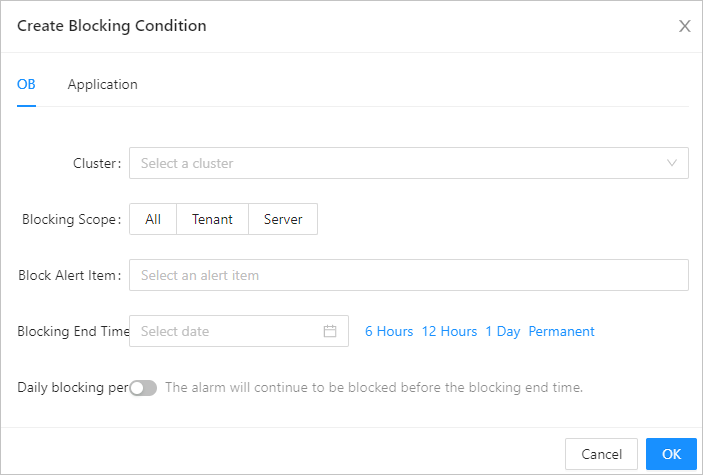
Click OK.