







You can view the databases under a tenant, and create, delete, and modify a database under a tenant.
Prerequisites
You have logged on to a tenant in MySQL mode.
You have the permission to modify the tenant.
The root password of the tenant exists in the password box of the current user.
Procedure
In the left-side navigation pane, click Tenants . The Tenant Overview page appears.
Find the target tenant in the Tenants list, and click the tenant name. The tenant details page appears.
In the left-navigation pane, click Database Management . The database management page appears.
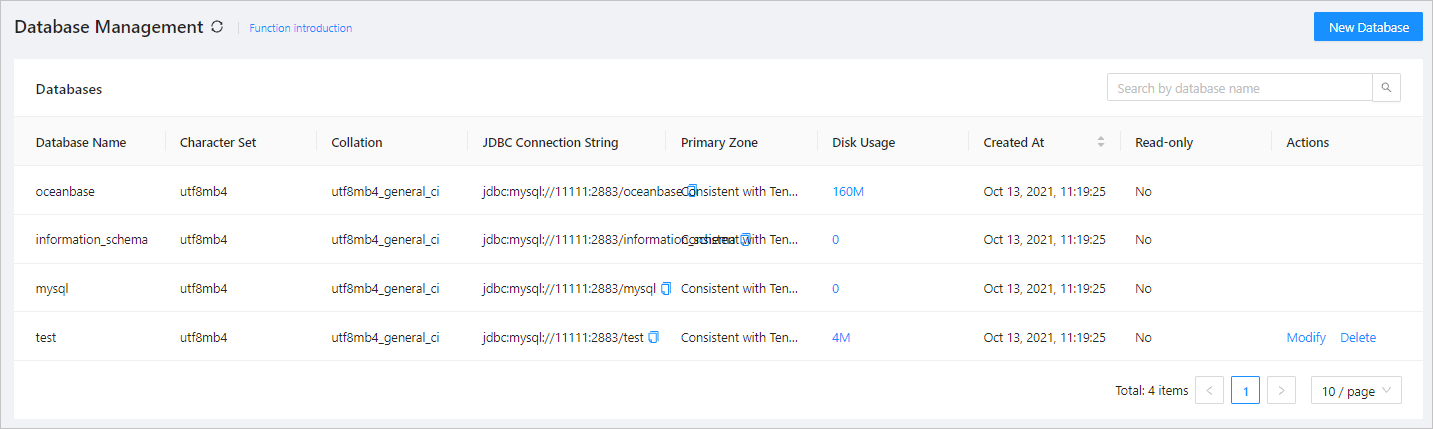
View the database information. The Databases list contains the following columns: Database Name, Character Set, Collation, Primary Zone, Disk Usage, Created At, Read-Only , and JDBC Connection String.
Note
The creation time of databases created on OBServers whose versions are earlier than V2.2.1 cannot be displayed.
Click New Database in the upper-right corner of the page, and specify Database Name, Character Set, Collation , and whether the database is read-only. In the Primary Zone area, set the zone priority.
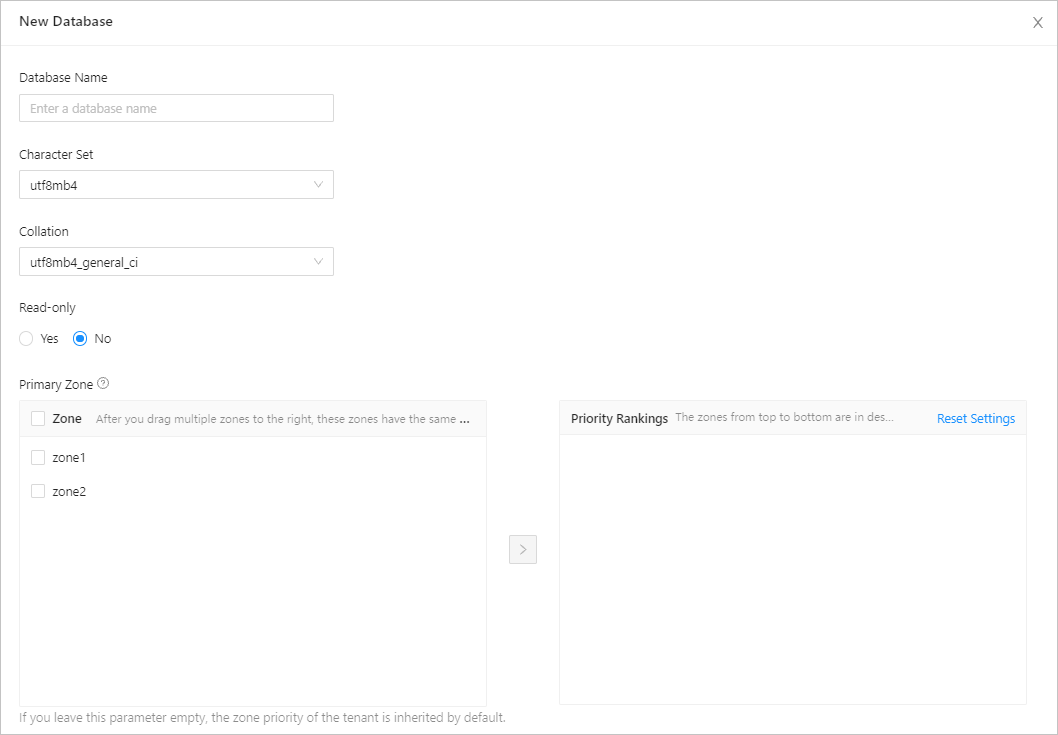
To modify the information of a database, locate the row containing the database, click Modify in the Actions column, and then modify Database Name, Character Set, Collation, and Read-only .
You can modify the zone priorities in the Primary Zone section.
To delete a database, locate the row that contains the database, click Delete in the Actions column, enter the word delete to confirm the action, and then click Delete.