







This topic describes how to modify alert thresholds in OceanBase Cloud Platform (OCP).
Procedure
Log on to the OCP console.
In the left-side navigation pane, choose System Management > Alerts.
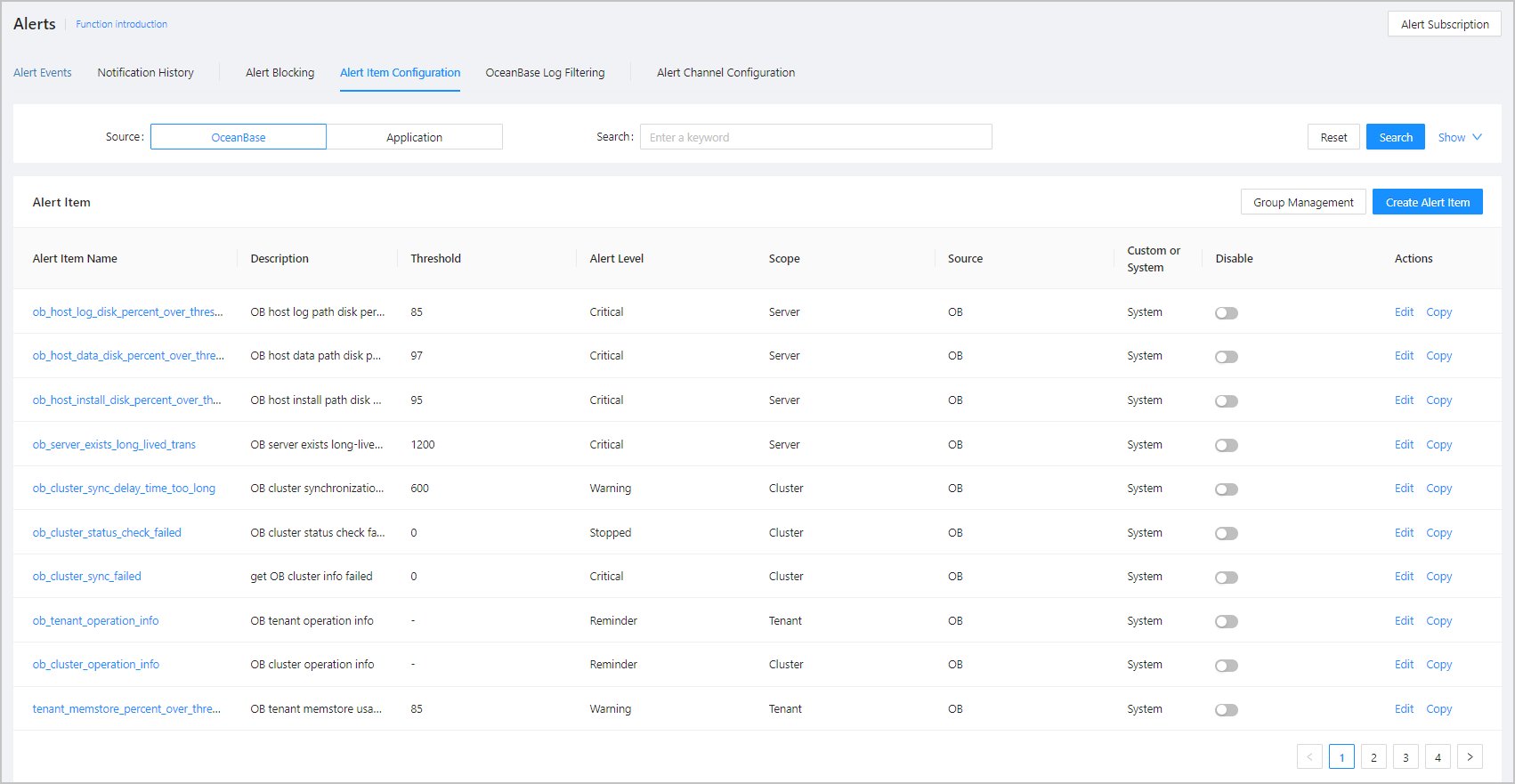
On the Alerts page, click Alert Item Configuration .
Click Edit in the Actions column of an alert. The Edit Alert Item page appears.
In the Trigger Condition field of the rule information, adjust the alert trigger threshold and duration of the alert rule.
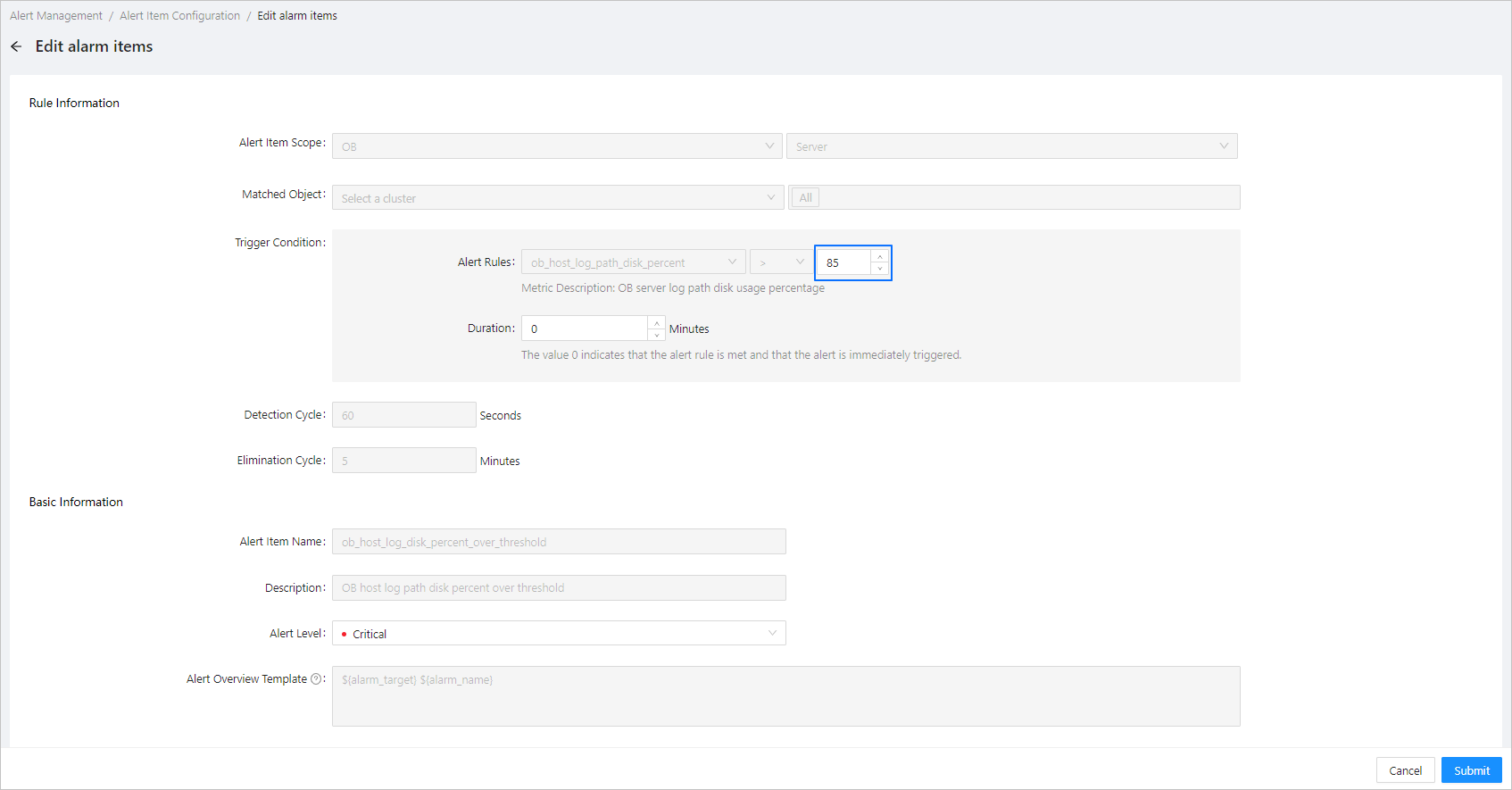
Click OK .