This topic describes how to switch the roles of the primary cluster and a standby cluster in OceanBase Cloud Platform (OCP).
Preparations for a switchover
Before you perform a switchover, obtain the cluster information and select an appropriate standby cluster.
For more information, see Preparations for a switchover.
Perform a switchover
Log on to the OCP console as the administrator.
The Clusters page automatically appears.
Click the name of the primary cluster in the Clusters list. The details page of the primary cluster appears.
In the left-side navigation pane, click Topology.
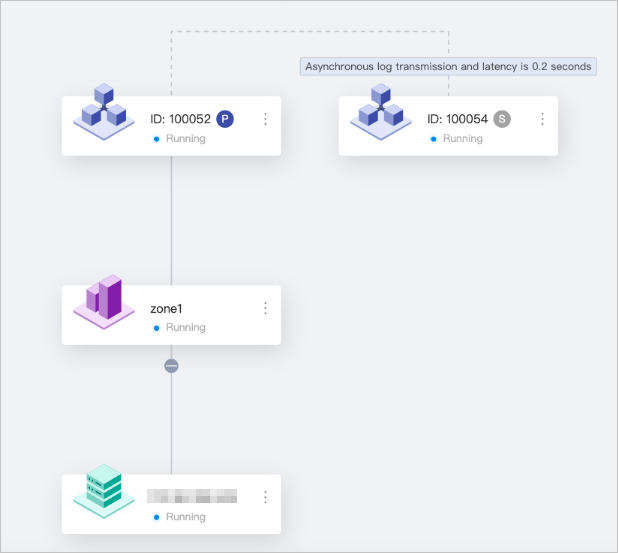
In the topology, Cluster 100054 is the primary cluster, and Cluster 100052 is the standby cluster, as shown in the following figure. The standby cluster is in the synchronization state.
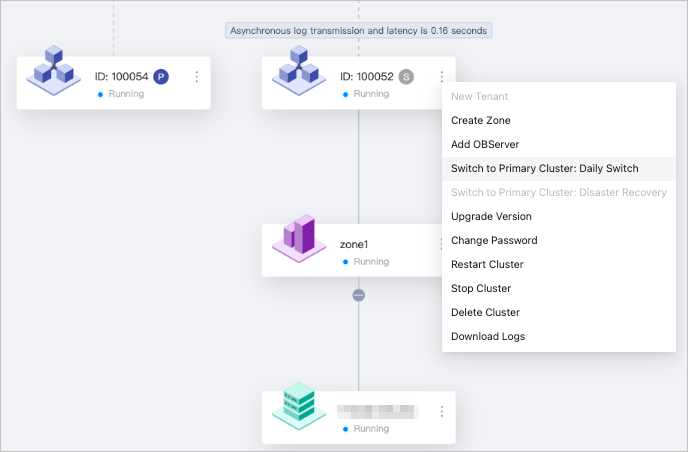
To switch Cluster 100052 to the primary role, click the More icon in the upper-right corner of the corresponding cluster card in the topology, and then select Switch to Primary Cluster: Daily Switch.
A switchover task is created.
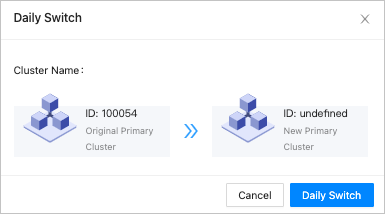
Click View Task to view the execution status of the task.
The switchover task is complete, as shown in the following figure. If an error occurs during the switchover, an alert is generated in OCP. Troubleshoot the error based on the alert message.

Go back to the topology. Cluster 100052 is switched to the primary role and Cluster 100054 is switched to the standby role, with a latency of 0.2 seconds.