






Symptom
The Timeout error is returned for a connection trial or test.
The following error message is returned:
Failed to execute the SQL statement. Error details: Could not connect to address=(host=some.domain.com)(port=22)(type=master) : Could not connect to some.domain.com : Read timed out
timeout errors may be divided into the following types:
connect timeout
read timeout
socket timeout
Possible causes
Error message |
Possible causes |
|---|---|
| connect timeout |
|
| read timeout |
|
| socket timeout | The network is unstable. |
Solutions
Check the network configuration of the server where the ODC process runs
Checklist:
Check whether the DNS addressing service is normal for an access by using a DNS address.
Check whether the IP address of the destination OBServer node can be pinged successfully.
Check whether the VPN and network acceleration features are enabled, which result an unexpected network environment.
Check the firewall configurations of the local server and the target OBServer node.
connect/socket timeout
connect timeoutandsocket timeouterrors are basically caused by network issues. Use theping ${your.ob.ip.address}command to check whether the destination address is reachable. If the IP address cannot be pinged, the network is disconnected. In this case, contact the network administrator to check the network configuration.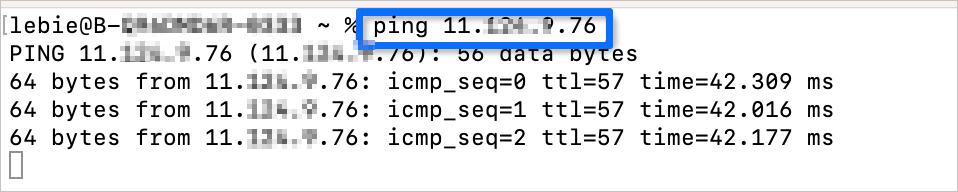
Use the
telnet ${your.ob.ip.address} ${your.ob.sql.port}command to check whether the port is reachable. If the IP address can be pinged but the port is unreachable, the firewall may prohibit the port from accessing specific IP addresses, or the specified port is not listened by the corresponding program.
read timeout
Check for network issues as described above. If the IP address can be pinged, it is reachable, but the port is not the database listening port. In this case, check whether the destination port is specified correctly.
If the port number is correct, the database service is faulty. Check whether the OBServer node is running as expected.