







This topic describes how to initiate a global inspection. If you want to inspect a single object, see Initiate an inspection for a single object.
Applicability
This topic applies only to OceanBase Cloud Platform Enterprise Edition. OceanBase Cloud Platform Community Edition does not support the inspection service.
Background information
After you initiate an inspection, OceanBase Cloud Platform (OCP) immediately starts to inspect the OceanBase clusters, OceanBase tenants, and OBProxy clusters managed in OCP based on the inspection items. For more information, see Inspection.
Procedure
Log on to the OCP console. In the left-side navigation pane, choose Inspection Service.
Wait until the Inspection List page appears.
Move the pointer over Initiate Global Inspection in the upper-right corner and select an inspection scenario from the drop-down list.
In the dialog box that appears, click OK.
Note
- If a cluster is being inspected for the selected scenario, the cluster is skipped.
- If a host is being inspected for the selected scenario, the host is skipped.
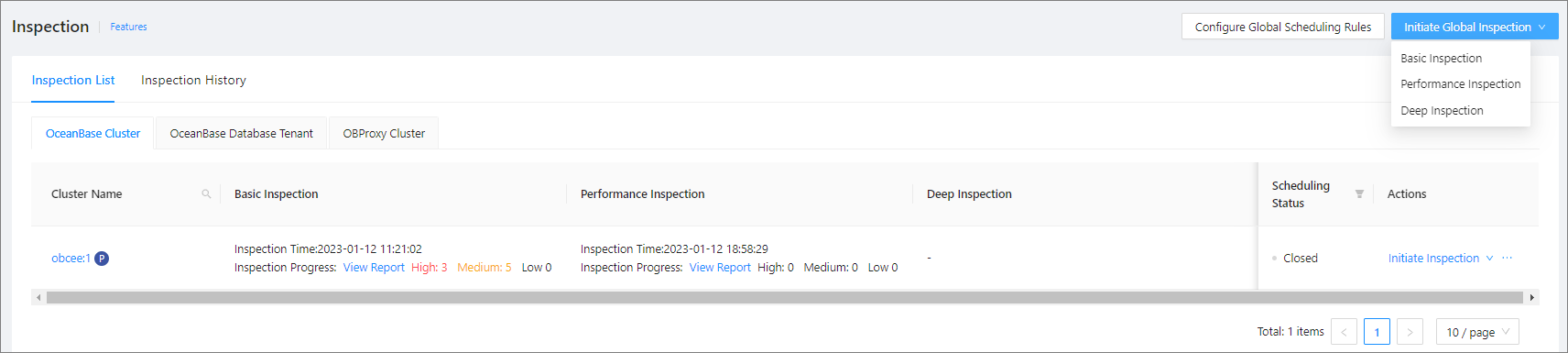
In the dialog box that appears, click the task ID to view the task progress. You can also choose System Management > Tasks to view the task progress. For more information, see Manage tasks.