







This topic describes how to add a connectable OceanBase cluster to OBProxy.
Prerequisites
Make sure that you have the following permissions:
- Resource Permissions: OBProxy Maintenance permission
- Menu Permissions: Permission on the Overview menu of OBProxy
If the version of your OBProxy cluster is V3.x or earlier, you can select only OceanBase clusters of a version earlier than V4.0.
Procedure
Log on to the OceanBase Cloud Platform (OCP) console.
In the left-side navigation pane, click OBProxy.
In the OBProxy cluster list, click the OBProxy cluster to which you want to connect an OBProxy. Then, the Overview page of the OBProxy cluster appears.
Click Add Connectable OceanBase Cluster.

In the dialog box that appears, select the connectable OceanBase cluster to add to OBProxy.
The proxyro user can access an OceanBase cluster only when the password of the proxyro user of the OceanBase cluster is the same as that of the OBProxy cluster. If an OceanBase cluster cannot be connected by using the password of the proxyro user, you can use one of the following methods to resolve the issue:
- Change the password of the proxyro user of the OBProxy cluster. For more information, see Change the password of the proxyro user.
- You can change the proxyro account password for an OceanBase Database cluster. The password is stored in the sys tenant of the cluster. For more information, see User management under a MySQL tenant.
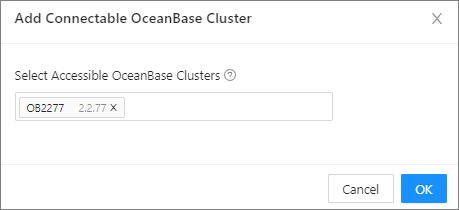
Click OK.