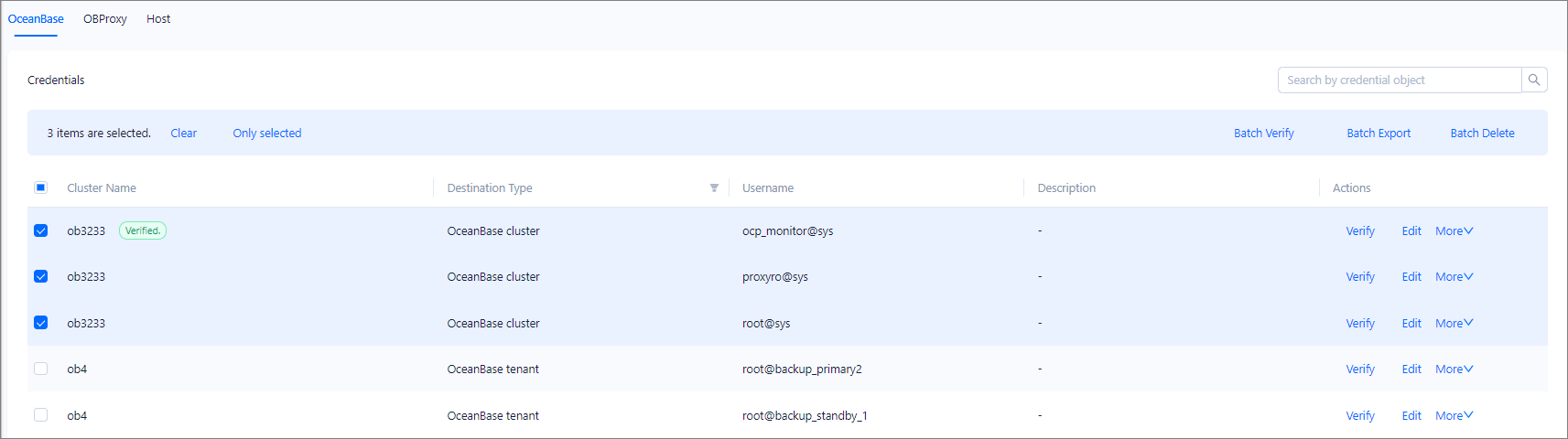
This topic describes how to verify, export, and delete credentials in batches.
Prerequisites
To perform batch verification and batch export, make sure that you have the following permissions:
- Resource Permissions: Cluster Read-only, Tenant Read-only, OBProxy Read-only, Binlog Service Read-only, or Host Read-only permission
- Menu Permissions: Permission on the Credential Management menu of System Management
To perform batch deletion, make sure that you have the following permissions:
- Resource Permissions: Cluster Maintenance, Tenant Maintenance, OBProxy Maintenance, Binlog Service Maintenance, or Host Maintenance permission
- Menu Permissions: Permission on the Credential Management menu of System Management
Procedure
Log in to the OceanBase Cloud Platform (OCP) console.
In the left-side navigation pane, choose System Management > Credential Management to go to the Credentials page.
On the OceanBase, OBProxy, or Host tab, select the credentials for batch operation.
Click a batch operation type in the upper-right corner of the tab as needed.
You can click Batch Verify, Batch Export, or Batch Delete.
To verify the selected credentials at a time, click Batch Verify to test whether the credentials can be used for connections.
To export the selected credentials at a time, click Batch Export. In the dialog box that appears, enter the encryption password and click Export.
To delete the selected credentials at a time, click Batch Delete. In the dialog box that appears, click Delete.