







This topic describes how to create a tag for resource objects.
Prerequisites
Make sure that you have logged in to OceanBase Cloud Platform (OCP) as the ADMIN role.
By default, you can create at most 5,000 tags in a single OceanBase Cloud Platform (OCP) system. To create more tags, contact OCP Technical Support.
Procedure
Log on to the OCP console.
In the left-side navigation pane, choose System Management > Tag Management.
Go to the Tag page and click Create Tag.
In the panel that appears, specify the tag information. The following table describes the parameters.
ParameterDescriptionTag Key A custom tag key used to configure a level-1 group of resource objects. This parameter is required.
Observe the following rules:- The value must be 1 to 128 characters in length.
- The value is case-sensitive.
- The value must be in the UTF-8 format.
- Only one unique value is allowed.
Tag Value A custom tag value used to configure a level-2 group of resource objects. This parameter is optional.
Observe the following rules:- The value must be 1 to 256 characters in length.
- The value is case-sensitive.
- The value must be in the UTF-8 format.
- Only one unique value is allowed.
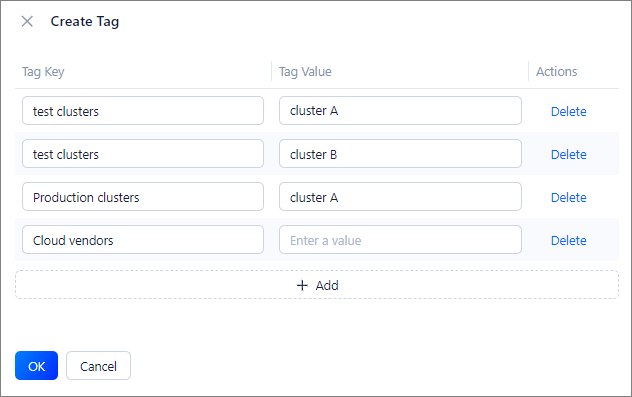
- By default, the system allows you to add one tag. To add more tags, click Add in the lower part.
- You can click Delete next to a tag to delete it.
Click OK.