






After you log on to Web OceanBase Developer Center (ODC), the Connections page automatically appears. The username is displayed in the upper-right corner of the top navigation bar. You can click the username and select Change Password from the drop-down list.
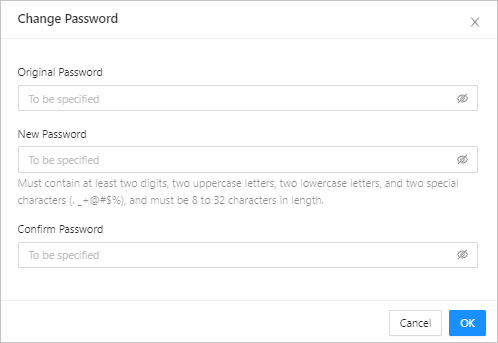
On the Change Password page, specify the following fields to change the password:
Original Password : Enter the original password of the account.
New Password : Set a new password. The password must be 8 to 32 characters in length and contain at least two digits, two uppercase letters, two lowercase letters, and two of the following special characters: . _ + @ # $ %.
Confirm Password : Enter the new password again for verification.
After you specify the preceding fields, Click Confirm .