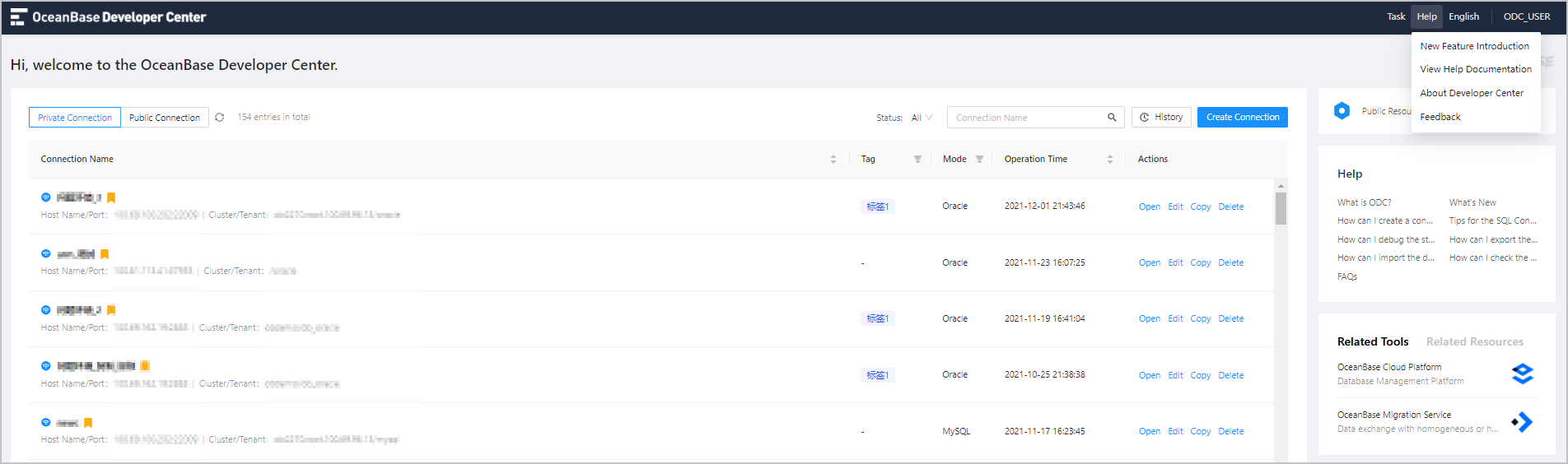
In the upper-right corner of the ODC homepage, click the Help Center tab. In the Help Center, you can view new features and help documentation and download service manuals. You can also obtain the service information and email address on the About Developer Center and Feedback tabs.
New features
When you access ODC for the first time, the New Features dialog box appears automatically. It displays the new features of the current version to help you quickly understand ODC. After you close the dialog box, you can select New Features in the drop-down list of Help Center to open it again. The New Features dialog box may display different information based on user permissions.
View help documentation
Select View Help Documentation in the drop-down list in Help Center. Then, Web ODC displays the help documentation of the corresponding service version on a new page in the browser. The ODC client displays a window for you to view the help documentation. To view the service documentation of the latest or history versions, you can go to OceanBase Documentation .
About developer center
Select About Developer Center in the drop-down list of Help Center to display a window. This window displays information such as the service name, version number, release date, official website address, and copyright.
Feedback
When you select Feedback from the drop-down list, the page that appears displays the service email, which is odcsupport@service.alipay.com. You can send emails to contact us and give your feedback.