You can create, modify, and delete unit specifications on the page that appears after you click Unit Specification Management in the upper-right corner of the Tenants page in the OceanBase Cloud Platform (OCP) console.
Prerequisites
Make sure that you have the following permissions:
- Resource Permissions: Cluster Maintenance or Tenant Maintenance permission
- Menu Permissions: Permission on the Overview menu of Tenants
Procedure
Log on to the OCP console.
In the left-side navigation pane, select Tenants. The Tenants tab automatically appears.
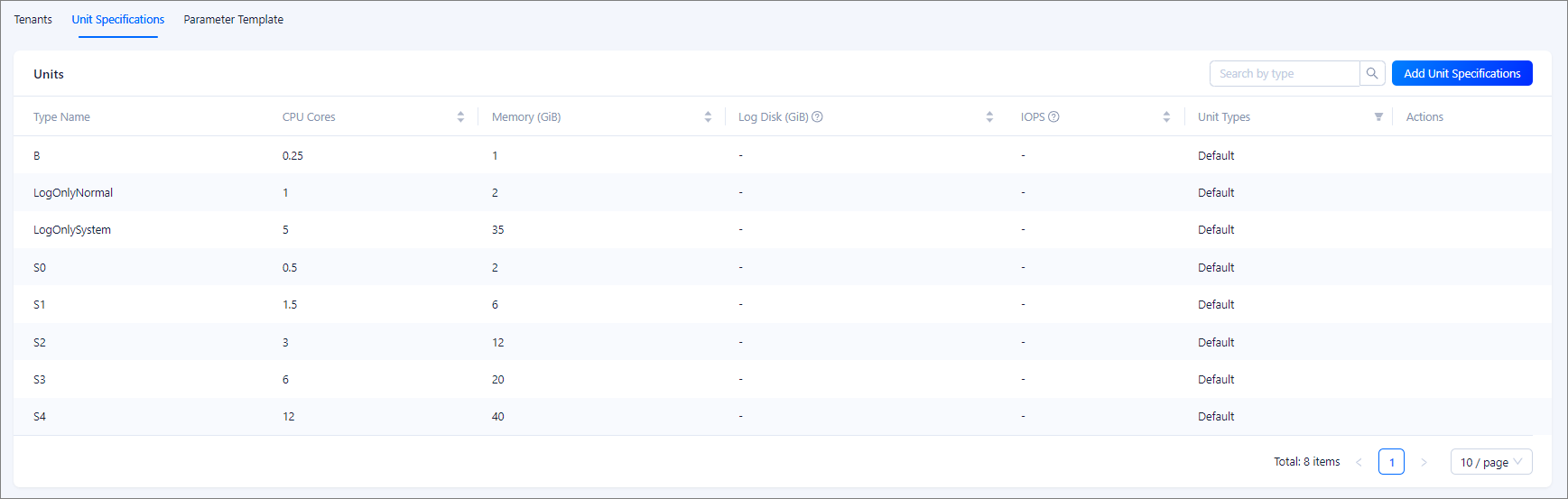
Click the Unit Specification tab to view the unit specification list.
In the **Units**list, you can view information about all units in the following columns: Type Name, CPU Cores, Memory (GiB), Log Disk (GiB), IOPS, Unit Types, and Actions.
You can sort unit specifications by CPU Cores, Memory (GiB), Log Disk (GiB), or IOPS.
You can also filter unit specifications by type, which can be Default or Custom.
In the Actions column, you can click Edit or Delete to manage unit specifications.
Note
- If the cluster version of a tenant is earlier than OceanBase Database V4.0, you cannot view or modify the Log Disk (GiB) or IOPS columns.
- If the cluster of a tenant is an AI cluster (shared storage), the unit specification list additionally displays the Cached Disk (GiB) (DATA_DISK_SIZE) and Maximum Network Bandwidth (MAX_NET_BANDWIDTH) columns.
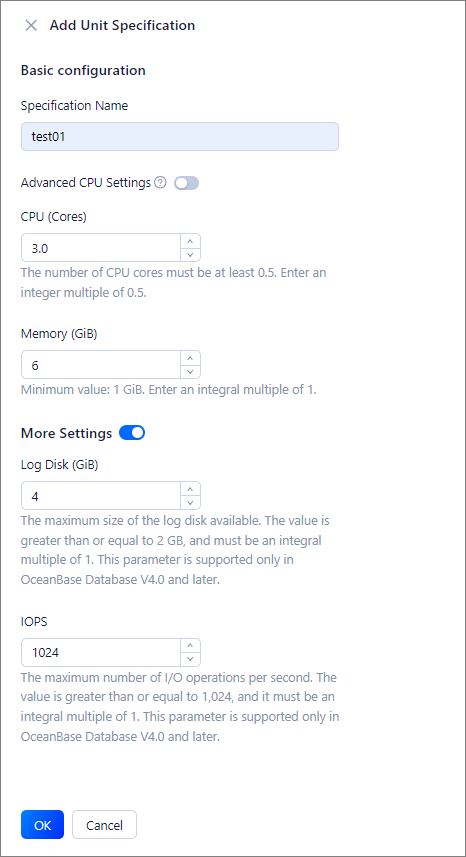
Click Add Unit Specification, and specify Specification Name, CPU (Cores) and Memory (GiB).
The following table describes the parameters.
ParameterDescriptionSpecification Name The name of the unit specification to be added. CPU The number of CPU cores for the unit specification. The minimum value is 0.5. You must enter an integral multiple of 0.5.
If the cluster version is OceanBase Database V4.0 or later, you can enable Advanced CPU Settings and configure CPU overprovisioning. Specifically, you can configure the minimum and maximum numbers of CPU cores for the unit specification.Note
If the cluster version is OceanBase Database V4.0 or later, you must select at least 1 CPU core.
Memory The memory for the unit specification, in GiB. The minimum value is 1 GiB. You must enter an integer. More Settings (Optional) You can enable this parameter and configure Log Disk (GiB) and IOPS. Note
- If the cluster version is earlier than OceanBase Database V4.0, you cannot configure Log Disk (GiB) or IOPS.
- If the tenant belongs to an AI cluster (shared storage), you can also configure Cached Disk (GiB) (DATA_DISK_SIZE, which is twice the memory size by default, and the minimum value is max(2 GB, memory size)), Maximum Network Bandwidth (MAX_NET_BANDWIDTH), and Network Bandwidth Weight (NET_BANDWIDTH_WEIGHT).