







The Model Context Protocol (MCP) was introduced and open-sourced by Anthropic in November 2024. It lets large language models interact with external tools and data sources. With MCP, you don't have to copy model output and run it yourself—the model can instruct tools to perform actions directly.
The OceanBase MCP Server uses MCP to give LLMs access to OceanBase Database so they can run SQL. With an MCP-capable client you can quickly prototype applications. The server is open source on GitHub.
Cline is an open-source AI coding assistant that supports MCP.
This topic uses Cline to show how to build a backend application quickly with the OceanBase MCP Server.
Prerequisites
You have deployed OceanBase Database and created a MySQL-compatible tenant. For details, see Create a tenant.
You have Python 3.11 or later and pip installed. If your system Python is older, use Miniconda to create a Python 3.11+ environment.
You have Git installed for your OS.
You have the Python package manager uv installed. Verify with:
pip install uv uv --versionYou have Cline installed:
With Visual Studio Code: Search for and install the Cline extension. After installation, open the settings (gear icon) and configure your LLM API for Cline.
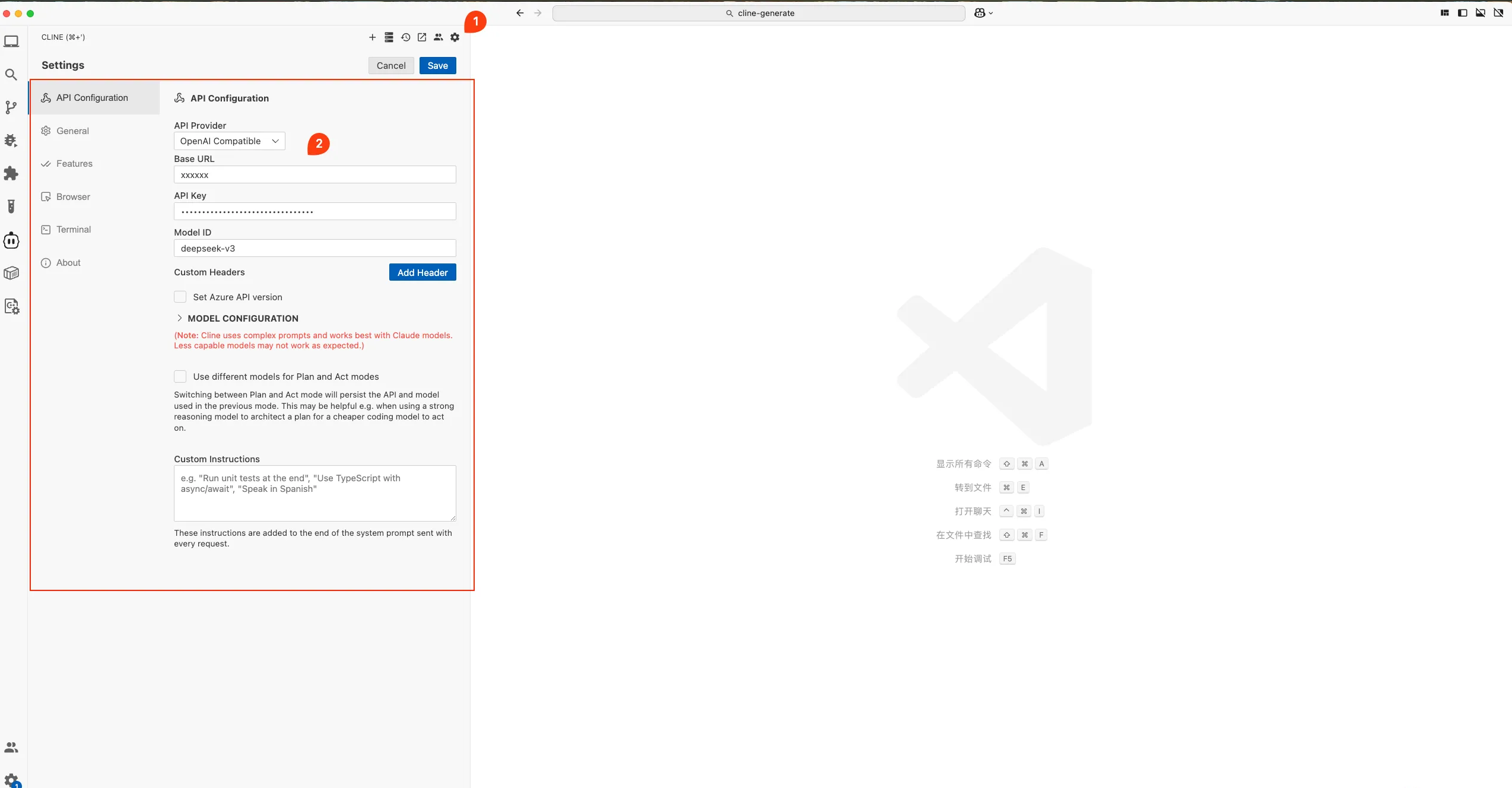
Without an IDE: Follow the Cline installation guide. Download from Cline.
Step 1: Get database connection details
Obtain the database connection string from your OceanBase deployment team or administrator. For example:
obclient -h$host -P$port -u$user_name -p$password -D$database_name
Parameters:
$host: The IP for connecting to OceanBase. Use an ODP address when connecting via OceanBase Database Proxy (ODP), or an OBServer IP for direct connection.$port: The connection port. ODP default is2883; direct connection default is2881. Both can be customized at deployment.$database_name: The database to use.Notice
The user connecting to the tenant must have
CREATE,INSERT,DROP, andSELECTprivileges on that database. For more on privileges, see Privilege types in MySQL-compatible mode.$user_name: The tenant account. ODP:username@tenant#clusterorcluster:tenant:username. Direct:username@tenant.$password: The account password.
For more on connection strings, see Connect to an OceanBase tenant by using OBClient.
Step 2: Configure the OceanBase MCP Server
The following steps use Visual Studio Code.
Clone the OceanBase MCP Server repository
Download the source:
git clone https://github.com/oceanbase/mcp-oceanbase.git
Change into the project directory:
cd mcp-oceanbase
Install dependencies
From the mcp-oceanbase directory:
uv venv
source .venv/bin/activate
uv pip install .
Create a VS Code project directory
Create a folder for your project and open it in Visual Studio Code. Cline will place generated files here (e.g. cline-generate).
Configure the OceanBase MCP Server in Cline
Click the Cline icon in the sidebar to open the Cline chat.
Add and configure MCP servers
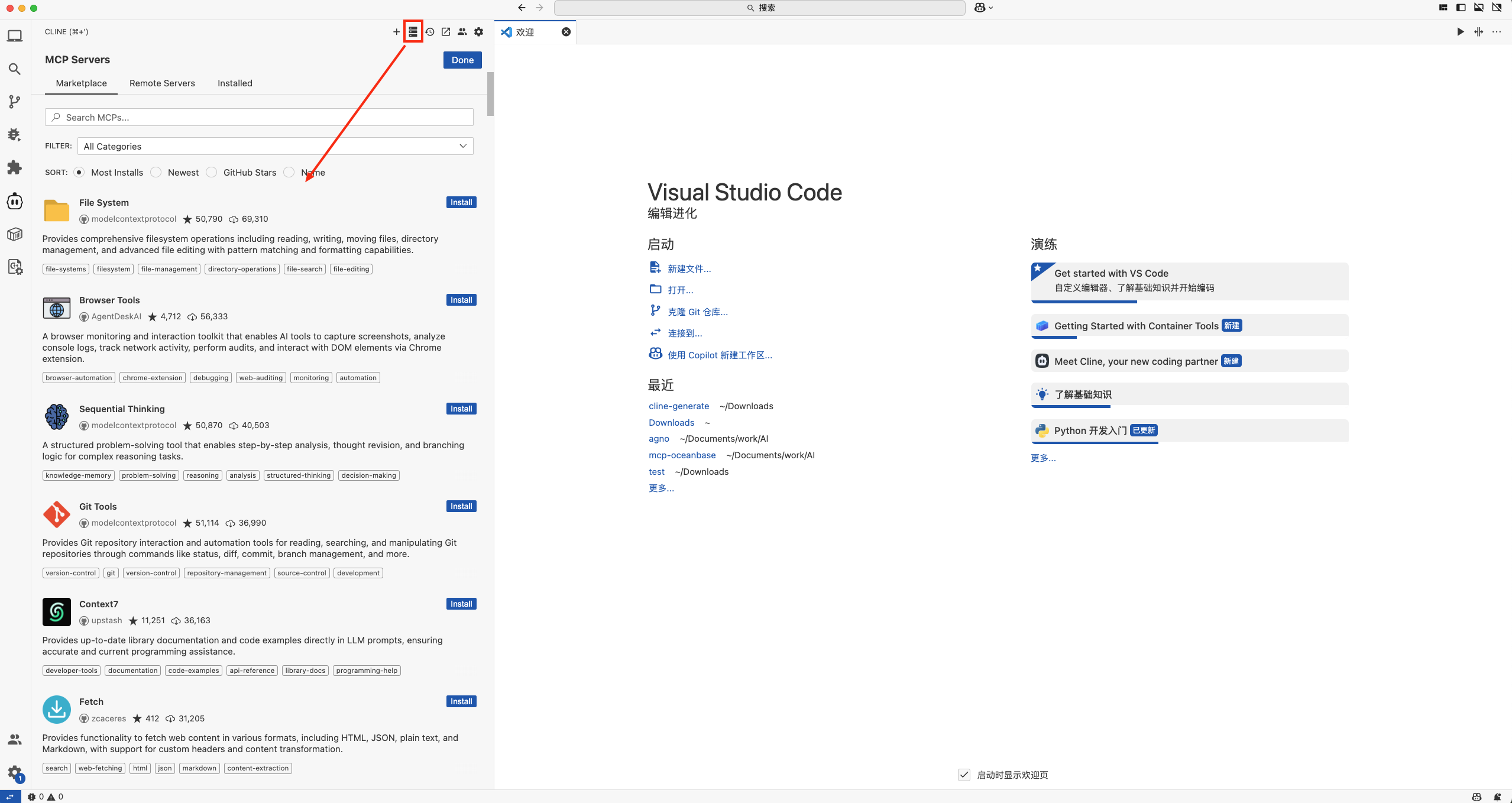
Click the MCP Servers icon as shown below.
Configure the OceanBase MCP Server manually, following the numbered steps in the screenshot.
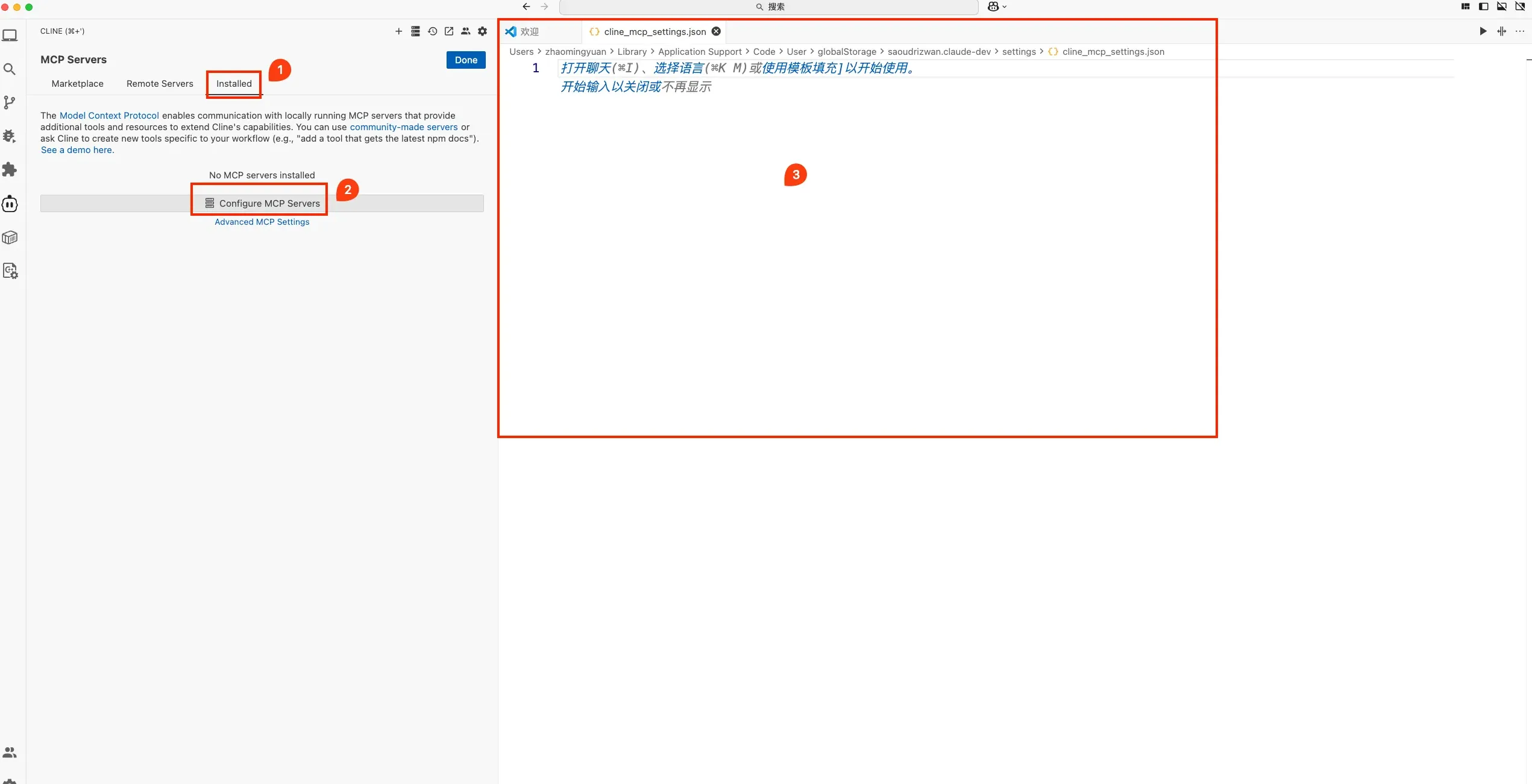
In the opened
cline_mcp_settings.jsonfile, add the configuration below and save. Replace/path/to/your/mcp-oceanbase/src/oceanbase_mcp_serverwith the absolute path to theoceanbase_mcp_serverfolder, and setOB_HOST,OB_PORT,OB_USER,OB_PASSWORD, andOB_DATABASEto your database values.Example:
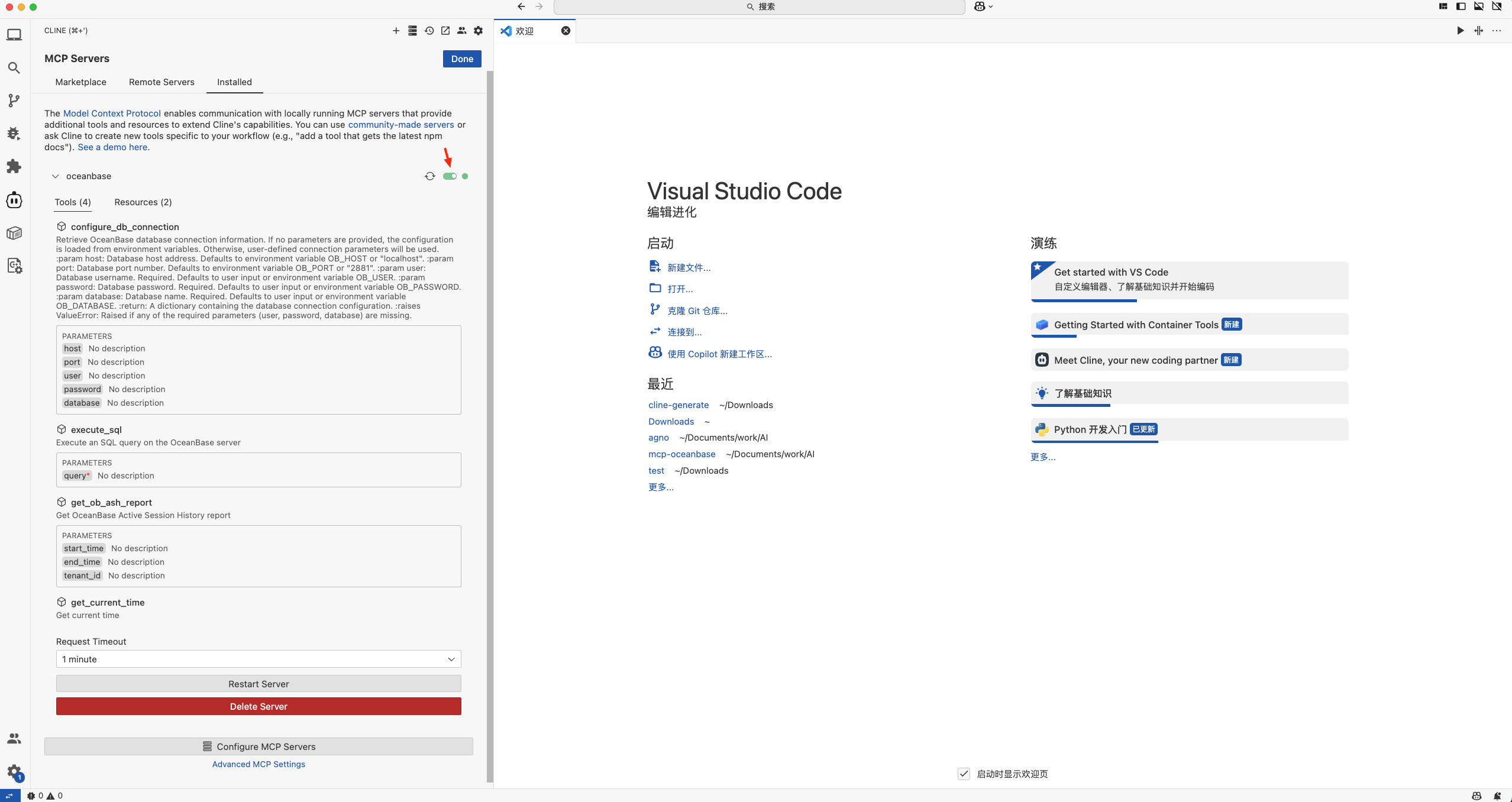
{ "mcpServers": { "oceanbase": { "command": "uv", "args": [ "--directory", "/path/to/your/mcp-oceanbase/src/oceanbase_mcp_server", "run", "oceanbase_mcp_server" ], "env": { "OB_HOST": "***", "OB_PORT": "***", "OB_USER": "***", "OB_PASSWORD": "***", "OB_DATABASE": "***" } } } }When configuration succeeds, the server shows as Available and lists MCP tools and resources.
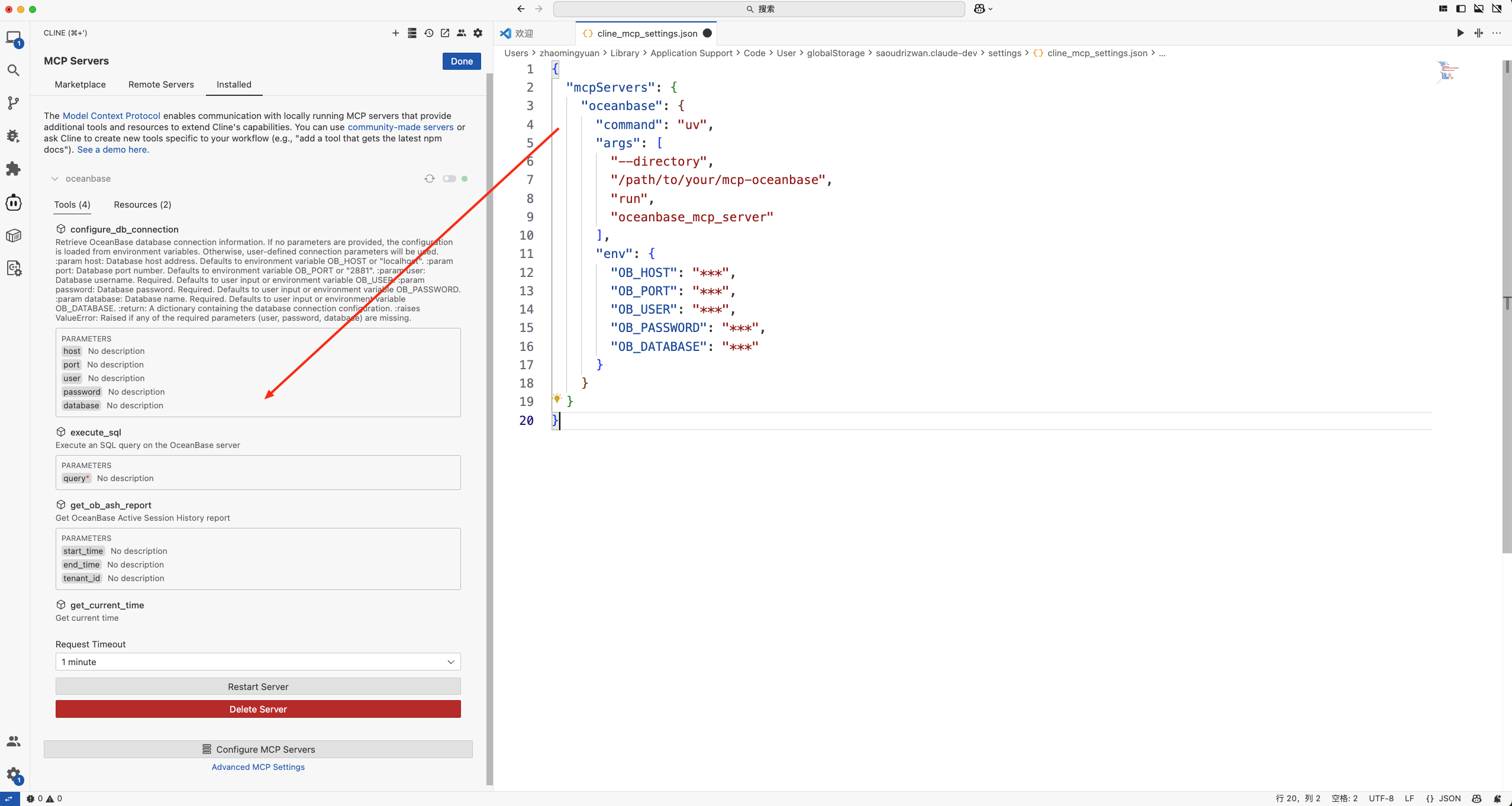
Turn on the toggle so Cline can use the server, as shown below.
Test the MCP Server
Open a Cline chat and ask: How many tables are in the test database? Cline will show the SQL it will run. If it looks correct, click Run.
Cline will list the tables in the test database, confirming the connection to OceanBase.
Build a RESTful API with FastAPI
You can use FastAPI to quickly create a REST-style API.
Create the customer table.
In the chat: Create a customer table with primary key ID and columns name, age, telephone, and location. Confirm the SQL and click Run.
Insert test data.
Prompt: Insert 10 rows. Confirm the SQL and click Run.
Create the FastAPI project.
Prompt: Create a FastAPI project that exposes a RESTful API for the customer table. Confirm and click Run.
This generates three files. For a first run, accepting all generated content is recommended; you can refine it later.
Create a virtual environment and install dependencies.
In the project directory:
uv venv source .venv/bin/activate uv pip install -r requirements.txtStart the FastAPI app.
uvicorn main:app --reloadQuery the API.
From a terminal or any HTTP client:
curl http://127.0.0.1:8000/customersThe response will contain the customer records. The generated code implements full CRUD for the
customertable (create, read, update, delete).from fastapi import FastAPI, Depends, HTTPException from sqlalchemy.orm import Session from models import Customer from database import SessionLocal, engine from pydantic import BaseModel app = FastAPI() # Database dependency def get_db(): db = SessionLocal() try: yield db finally: db.close() # Request model class CustomerCreate(BaseModel): name: str age: int telephone: str location: str # Response model class CustomerResponse(CustomerCreate): id: int class Config: from_attributes = True @app.post("/customers/") def create_customer(customer: CustomerCreate, db: Session = Depends(get_db)): db_customer = Customer(**customer.model_dump()) db.add(db_customer) db.commit() db.refresh(db_customer) return db_customer @app.get("/customers/{customer_id}") def read_customer(customer_id: int, db: Session = Depends(get_db)): customer = db.query(Customer).filter(Customer.id == customer_id).first() if customer is None: raise HTTPException(status_code=404, detail="Customer not found") return customer @app.get("/customers/") def read_customers(skip: int = 0, limit: int = 10, db: Session = Depends(get_db)): return db.query(Customer).offset(skip).limit(limit).all() @app.put("/customers/{customer_id}") def update_customer(customer_id: int, customer: CustomerCreate, db: Session = Depends(get_db)): db_customer = db.query(Customer).filter(Customer.id == customer_id).first() if db_customer is None: raise HTTPException(status_code=404, detail="Customer not found") for field, value in customer.model_dump().items(): setattr(db_customer, field, value) db.commit() db.refresh(db_customer) return db_customer @app.delete("/customers/{customer_id}") def delete_customer(customer_id: int, db: Session = Depends(get_db)): customer = db.query(Customer).filter(Customer.id == customer_id).first() if customer is None: raise HTTPException(status_code=404, detail="Customer not found") db.delete(customer) db.commit() return {"message": "Customer deleted successfully"}