







MCP (Model Context Protocol) is an open-source protocol launched by Anthropic in November 2024. It enables large language models (LLMs) to interact with external tools or data sources. With MCP, users can directly instruct tools to execute actions based on the LLM's output, eliminating the need for manual copying and pasting.
OceanBase MCP Server provides the capability for large language models to interact with OceanBase Database through the MCP protocol. It can execute SQL statements. With a suitable client, you can quickly build a project prototype. It has been open-sourced on GitHub.
Kiro is an integrated development environment (IDE) designed for AI agents, launched by AWS. It is a programming tool with AI capabilities, aimed at helping developers complete the entire development process from concept to production deployment.
This topic demonstrates how to use Kiro to quickly build a backend application with OceanBase MCP Server.
Prerequisites
You have deployed OceanBase Database and created a MySQL-compatible tenant. For more information, see Create a tenant.
You have installed Python 3.11 or later and the corresponding pip. If your machine has a lower Python version, you can use Miniconda to create a new Python 3.11 or later environment. For more information, see Miniconda installation guide.
You have installed Git based on your operating system:
Windows: https://git-scm.com/downloads/win
macOS: https://git-scm.com/download/mac
Linux: https://git-scm.com/downloads/linux
You have installed the Python package manager uv.
For macOS/Linux, run the following script:
curl -LsSf https://astral.sh/uv/install.sh | shFor Windows, run the following script:
irm https://astral.sh/uv/install.ps1 | iexOr use the platform-independent pip installation:
pip install uv
After installation, run
uv --versionto verify:pip install uv uv --versionKiro client:
You can download the appropriate version of Kiro based on your operating system from the kiro download page.
Step 1: Obtain the database connection information
Contact the deployment personnel or administrator of OceanBase Database to obtain the database connection string. For example:
obclient -h$host -P$port -u$user_name -p$password -D$database_name
Parameter description:
$host: The IP address for connecting to OceanBase Database. For connection through OceanBase Database Proxy (ODP), use the ODP address. For direct connection, use the IP address of an OBServer node.$port: The port for connecting to OceanBase Database. For connection through ODP, the default value is2883. For direct connection, the default value is2881. The port can be customized when ODP or OceanBase Database is deployed.$database_name: The name of the database to be accessed.Notice
The user connecting to the tenant must have the
CREATE,INSERT,DROP, andSELECTprivileges on the database. For more information about user privileges, see Privilege types in MySQL-compatible mode.$user_name: The tenant account. For connection through ODP, the format isusername@tenant name#cluster nameorcluster name:tenant name:username. For direct connection, the format isusername@tenant name.$password: The account password.
For more information about the connection string, see Connect to an OceanBase tenant by using OBClient.
Step 2: Configure OceanBase MCP Server
Clone the OceanBase MCP Server repository
Run the following command to download the source code to your local machine:
git clone https://github.com/oceanbase/awesome-oceanbase-mcp.git
Navigate to the source code directory:
cd awesome-oceanbase-mcp
Install dependencies
In the oceanbase_mcp_server directory, run the following commands to create a virtual environment and install dependencies:
uv venv
source .venv/bin/activate
uv pip install .
Configure OceanBase MCP Server in Kiro
Press the Command + L shortcut key (on macOS) to open the chat dialog box, click the gear icon in the lower-left corner, and select Kiro Settings.
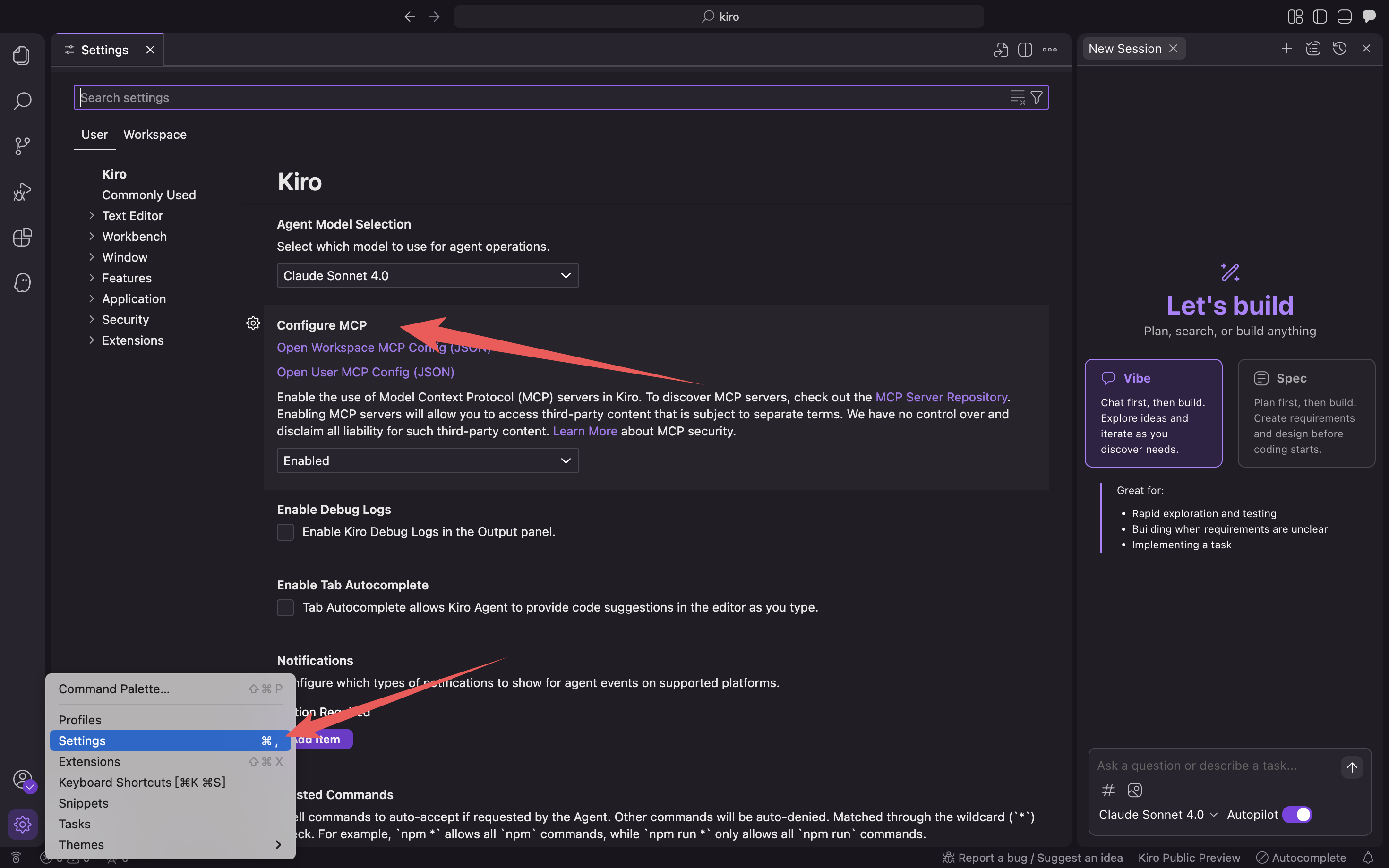
Click Open User MCP Config (JSON)/Open Workspace MCP Config (JSON) to fill in the MCP configuration file.
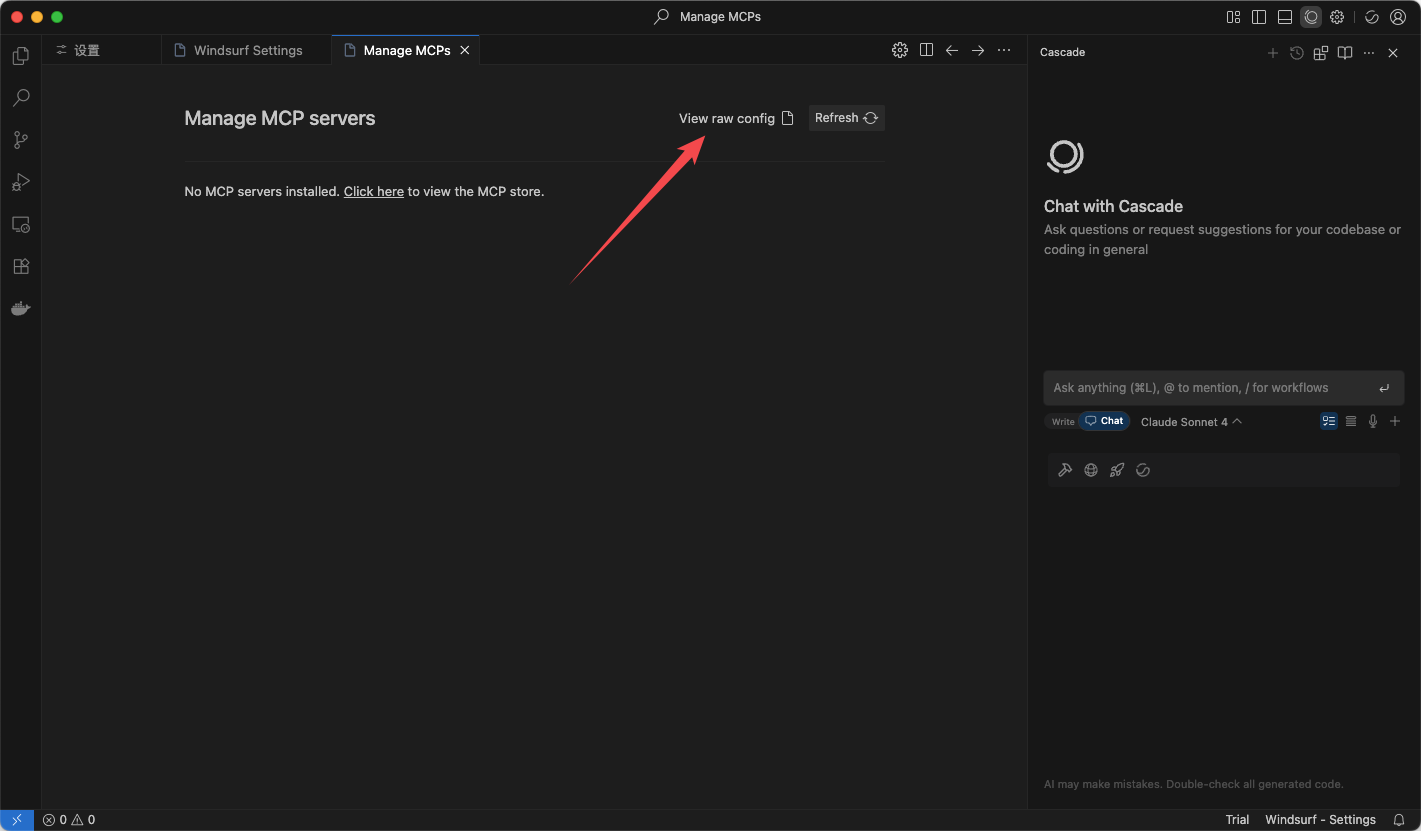
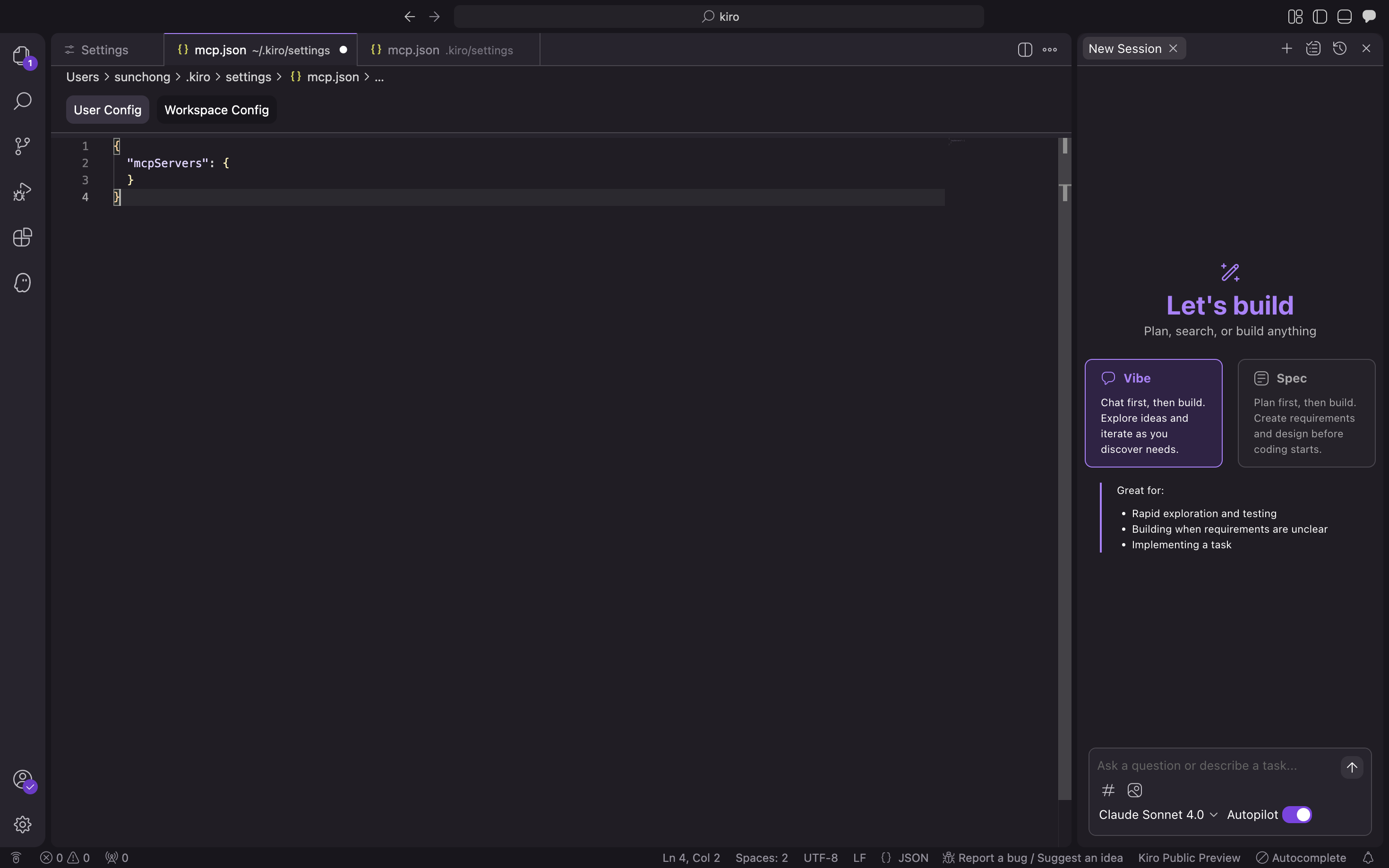
Fill in the following configuration file and click Confirm. Replace
/path/to/your/oceanbase_mcp_serverwith the absolute path of theoceanbase_mcp_serverfolder. ReplaceOB_HOST,OB_PORT,OB_USER,OB_PASSWORD, andOB_DATABASEwith your database information:{ "mcpServers": { "oceanbase": { "command": "uv", "args": [ "--directory", "/path/to/your/oceanbase_mcp_server/src/oceanbase_mcp_server", "run", "oceanbase_mcp_server" ], "env": { "OB_HOST": "***", "OB_PORT": "***", "OB_USER": "***", "OB_PASSWORD": "***", "OB_DATABASE": "***" } } } }Verify whether you can connect to the database.
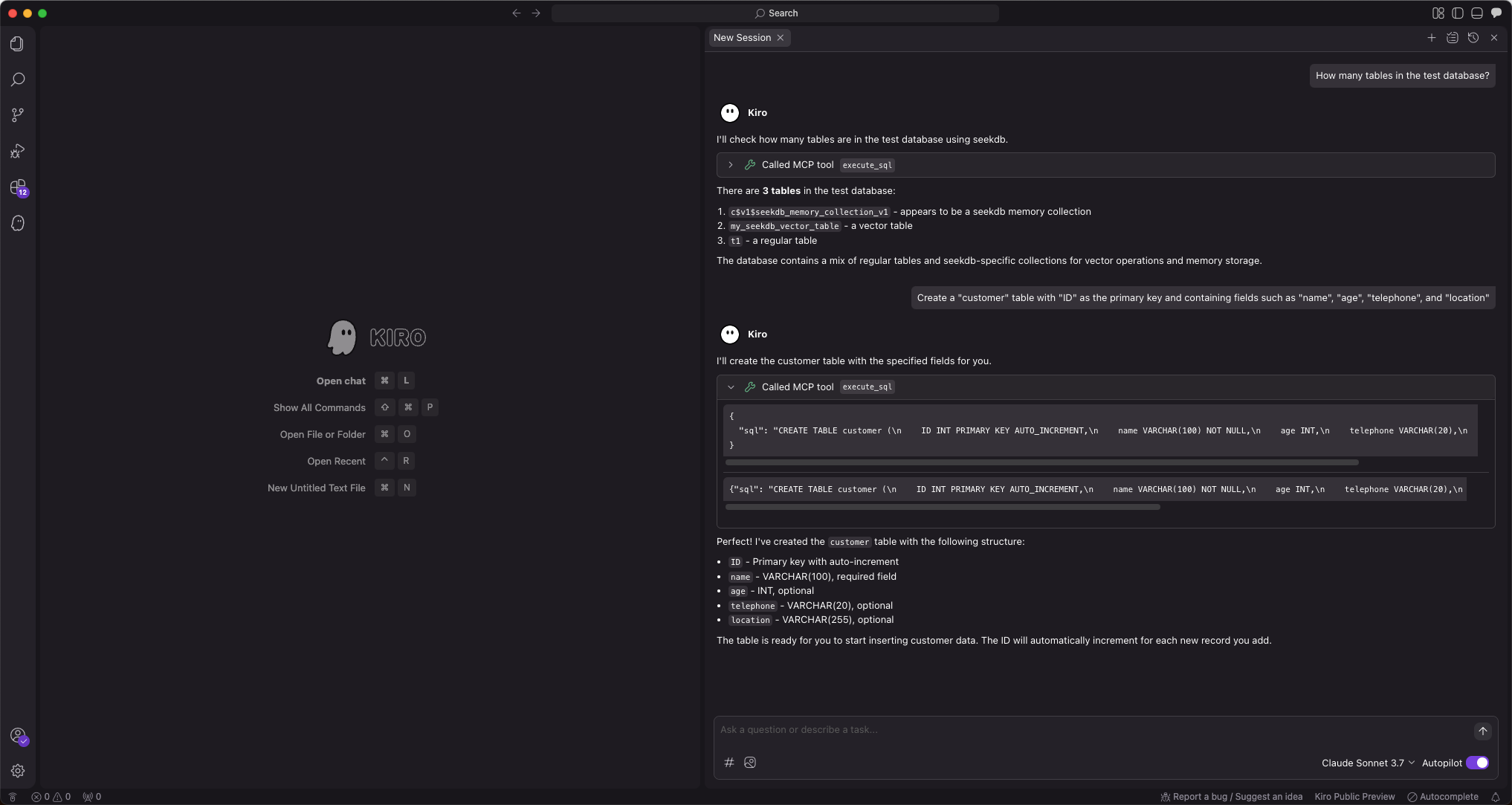
Enter the prompt "How many tables are in the test database?". Kiro will display the SQL statement to be executed and output the query result:
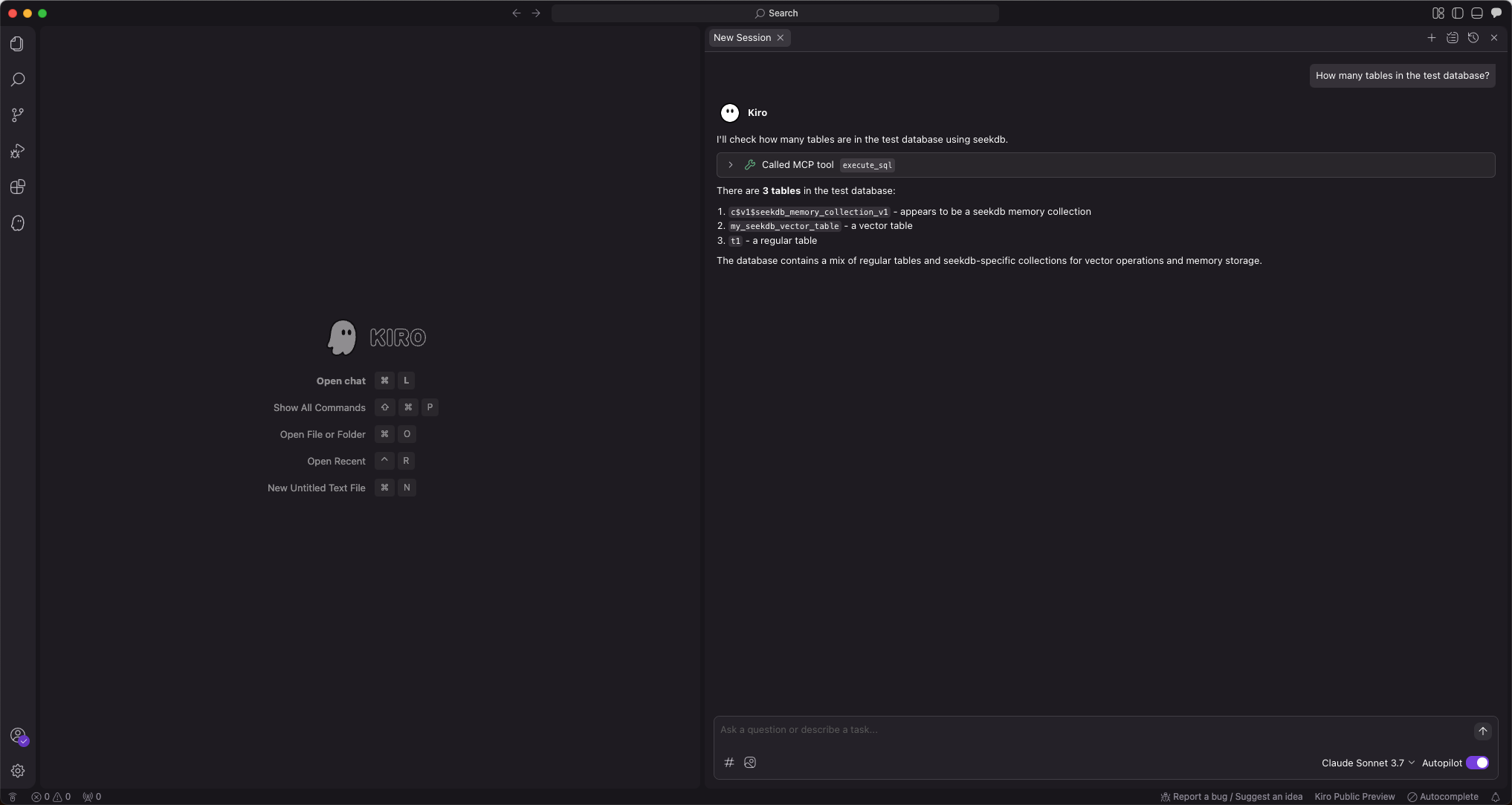
Kiro will display the number of tables in the test database, indicating that you can successfully connect to OceanBase Database.
Step 3: Use FastAPI to quickly create a RESTful API project
FastAPI is a Python web framework that allows you to quickly build RESTful APIs.
Create a table
Enter the prompt "Create a customer table with ID as the primary key and containing fields such as name, age, telephone, and location":
Insert test data
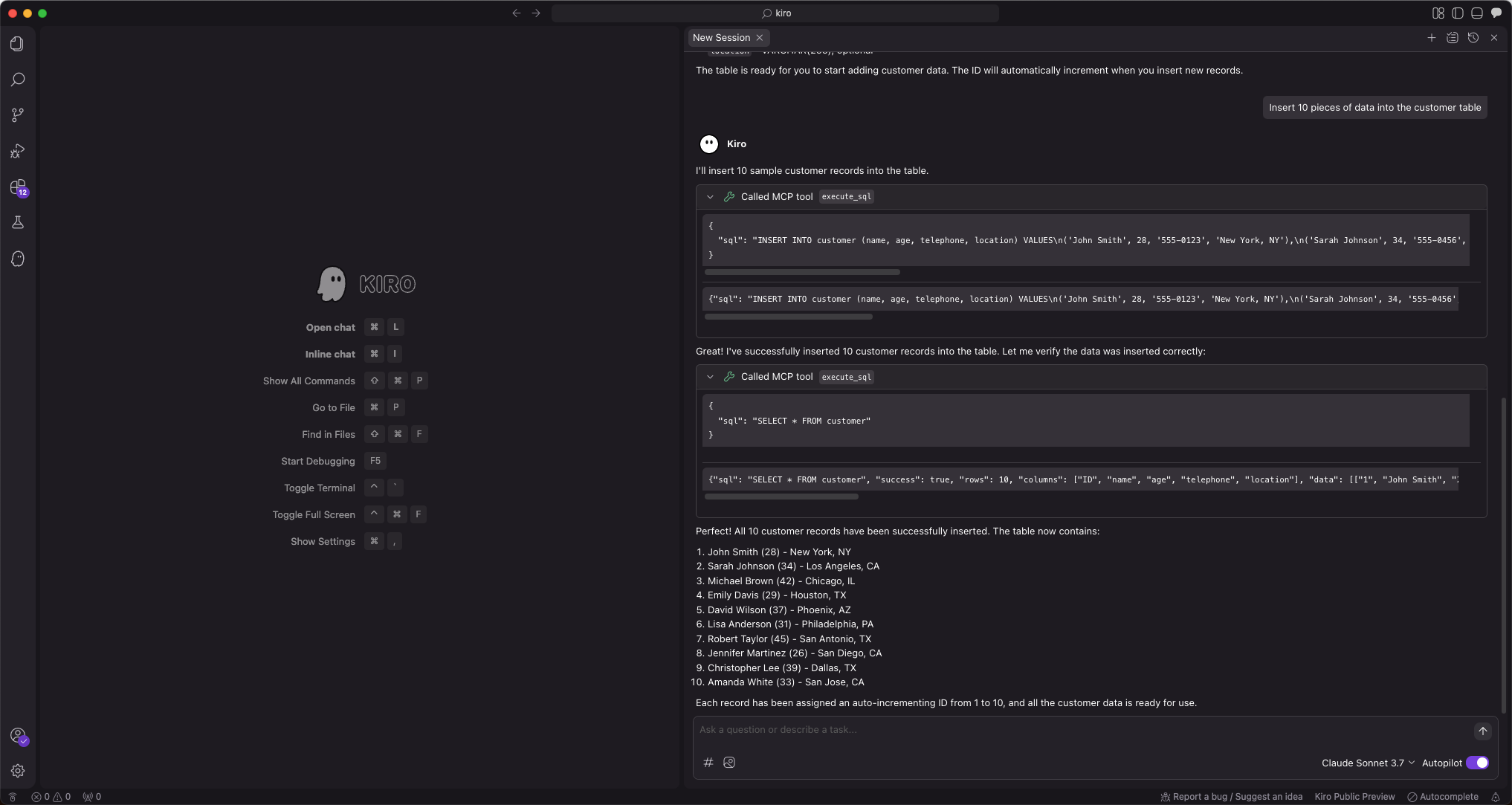
Enter the prompt "Insert 10 pieces of test data":
Create a FastAPI project
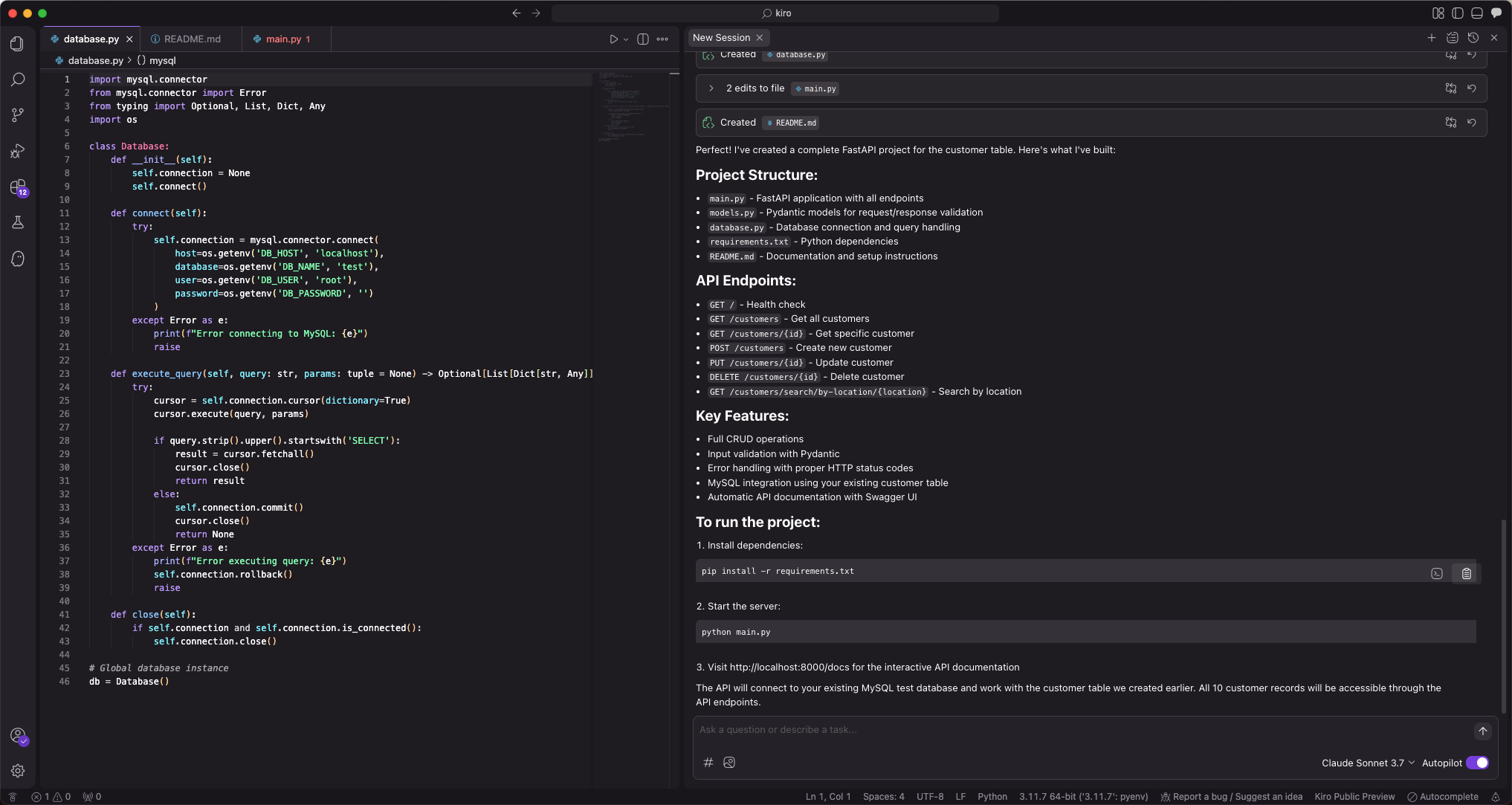
Enter the prompt "Create a FastAPI project that generates a RESTful API based on the customer table". Multiple files will be automatically generated. Click Accept All first. You can make secondary modifications if there are any issues.
Since the AI-generated files may vary each time, we will not show the modification process here.
Run the following command to install dependencies in the current directory:
pip install -r requirements.txtStart the FastAPI project
python3 main.pyView the data in the table
Run
curl http://127.0.0.1:8000/customersin the command line or use other request tools to view the data in the table:curl http://127.0.0.1:8000/customers [{"name":"Alice","age":28,"telephone":"555-0101","location":"New York","id":1},{"name":"Bob","age":35,"telephone":"555-0102","location":"Los Angeles","id":2},{"name":"Carol","age":42,"telephone":"555-0103","location":"Chicago","id":3},{"name":"David","age":31,"telephone":"555-0104","location":"Houston","id":4},{"name":"Eve","age":26,"telephone":"555-0105","location":"Phoenix","id":5},{"name":"Frank","age":39,"telephone":"555-0106","location":"Philadelphia","id":6},{"name":"Grace","age":33,"telephone":"555-0107","location":"San Antonio","id":7},{"name":"Henry","age":45,"telephone":"555-0108","location":"San Diego","id":8},{"name":"Ivy","age":29,"telephone":"555-0109","location":"Dallas","id":9},{"name":"Jack","age":37,"telephone":"555-0110","location":"San Jose","id":10}]The create, read, update, and delete (CRUD) code has been generated.
from database import db from models import CustomerCreate, CustomerUpdate from typing import List, Optional class CustomerCRUD: @staticmethod def get_all_customers() -> List[dict]: query = "SELECT * FROM customer ORDER BY id" return db.execute_query(query) @staticmethod def get_customer_by_id(customer_id: int) -> Optional[dict]: query = "SELECT * FROM customer WHERE id = %s" result = db.execute_query(query, (customer_id,)) return result[0] if result else None @staticmethod def create_customer(customer: CustomerCreate) -> dict: query = """ INSERT INTO customer (name, age, telephone, location) VALUES (%s, %s, %s, %s) """ customer_id = db.execute_insert( query, (customer.name, customer.age, customer.telephone, customer.location) ) return CustomerCRUD.get_customer_by_id(customer_id) @staticmethod def update_customer(customer_id: int, customer: CustomerUpdate) -> Optional[dict]: # Build dynamic update query update_fields = [] params = [] if customer.name is not None: update_fields.append("name = %s") params.append(customer.name) if customer.age is not None: update_fields.append("age = %s") params.append(customer.age) if customer.telephone is not None: update_fields.append("telephone = %s") params.append(customer.telephone) if customer.location is not None: update_fields.append("location = %s") params.append(customer.location) if not update_fields: return CustomerCRUD.get_customer_by_id(customer_id) query = f"UPDATE customer SET {', '.join(update_fields)} WHERE id = %s" params.append(customer_id) db.execute_query(query, tuple(params)) return CustomerCRUD.get_customer_by_id(customer_id) @staticmethod def delete_customer(customer_id: int) -> bool: query = "DELETE FROM customer WHERE id = %s" db.execute_query(query, (customer_id,)) return True customer_crud = CustomerCRUD()