







Log on to OceanBase Developer Center (ODC), and click the name of the target connection to go to the corresponding connection management page. Click Workspace in the navigation bar on the top of the page, choose Stored Scripts from the drop-down list, and then choose a script that you previously stored in an SQL window or anonymous block window.
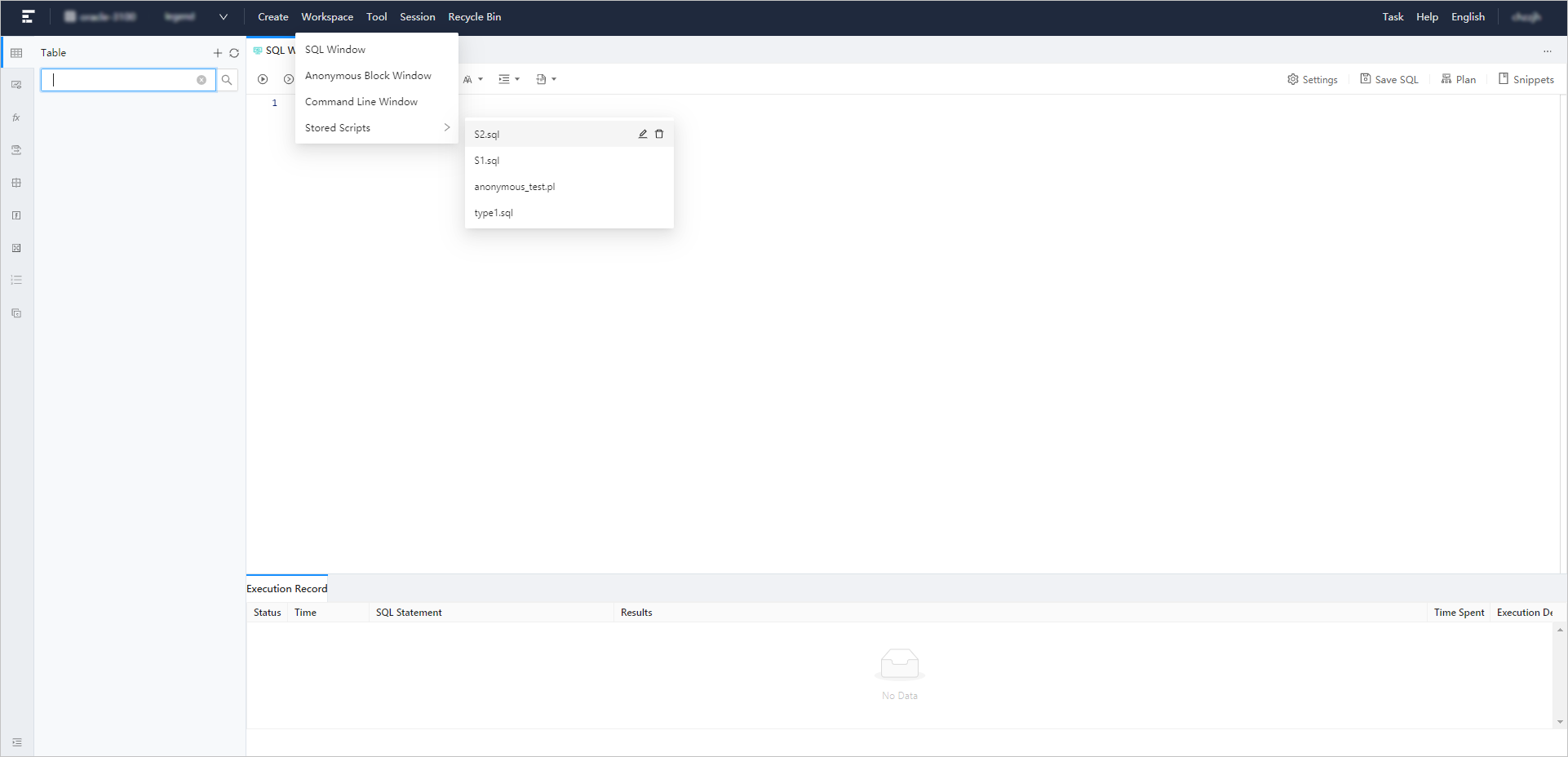 After you choose the script from the cascading menu, you can proceed to edit or run the script. If the script is an SQL script, ODC opens the script in an SQL window. If the script is an anonymous block script, ODC opens the script in an anonymous block window. In the script list, the following two buttons are provided after each script name:
Edit : Click this button to go to the editing page where you can edit the script name and content. After you finish editing, click OK in the lower-right corner of the page to apply the modification.
Delete : Click this button to delete the script.