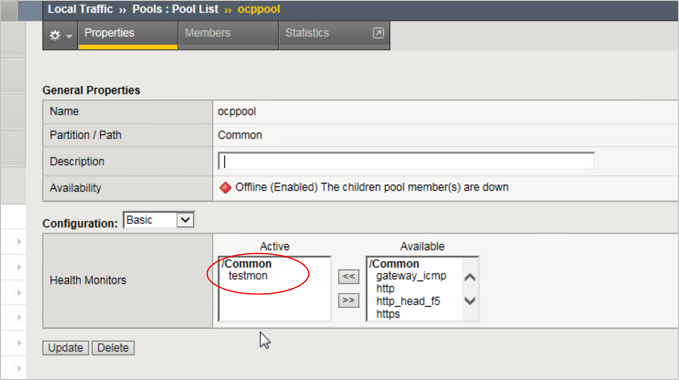
When an OCP port is still listening but the service is abnormal, you can log in to the OCP console via web but cannot log in after entering the username and password. Therefore, it is necessary to monitor OCP health to prevent requests from being sent to an abnormal OCP node via F5.
Procedure
- Add an alert rule in Local Traffic>Monitors>add.
Send String:
GET /api/status HTTP/1.1\r\nConnection: Close\r\nHost: \r\n\r\nReceive String : okay
- In Local Traffic>Monitors, go to the alert rule created in step 2, select Test, enter the OCP address and port, and click Test.
- If the return value is bad, OCP is abnormal.
Click Local Traffic>Pools, select the profile created in OCP Console Access via F5, and modify the health monitors here to the monitoring rule created in step 1.
- Click Local Traffic>Pools, and select OCP Console Access F5 to create a profile, modify the health monitors here with the monitoring rules created in Step 1.
Click Local Traffic>Pools, and select OCP Console Access F5 to create a profile, modify the health monitors here with the monitoring rule created in Step 1.