







This topic describes how to delete a user under an Oracle tenant.
Applicability
This topic applies only to OceanBase Cloud Platform Enterprise Edition. OceanBase Cloud Platform Community Edition provides only the MySQL tenants.
Procedure
Log on to the OceanBase Cloud Platform (OCP) console. In the left-side navigation pane, click Tenants . The Tenant Overview page appears.
In the Tenants section, find the target tenant and click its name.The details page of the Oracle tenant appears.
In the left-side navigation pane, click User Management .
Find the target user, and click Delete in the Actions column.
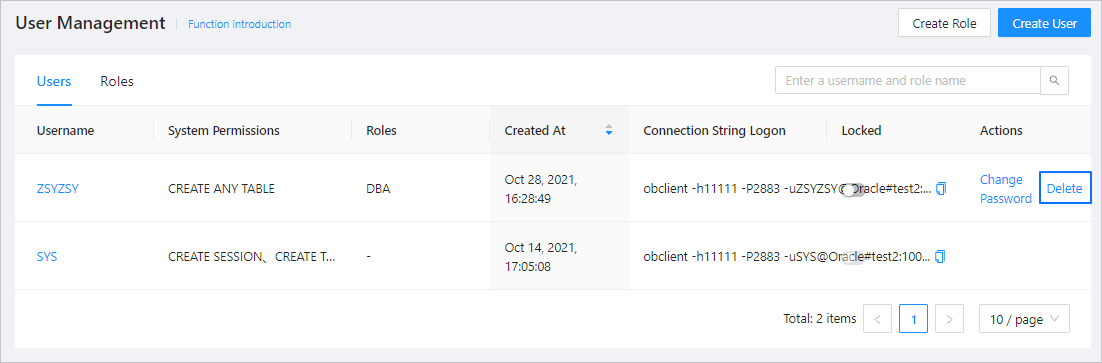
In the dialog box that appears, enter the word delete .
Click Delete .