







In OCP, system parameters are generally used to configure features, such as account logon and backup and recovery. This topic describes how to view and modify system parameters.
Prerequisites
The logged-on user has the ADMIN or PROPERTY_MANAGER role in OceanBase Cloud Platform (OCP).
Procedure
Log on to the OCP console.
In the left-side navigation pane, choose System Management > System Parameters.
By default, the Parameters list displays all the modifiable parameters.
You can use the page control in the lower-right corner of the list to go to another page or change the number of parameters displayed on a page.
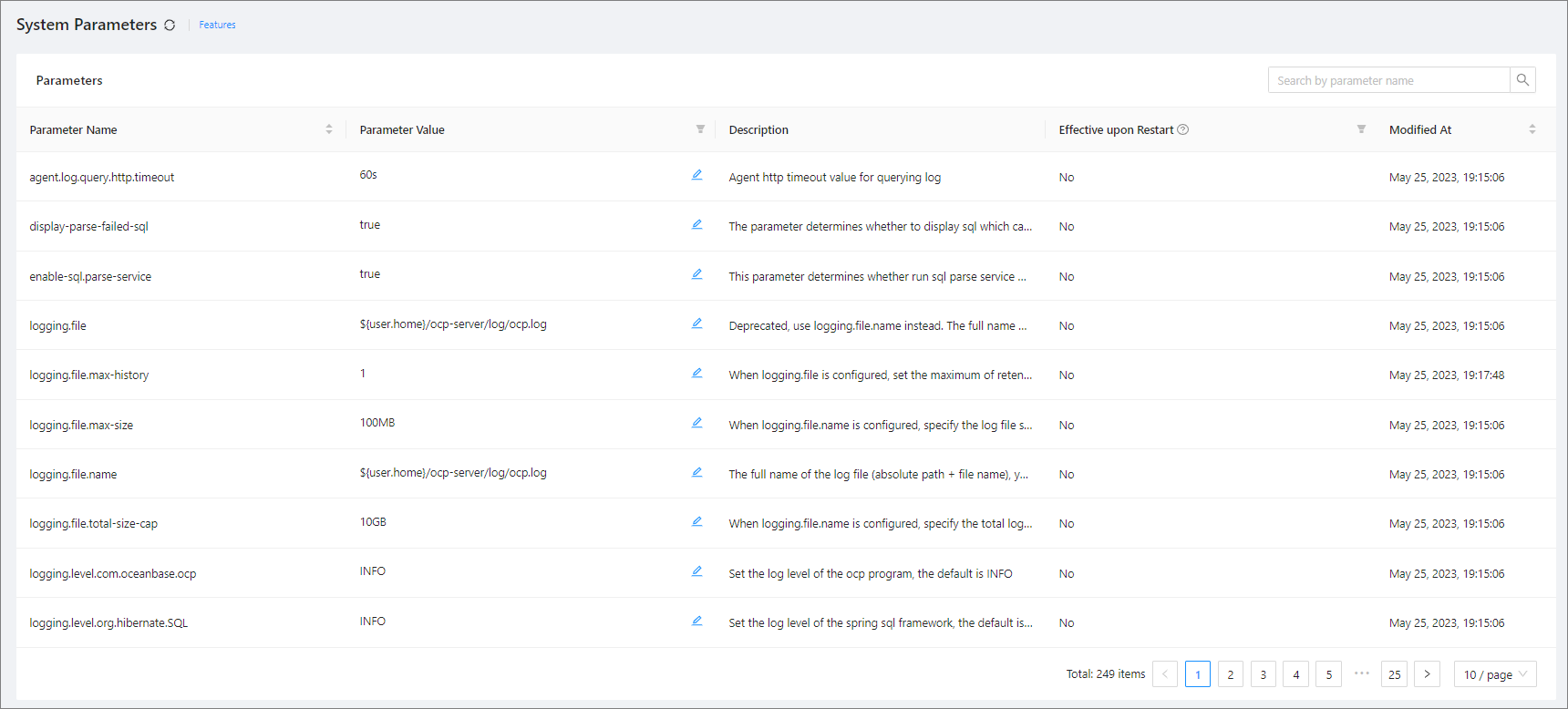
Enter a keyword in the search box in the upper-right corner of the Parameters list and click Search.
The system parameters whose names match the keyword are displayed in the Parameters list.