







This topic describes how to build a cultural tourism assistant using OceanBase multi-model integration.
Concept introduction
Multi-model integration: Multi-model integration is an important aspect of OceanBase's unified product vision. In this topic, multi-model integration mainly refers to hybrid retrieval technology for multiple data types. OceanBase supports integrated queries across vector data, spatial data, document data, and scalar data. With support for various indexes—including vector, spatial, and full-text indexes—it delivers high-performance hybrid search capabilities.
Large language model (LLM): A large language model is a deep learning model trained on vast amounts of text data. It can generate natural language text or understand the meaning of language. Large language models are capable of handling a variety of natural language tasks, such as text classification, question answering, and conversation, making them an important pathway toward artificial intelligence.
Prerequisites
You have deployed OceanBase V4.3.3 or later and created a MySQL-compatible tenant. For more information about deploying OceanBase clusters, see Deployment overview.
The MySQL-compatible tenant you created has the
INSERTandSELECTprivileges. For more information about setting privileges, see Directly grant privileges.You have created a database. For more information about creating a database, see Create a database.
Vector search is enabled for the database. For more information about the vector search feature, see Perform fast vector search by using SQL.
obclient> ALTER SYSTEM SET ob_vector_memory_limit_percentage = 30;(Recommended, not required) Install Python 3.10 and later and the corresponding pip. If your machine has a low Python version, you can use Miniconda to create a new Python 3.10 or later environment. For more information, see Miniconda installation guide.
conda create -n obmms python=3.10 && conda activate obmmsInstall Poetry. You can refer to the following command:
python3 -m ensurepip python3 -m pip install poetryInstall the required Python packages. You can use the following command:
pip install python-dotenv tqdm streamlit pyobvector==0.2.16
Step 1: Obtain the LLM API key
Notice
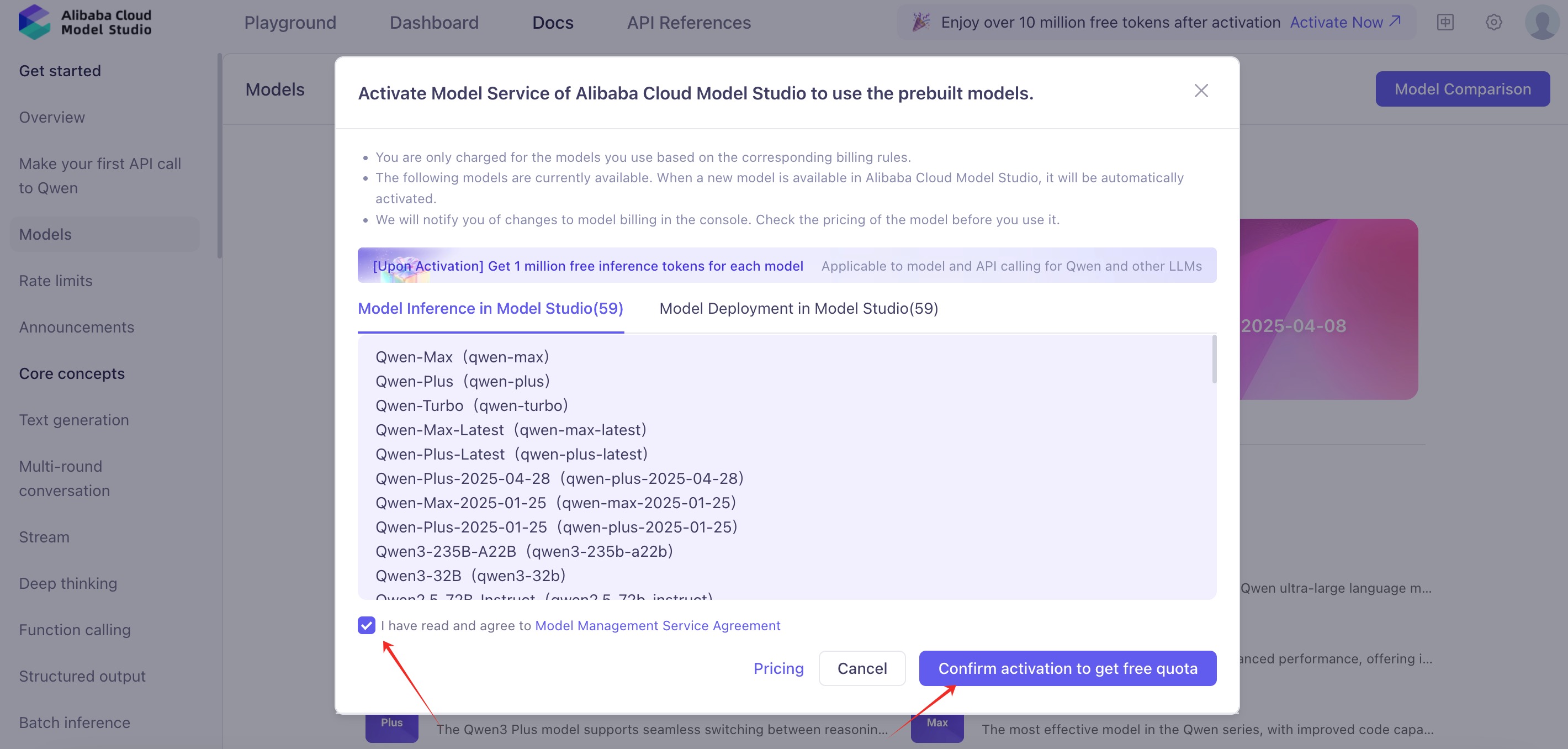
Activating Alibaba Cloud Model Studio services requires you to complete the process on a third-party platform. This operation will follow the third-party platform's billing rules and may incur charges. Before proceeding, please visit its official website or refer to the relevant documentation to confirm and accept its pricing. If you do not agree, do not proceed.
Register for an account with Alibaba Cloud Model Studio, activate the model service, and obtain an API key.


Step 2: Obtain a geographic service API key
Notice
To activate Amap geographic services, you will need to be redirected to a third-party platform to complete the process. This operation will follow the pricing policies of the third-party platform and may incur corresponding charges. Before proceeding, please visit their official website or review the relevant documentation to confirm and accept their pricing standards. If you do not agree, please do not continue with this operation.
Register on the Amap Open Platform and obtain an API key for basic LBS services.
Step 3: Download the public dataset
Download the China City Attraction Details dataset ZIP package from Kaggle.
Step 4: Build your cultural tourism assistant
Clone the project repository
Clone the latest project repository.
git clone https://github.com/oceanbase-devhub/ob-multi-model-search-demo.git cd ob-multi-model-search-demoMove the downloaded
archivedataset ZIP package to theob-multi-model-search-demoproject folder, rename it tocitydata, and decompress it.# Replace with the actual path where the archive.zip file is saved mv ./archive.zip ./citydata.zip unzip ./citydata.zip
Install dependencies
Run the following command in the project root directory to install dependencies.
poetry install
Set environment variables
Set the environment variables in the .env file:
vim .env
Update the variables starting with OB_ with your database connection information, and manually add the following variables: set DASHSCOPE_API_KEY to the API key you obtained from the Alibaba Cloud Bailian console, and set AMAP_API_KEY to the API key you obtained from the Amap API service. Then save the file.
# Host address in the database connection string
OB_URL="******"
OB_USER="******"
OB_DB_NAME="******"
# Password in the database connection string
OB_PWD="******"
# Optional SSL CA file path in the database connection string. If you do not need SSL encryption, remove this parameter.
OB_DB_SSL_CA_PATH="******"
# Manually add LLM API key
DASHSCOPE_API_KEY="******"
# Manually add Amap API key
AMAP_API_KEY="******"
Import data
In this step, we import the data from the downloaded dataset into OceanBase.
Notice
For the first build, we recommend that you select only a portion of the data (such as attractions starting with the letter A) for import. Importing all data will take a long time.
python ./obmms/data/attraction_data_preprocessor.py
The following progress indicates that data is being imported successfully.
...
./citydata/Changde.csv:
100%|███████████████████████████████████████████████████████████████████████████| 100/100 [00:04<00:00, 20.77it/s]
./citydata/Weinan.csv:
100%|█████████████████████████████████████████████████████████████████████████████| 90/90 [00:13<00:00, 6.54it/s]
...
Start the UI chat interface
Run the following command to start the chat interface:
poetry run streamlit run ./ui.py
If no web page opens automatically, access the URL displayed in the terminal to open the tourism assistant application interface.
You can now view your Streamlit app in your browser.
Local URL: http://localhost:8501
Network URL: http://172.xxx.xxx.xxx:8501
Troubleshooting
Dependency installation issues
Poetry installation failure
If the poetry install command fails, try the following steps:
Update Poetry to the latest version:
pip install --upgrade poetryClear the Poetry cache:
poetry cache clear --all pypiReinstall dependencies:
poetry install --no-cache
Environment configuration issues
Python environment not activated
Notice
Make sure you have activated the correct Python environment (for example, the obmms conda environment) before installing dependencies.
Ensure that you have activated the correct conda environment:
conda activate obmms
Incompatible Python version
Ensure that you use Python 3.10 or later:
python --version
If the version is too low, recreate the environment:
conda create -n obmms python=3.10
conda activate obmms
Database connection issues
If you encounter database connection issues, check:
- Whether the database connection information in the
.envfile is correct - Whether the OceanBase cluster is running properly
- Whether the network connection is normal
- Whether the database user has sufficient privileges
Other common issues
Port in use
If Streamlit reports that the port is in use when starting, you can specify another port:
poetry run streamlit run ./ui.py --server.port 8502
Insufficient memory
If you encounter insufficient memory during data import, you can:
- Reduce the batch import data volume
- Increase system memory
- Adjust the OceanBase memory configuration
API key issues
Ensure that you have correctly configured:
- Alibaba Cloud Bailian API key (DASHSCOPE_API_KEY)
- Amap API key (
AMAP_API_KEY)
API keys can be configured in the .env file.