







Log on to OceanBase Developer Center (ODC) and click the name of the target connection to go to the corresponding connection management page. You can click Synonym in the left-side navigation pane to get a list of synonyms or a list of public synonyms. The synonym list displays the synonym objects in the current database. You can right-click the target object in the synonym list to perform some management actions on the object. You can also double-click the target synonym to go to the synonym management page. 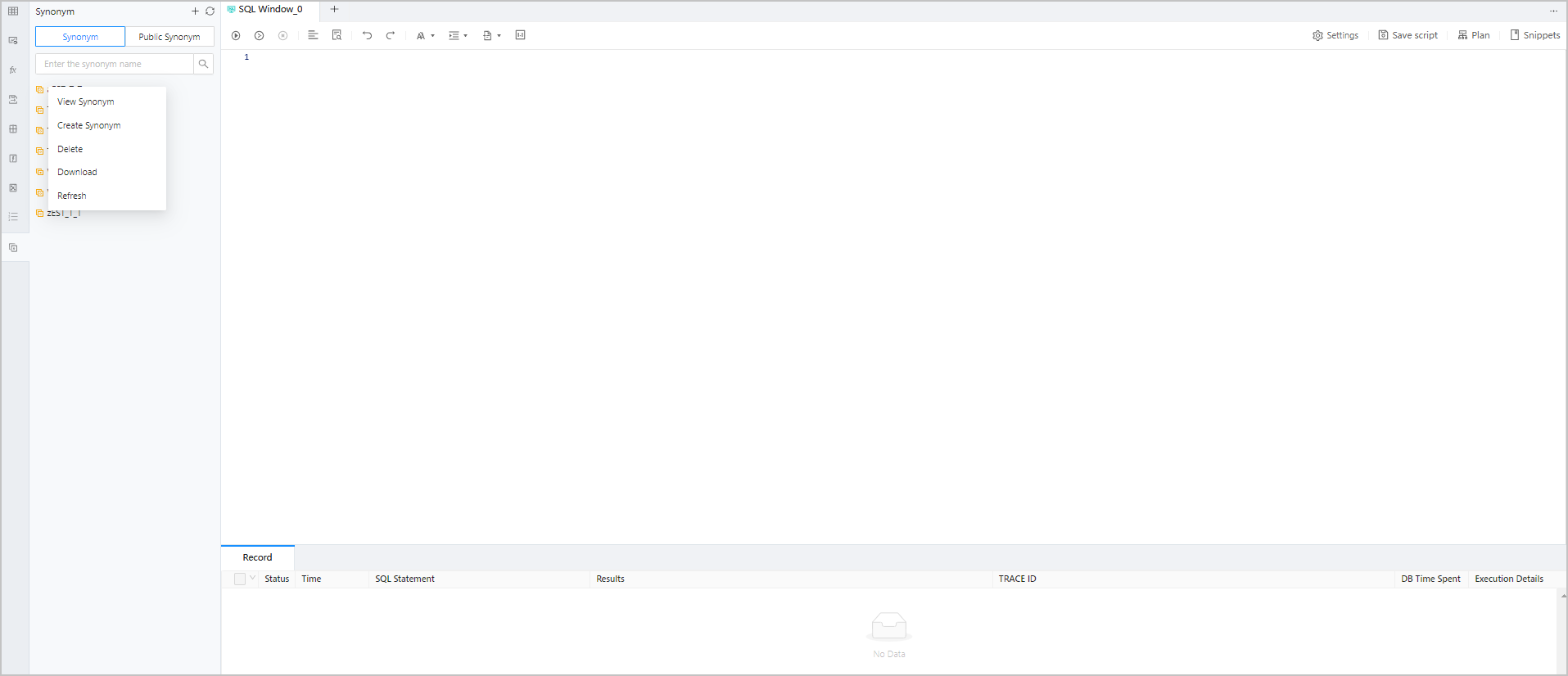
Management actions
The names of type objects support ascending order by the head character by default in the type list.
Shortcut function
The following functions are provided in the upper right corner of the tree:
Action |
Description |
|---|---|
| Create | Click this option to create type. |
| Filter | Click this option to display valid/invalid types. |
| Refresh | Click this option to refresh the structure tree after you perform management actions on the type, so that the structure tree displays the latest information. |
Right-click function
Right-click the target object in the structure tree. A shortcut menu appears, displaying some management options provided by ODC for you to conveniently manage the target object.
The following table describes the management options.
Option |
Description |
|---|---|
| View Type | Click this option to go to the type management page, where you can view the basic information and codes of the type. |
| Create Type | Click this option to go to the Create Type page, where you can create a type as prompted. |
| Download | Download the SQL file for the type object. |
| Delete | Click this option to delete the type. |
| Refresh | Click this option to refresh the list after you perform management actions on the type, so that the list displays the latest information. |
Synonym management page
Double-click the target synonym in the synonym list to go to the synonym management page, which provides the following two tabs:
Basic Info : displays synonym information such as Name , Object Owner , Object Name , Creation Time , and Modified At .
DDL : displays the script that defines the synonym. A synonym cannot be modified after it is created.