







This topic describes the steps of routine switchover between the primary cluster and a standby cluster.
Background
When you have logged on to a standby cluster, you can switch it to the primary role through the routine switchover feature as needed.
The routine primary/standby switchover feature is supported in OceanBase Database V2.2.50 and later versions. You can start the switchover when no backup task is in progress. Note
Carry out the routine primary/standby switchover after the backup and restoration operations in the current cluster are completed.
Procedure
Log on to the OceanBase Cloud Platform (OCP) console.
In the left-side navigation pane, click Clusters. In the Clusters list, click the name of the target cluster.
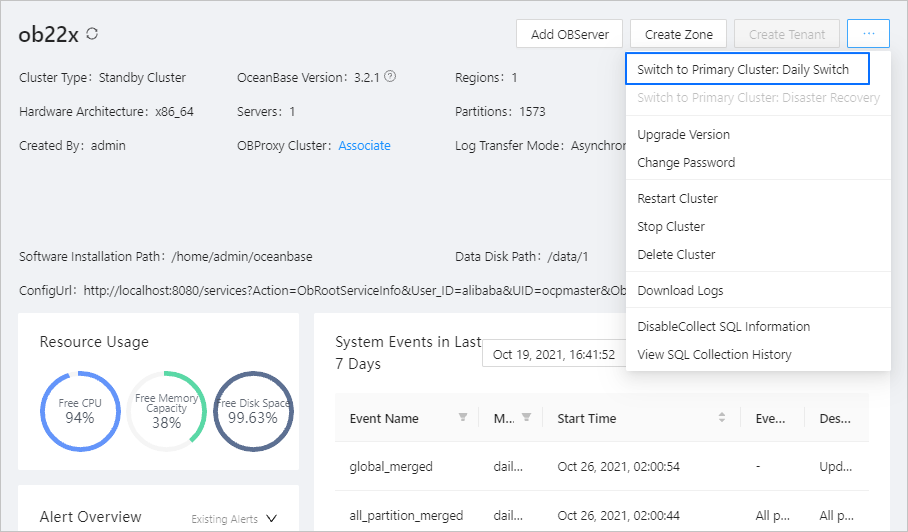
On the page that appears, click the More icon in the upper-right corner to expand the hidden menu and select Switch to Primary Cluster: Daily Switch .
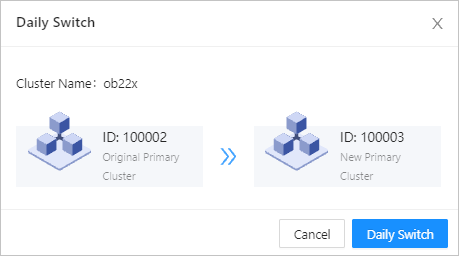
In the dialog box that appears, click Daily Switch .
Return to the homepage. In the left-side navigation pane, choose System Management > Tasks to check the task progress.