This topic describes how OceanBase Cloud Platform (OCP) monitors alerts and sends notifications when an error is detected in an OceanBase cluster or application.
Introduction
OCP provides alerting and monitoring services for OceanBase clusters, tenants, and their resources so that you can detect business operation failures and resource shortages as soon as possible.
Alert events
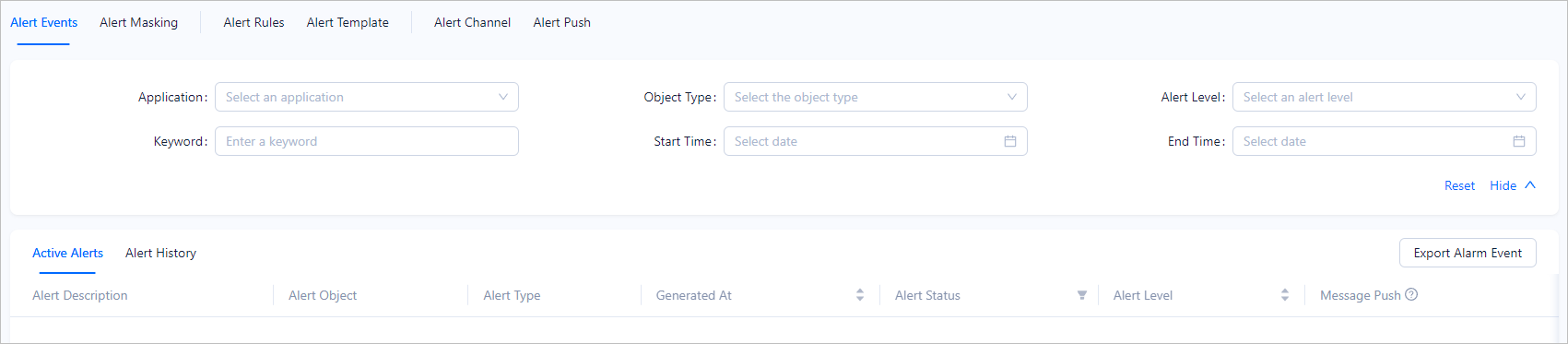
On the Alert Events tab, you can search for alert events by Application, Object Type, Alert Level, Keyword, Start Time, and End Time.
Alert events are classified into active alerts and historical alerts.
- Active alerts: alerts in the
AlertingorBlockedstate. - Historical alerts: alerts in the
Cleared,Expired, orResolvedstate.
In the alert event list, you can view information about alerts in columns such as: Alert Description, Generated At, Recovery Time, Alert Type, Alert Status, Alert Level, and Message Push. You can sort alerts by Generated At, Recovery Time, or Alert Level.
Alert blocking
You can search for alert blocking conditions by Application, Masked Object Types, Created By, and Keyword, and filter the conditions by In Effect, Expired, and All.
In the alert blocking condition list, you can view information about alert blocking conditions in the following columns: Masked Application/Object Type, Blocking Object, Mask Alert Rules, Blocking End Time, Daily Block Period, Created By, Created At, Remarks, and Status, and perform common management operations on the conditions. For more information, see Create a blocking condition, Edit a blocking condition, and Delete a blocking condition.

Alert rules
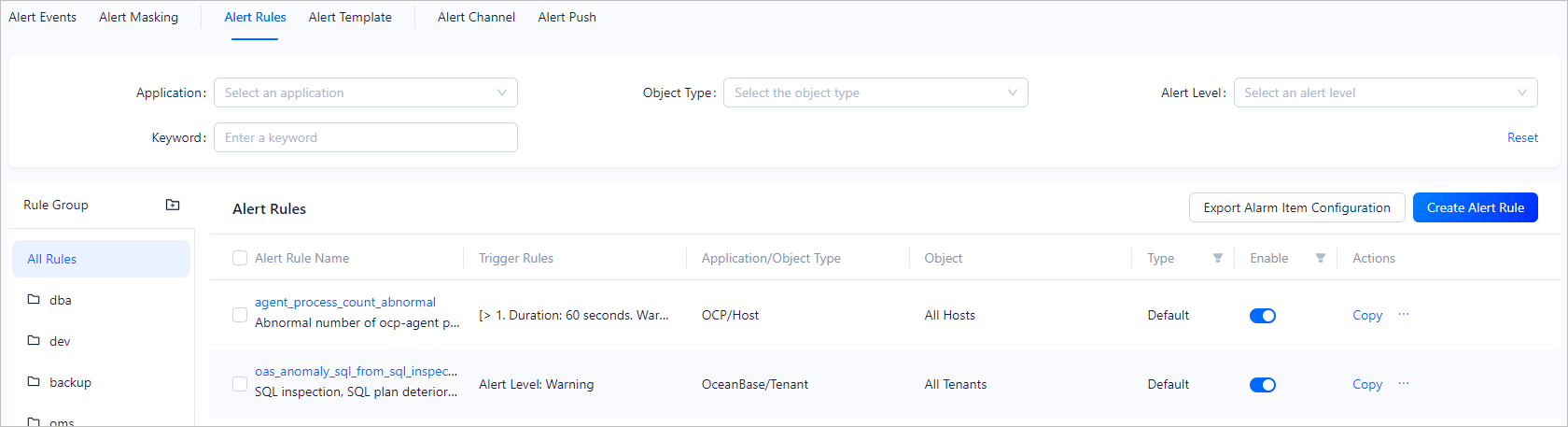
On the Alert Rules tab, you can search for alert rules by Application, Object Type, Alert Level, and Keyword.
In the alert rule list, you can view information about alert rules in the following columns: Alert Rule Name, Trigger Rule, Application/Object Type, Object, Type, and Enable, and perform common management operations on alert rules. For more information, see View an alert rule, Edit an alert item, Copy an alert item, Create an alert item, and Alert rule groups.
Alert templates
Note
Among the alert rules of the same object, alert rules in an active alert template have a higher priority.
On the Alert Templates tab, you can search for alert templates by Application, Template Type, and Keyword, and view information about alert templates in the following columns: Template Name, Application, Alert Object, Type, and Enable. You can also perform common management operations on alert templates. For more information, see Create an alert template, Set alert objects, Copy an alert template, Edit an alert template, and Delete an alert template.

Alert channels
On the Alert Channels tab, you can view information about alert channels in the following columns: Channel Name, Channel Type, Created By, and Created At. You can also perform common management operations on alert channels. For more information, see Create an alert channel, View an alert channel, Edit an alert channel, Copy an alert channel, and Delete an alert channel.

Alert push
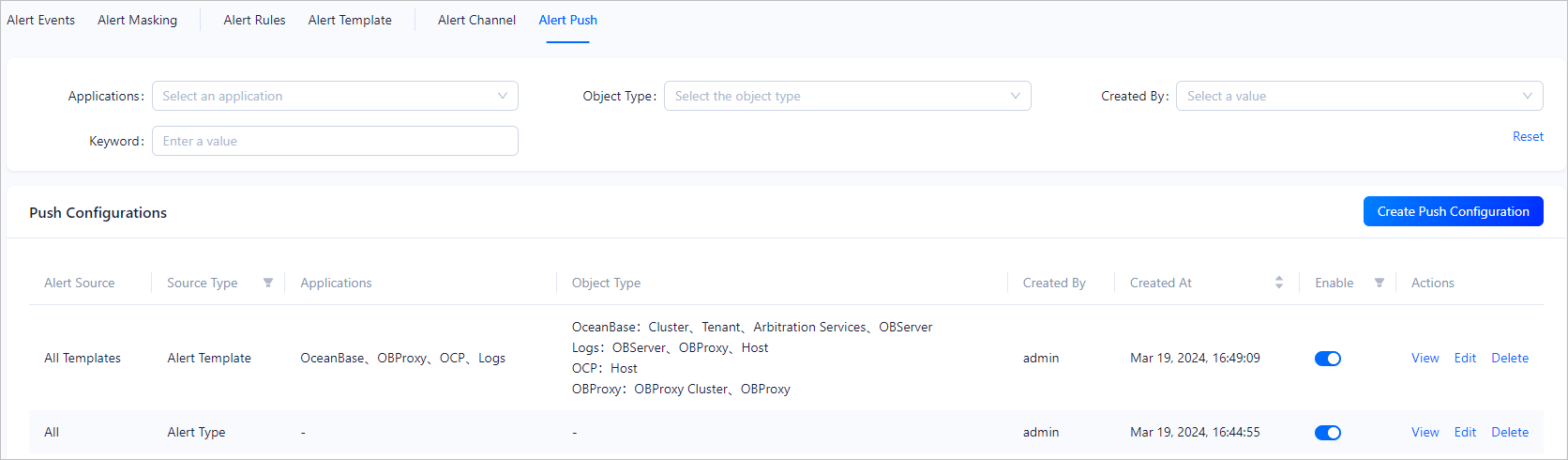
On the Alert Pushes tab, you can search for alert pushes by Application, Object Type, Created By, and Keyword, and view information about alert pushes in the following columns: Alert Source, Source Type, Application, Object Type, Created By, Created At, and Enable. You can also perform common management operations on alert pushes. For more information, see Create an alert push, View an alert push, Edit an alert push, and Delete an alert push.