







This topic describes how to restart a backup or recovery service on a host.
Prerequisite
You have installed a backup or recovery service. For more information, see Install a service.
Procedure
In the left-side navigation pane, choose Backup & Recovery > Service .
Find the service to restart and click its name.
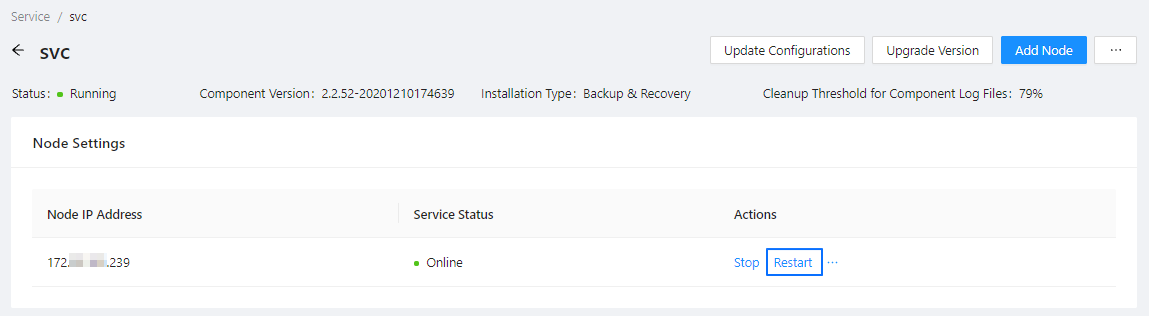
The service details page appears.
In the Node Settings list, find the node on which the service to restart is installed and click Restart .
The system prompts: "Are you sure that you want to restart the service on the node xxx.xxx.xxx.xxx?"
Click Restart .