RAGFlow × OceanBase seekdb: Agent-Ready Data Retrieval in Minutes

As RAG enters the agent era, the traditional "retrieve once, answer once" pipeline is becoming obsolete. Autonomous agents plan, call tools, write code, and revise—retrieving context repeatedly from documents, memory, and tool catalogs. This shift transforms retrieval into a foundational data-layer problem. Agents require low-latency, high-precision search that seamlessly blends vector similarity, full-text matching, and structured filtering at runtime.
In this guide, we use RAGFlow as a reference architecture to demonstrate how to build an agent-grade retrieval layer using OceanBase seekdb.
What Changes in Agent-Era RAG?
In classic RAG, retrieval is a single, isolated step prior to generation. In agent workflows, retrieval is a continuous, hot loop:
Retrieve context → Decide next action → Call a tool → Update state → Retrieve again.
Consequently, the engineering bottleneck shifts from prompt engineering to infrastructure: how reliably and repeatedly can you fetch the right context within a strict latency budget?
The Data-Layer Requirement: Hybrid Retrieval and Predictable Latency
Agents don't retrieve "just text." They retrieve context under strict constraints, and they do it constantly. To maintain reliability, the retrieval engine must combine three distinct signals in a single request:
When these capabilities are siloed across separate systems, developers pay a heavy integration tax: extra network hops, inconsistent ranking algorithms, complex debugging, and unstable tail latency. These are exactly the failure modes that agent loops amplify. The architectural solution is a single, unified hybrid retrieval path capable of executing semantic, lexical, and filtered queries concurrently.
RAGFlow’s "Tree + Graph" Lens: A Mental Model for Context
A common failure mode in early RAG systems is retrieving isolated, structureless text chunks. RAGFlow’s "tree + graph" approach offers an excellent mental model for building agent-ready context:
The core takeaway here isn't just the specific implementation; it’s what it implies for the retrieval engine:. Moving from simple "top-K" chunks to complex context construction demands a retrieval engine that is incredibly fast, composable, and predictable.
OceanBase seekdb as the Agent Data Layer
OceanBase seekdb is engineered as an AI-native search database specifically designed to meet these new architectural demands:
Practice Guide: RAGFlow × OceanBase seekdb
In the following quick-start guide, we will use the RAGFlow × seekdb integration as a concrete example. We will run RAGFlow using seekdb as the core retrieval engine (and optionally as the metadata store), and then build a simple application to validate the end-to-end indexing and retrieval process.
Prerequisites
Before you begin, make sure your environment meets the following requirements:
Step 1: Get the code
Grab the RAGFlow source code and navigate to the Docker deployment directory:
git clone https://github.com/infiniflow/ragflow.gitcd ragflow/dockerStep 2: Configure seekdb for RAGFlow
RAGFlow uses .env for service configuration.
DOC_ENGINE=seekdb2. (Optional) Set seekdb as the metadata database.If you want to reduce components (no separate MySQL container), point RAGFlow’s metadata DB to seekdb.
MYSQL_HOST=seekdbMYSQL_DBNAME=testMYSQL_PORT=2881Step 3: Streamline the Docker Compose files
If you use seekdb for metadata, you should also remove the default MySQL dependency from the compose setup.
1. In docker-compose-base.yml, find the mysql: service block and comment it out:
# Lines 6~8 # depends_on: # mysql: # condition: service_healthy# Lines 54~56 # depends_on: # mysql: # condition: service_healthy2. In docker-compose-base.yml, find the mysql: service block and comment it out:
# Lines 176~202 # mysql: # # mysql:5.7 linux/arm64 image is unavailable. # image: mysql:8.0.39 # env_file: .env # environment: # - MYSQL_ROOT_PASSWORD=${MYSQL_PASSWORD} # command: # --max_connections=1000 # ... # restart: unless-stoppedStep 4: Launch RAGFlow service
Start the RAGFlow instance in the background:
docker compose up -dYou can verify the container status using docker ps. To monitor the initialization process, check the logs (adjust -cpu to -gpu if you are running on a GPU machine):
docker compose logs -f ragflow-cpu# ordocker compose logs -f ragflow-gpuOnce you see the message RAGFlow admin is ready after XXs initialization, the backend is successfully up and running.
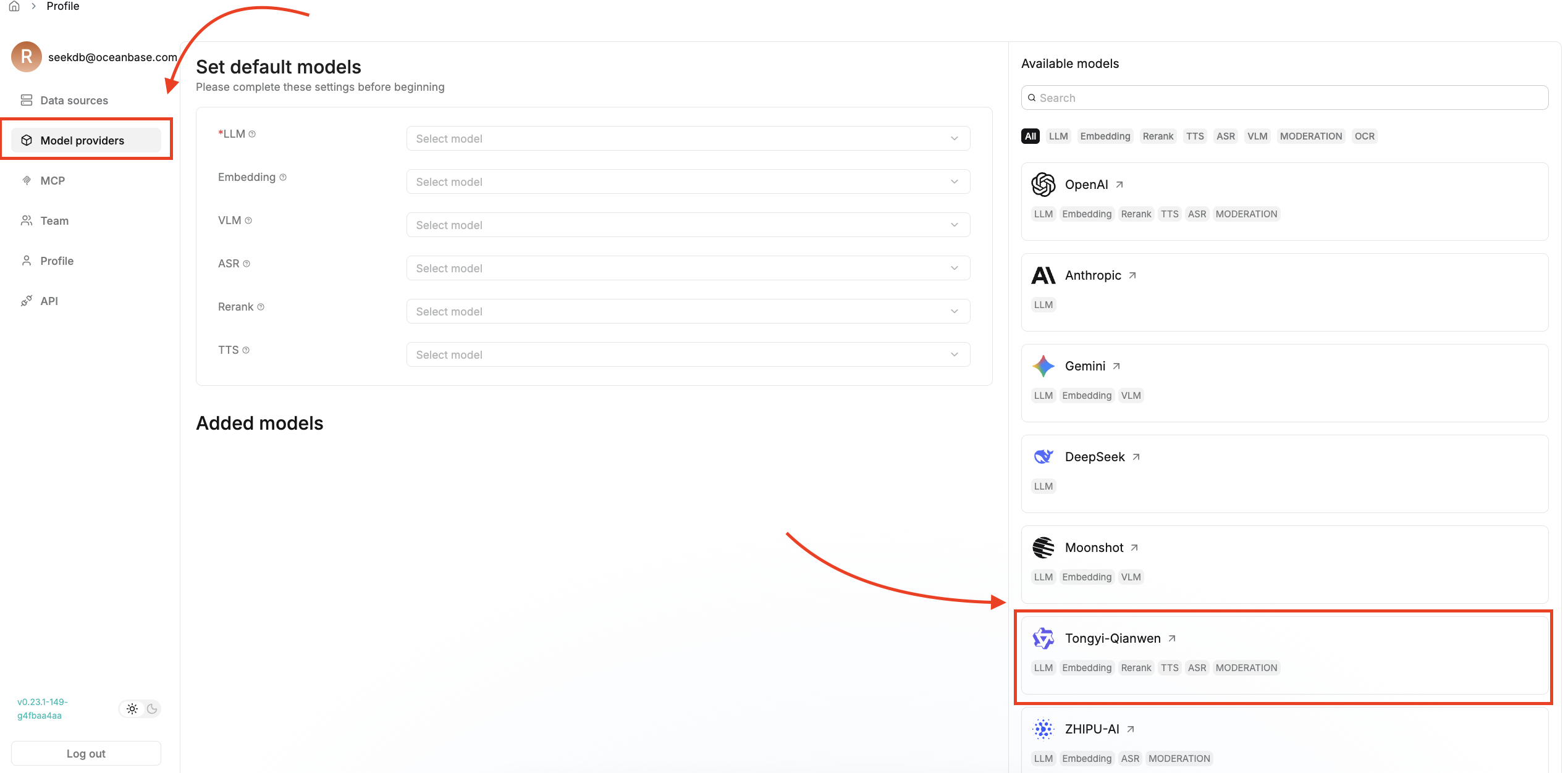
Step 5: Build an AI application with RAGFlow
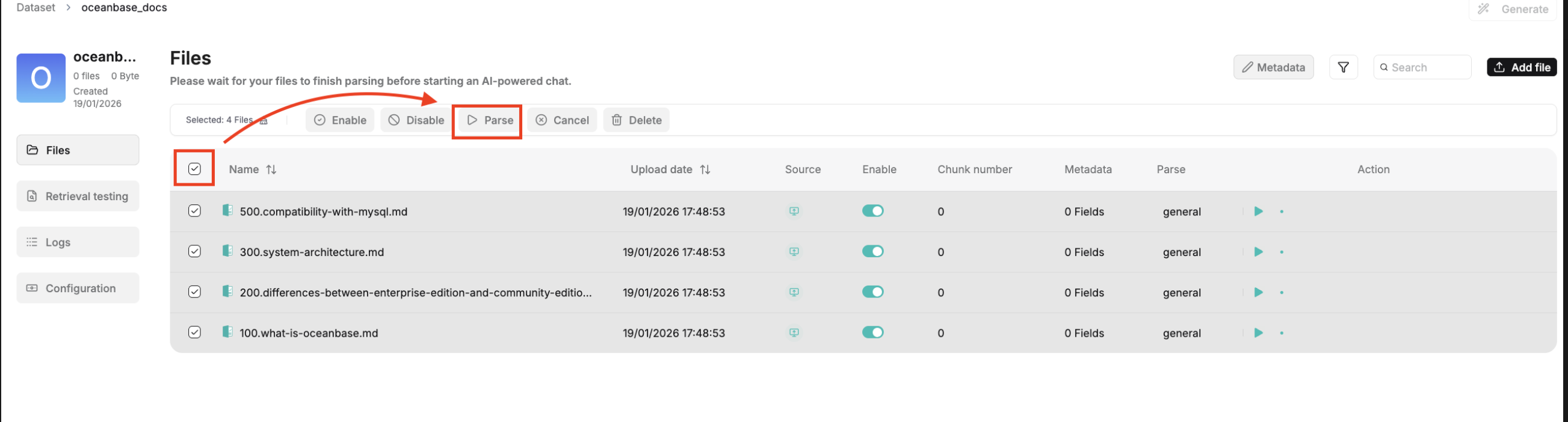
2. Ingest data and build the document index.
3. Retrieve and verify.
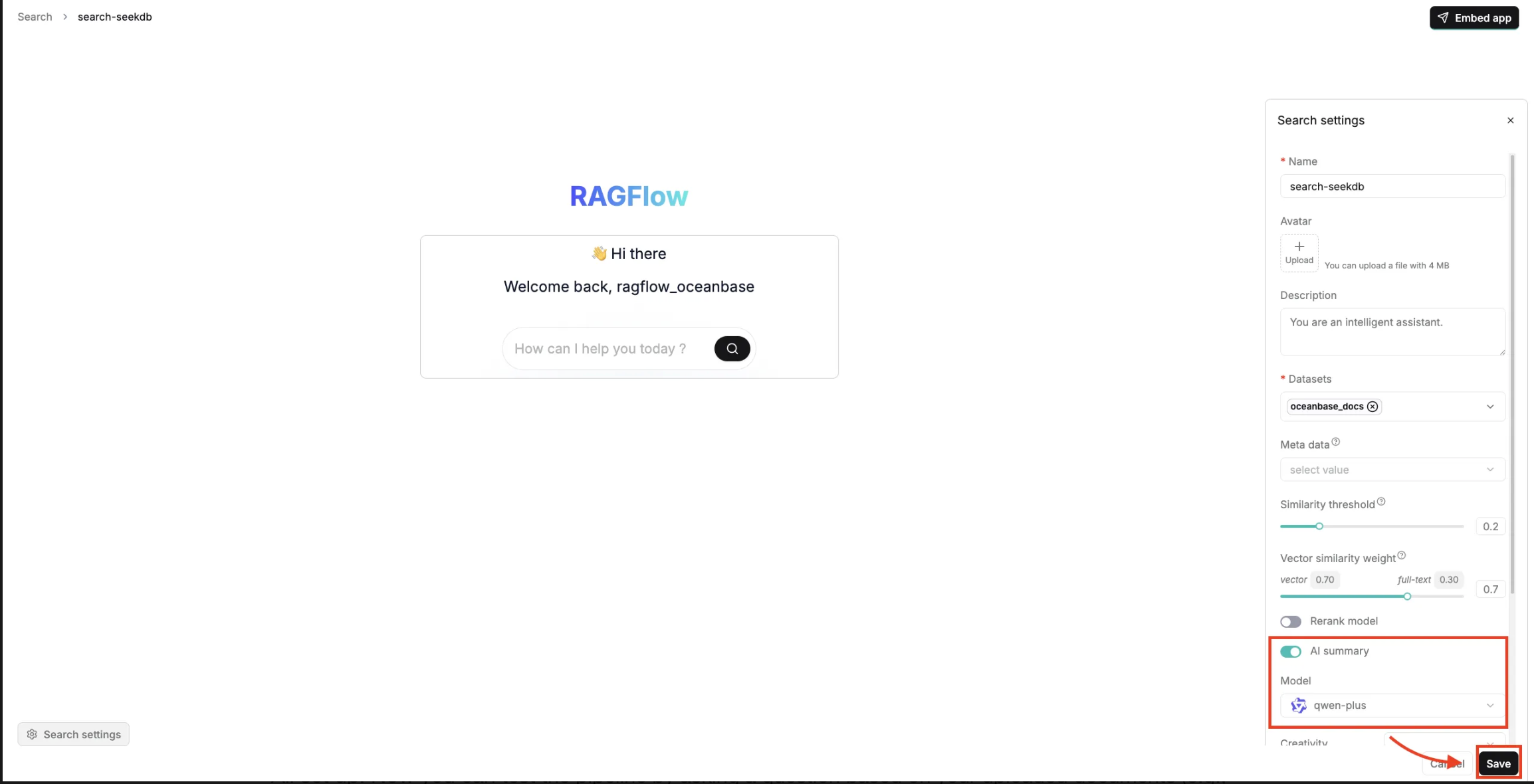
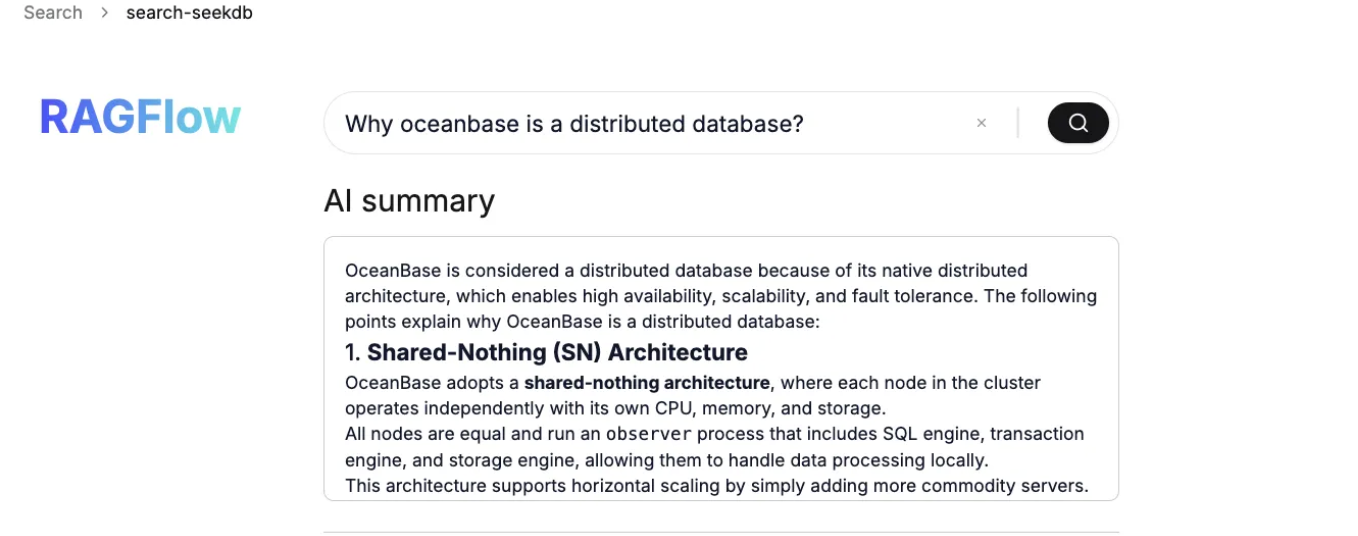
All set up! Now you can test the pipeline by asking a question based on your uploaded documents (e.g., "Why is OceanBase a distributed database?"). The system will execute a hybrid search against seekdb, successfully retrieving the relevant context chunks and generating a precise, localized summary.
Conclusion: Retrieval is the runtime infrastructure for agents
In agent workflows, retrieval becomes a tight loop: it continuously pulls from documents, memory, and tool definitions to plan, execute, and self-correct. That raises the bar for the data layer. You need hybrid retrieval (vector + full-text + structured filters) with predictable latency, so each step stays grounded in the right context. Native AI search databases are well-suited to deliver this because they can execute these signals in a single, consistent retrieval path.
RAGFlow’s “tree + graph” approach is a practical example of where the industry is heading: from top-K chunks to context construction. OceanBase seekdb aligns with this direction through hybrid search, a unified data model, and lightweight deployment. More importantly, the conclusion is platform-agnostic: as agents move from prototypes to production, teams that treat retrieval as the first-class infrastructure, instead of an add on, will be the ones that ship reliable, scalable AI systems.
Build your data layer with seekdb now: https://github.com/oceanbase/seekdb


Keep Reading
View all posts
From Complex to Simple: How We Built seekdb for the AI Era
AI era doesn't need another heavy, complex enterprise database. It needs agility. It needs flexibility. We went back to the drawing board to understand what an AI application actually needs from a database. Our answer is OceanBase seekdb


Use OceanBase in Node.js: Build a CRM with Sequelize and Express
Welcome to the latest episode in our series of articles designed to help you get started with OceanBase, a next-generation distributed relational database. Building on our previous guides where we connected OceanBase to a Sveltekit app and built an e-commerce app with Flask and OceanBase, we now ...

What Mission-Critical SaaS Really Demands From a Database
Multi-tenancy, elastic scaling, always-on uptime — SaaS workloads have a very specific database profile. Here's how six SaaS requirements translate into concrete database capabilities, and where most platforms fall short.